We Use CookiesWe use cookies to enhance the security, performance, functionality and for analytical and promotional activities. By continuing to browse this site you are agreeing to our privacy policy

10 Best Thermal Label Printers 2026 in the United States
How do we rank products for you?

Our technology thoroughly searches through the online shopping world, reviewing hundreds of sites. We then process and analyze this information, updating in real-time to bring you the latest top-rated products. This way, you always get the best and most current options available.

headphones-stars

Our Top Picks

#1

Winner

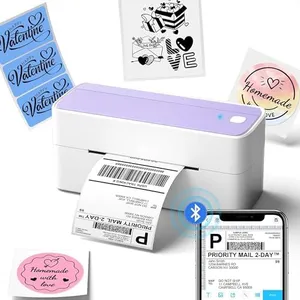
Phomemo Bluetooth Thermal Label Printer, 241BT 4X6 Wireless Shipping Label Printer for Small Business, Labels Printers for Shipping Package, Compatible with iPhone, Android, Purple

Rating
10.0
Chosen by1,310
Print Resolution
Print Speed
Connectivity Options

Most important from
3772 reviews

Print Resolution
Prints are consistently clear, sharp, and smudge-free, ensuring professional-looking shipping labels.
Print Speed
The printer operates quickly, enabling fast label printing that speeds up order packaging.
Connectivity Options
Setup is incredibly easy, with Bluetooth pairing that works seamlessly on iPhone and other devices.
Durability and Build Quality
Compact and lightweight design makes it ideal for small spaces without sacrificing performance.
Ease of Use
Setup is incredibly easy, with Bluetooth pairing that works seamlessly on iPhone and other devices.
Compatibility with Label Types
Reliable compatibility with platforms like Shopify and Amazon simplifies business workflows.

The Phomemo 241BT is a compact thermal label printer designed for small businesses needing quick and wireless label printing. It prints in black and white at a decent 203 DPI resolution, which delivers clear and readable shipping labels, barcodes, and QR codes. The print speed is quite good, handling up to 66 pages per minute, helping save time when printing many labels. It supports label widths up to 4.6 inches, fitting standard shipping label sizes commonly used by platforms like Amazon or USPS.

Connectivity-wise, it offers Bluetooth printing via a dedicated app for iOS and Android devices, making it convenient to print directly from your phone or tablet. For desktops and laptops, it connects through USB and supports multiple operating systems, including Windows, Mac, Linux, and Chrome OS, though some setup steps are needed. The printer uses thermal printing technology, so no ink or toner is required — just thermal paper labels, making it cost-effective and low maintenance.

The build is lightweight and portable, suitable for home or small office use, though not as rugged as industrial printers. It only prints in monochrome, so color labels require special thermal color paper purchased separately. Bluetooth printing requires using the specific app, which may not support direct Bluetooth connections from all devices. This printer offers good print quality, speed, and versatile compatibility for everyday shipping label needs, especially for entrepreneurs and small business owners who want quick, wireless, and hassle-free printing.

Rating
10.0
Chosen by1,310
Print Resolution
Print Speed
Connectivity Options

Most important from
3772 reviews

Print Resolution
Prints are consistently clear, sharp, and smudge-free, ensuring professional-looking shipping labels.
Print Speed
The printer operates quickly, enabling fast label printing that speeds up order packaging.
Connectivity Options
Setup is incredibly easy, with Bluetooth pairing that works seamlessly on iPhone and other devices.
Durability and Build Quality
Compact and lightweight design makes it ideal for small spaces without sacrificing performance.
Ease of Use
Setup is incredibly easy, with Bluetooth pairing that works seamlessly on iPhone and other devices.
Compatibility with Label Types
Reliable compatibility with platforms like Shopify and Amazon simplifies business workflows.
#2

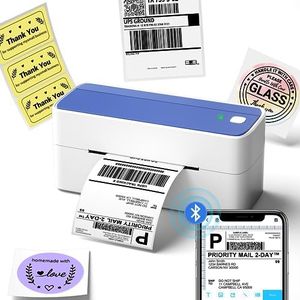
JADENS Bluetooth Thermal Shipping Label Printer – Wireless 4x6 Shipping Label Printer, Compatible with Android, iPhone, Windows & Mac, Widely Used for Ebay, Amazon, Shopify, Etsy, USPS

Rating
10.0
Print Resolution
Print Speed
Label Width

Most important from
8798 reviews

Print Resolution
Print quality is sharp and clear, with crisp barcodes and text, handling 4x6 shipping labels perfectly.
Print Speed
The JADENS Bluetooth Thermal Shipping Label Printer is a game changer for small business owners, offering reliability, speed, and ease of use.
Label Width
Print quality is sharp and clear, with crisp barcodes and text, handling 4x6 shipping labels perfectly.
Connectivity Options
Setup was a breeze, connecting seamlessly to both iPhone and Windows laptop via Bluetooth, printing the first label within minutes.
Ease of Use
The JADENS Bluetooth Thermal Shipping Label Printer is a game changer for small business owners, offering reliability, speed, and ease of use.
Compatibility with Label Types
The printer works flawlessly with eBay, Shopify, and Etsy, as well as USPS, UPS, and FedEx, making it extremely versatile.

The JADENS Bluetooth Thermal Shipping Label Printer is a versatile and user-friendly option for small business owners who need to print shipping labels. Equipped with a high-quality Japanese thermal print head, it offers a print resolution of 203 DPI, which ensures clear and legible labels. The printer supports both fanfold and roll labels, with widths ranging from 1.57 to 4.1 inches, making it flexible for various labeling needs.

This model shines with its wireless printing capabilities; it connects via Bluetooth for Windows 8 or later and through an app for iOS and Android devices, enhancing convenience for mobile users. Additionally, it can connect via USB to Windows, Chrome OS, and Mac OS, though Bluetooth is not supported for Mac OS, which might be a limitation for some users. Its print speed of up to 72 labels per minute is efficient for high-volume tasks. The printer’s build quality appears robust, and it comes with a label holder and 50 extra label sheets, adding to its value.

Setting it up is straightforward, with comprehensive installation guides and videos provided. The product is widely compatible with major shipping platforms like eBay, Amazon, Shopify, and Etsy, which is a significant advantage for e-commerce businesses. A one-year warranty and reliable customer support further enhance its appeal. However, it's important to note that while the wireless feature is a plus, some users might find the need to download an app for mobile printing slightly cumbersome. Also, the absence of Bluetooth support for Mac OS could be a drawback for Mac users. The JADENS Bluetooth Thermal Shipping Label Printer offers a good blend of performance, ease of use, and compatibility, making it a solid choice for small business owners.

Rating
10.0
Print Resolution
Print Speed
Label Width

Most important from
8798 reviews

Print Resolution
Print quality is sharp and clear, with crisp barcodes and text, handling 4x6 shipping labels perfectly.
Print Speed
The JADENS Bluetooth Thermal Shipping Label Printer is a game changer for small business owners, offering reliability, speed, and ease of use.
Label Width
Print quality is sharp and clear, with crisp barcodes and text, handling 4x6 shipping labels perfectly.
Connectivity Options
Setup was a breeze, connecting seamlessly to both iPhone and Windows laptop via Bluetooth, printing the first label within minutes.
Ease of Use
The JADENS Bluetooth Thermal Shipping Label Printer is a game changer for small business owners, offering reliability, speed, and ease of use.
Compatibility with Label Types
The printer works flawlessly with eBay, Shopify, and Etsy, as well as USPS, UPS, and FedEx, making it extremely versatile.
#3

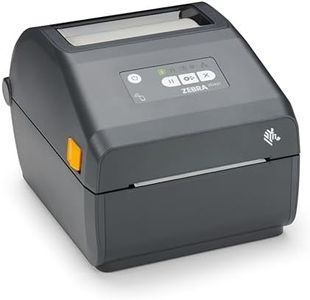
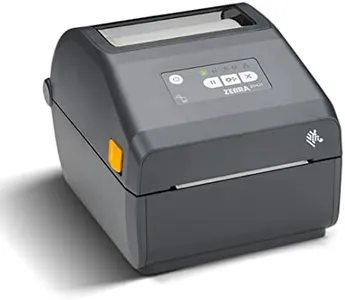
Zebra ZD421 Direct Thermal Label USB Printer 203 DPI ZD4A042-D01M00EZ

Rating
9.7
Ease of Use
Compatibility with Label Types
Durability and Build Quality

Most important from
96 reviews

Ease of Use
Setup was incredibly fast, with the printer ready to use in under 10 minutes using the recommended drivers.
Compatibility with Label Types
The printer integrates seamlessly with popular shipping software, requiring minimal configuration beyond label size and darkness adjustments.
Durability and Build Quality
The build quality supports heavy business printing without issues, making it reliable for continuous use.

The Zebra ZD421 is a compact and lightweight direct thermal label printer designed for straightforward label printing needs. It offers a standard print resolution of 203 x 203 DPI, which is suitable for most barcode and shipping labels but may not deliver the sharpest images if you need highly detailed prints. The printer supports label widths up to 152 millimeters, accommodating a variety of common label sizes, which makes it flexible for different labeling tasks.

In terms of connectivity, the ZD421 includes Bluetooth, Wi-Fi, and USB options, allowing you to easily connect to PCs and mobile devices without hassle. This variety adds convenience if you want flexibility in where and how you print. The build is solid but lightweight at just 3.6 pounds, making it portable enough for small workspaces or occasional relocation.

Zebra printers in this range typically provide print speeds adequate for small to medium batch printing but might not suit very high volume or fast-paced environments. The printer is designed for ease of use, with simple controls and remote management features, helping reduce setup and maintenance time. Compatibility-wise, it works well with standard direct thermal labels, but since it lacks color and duplex printing, it’s best for black-and-white single-sided labels only. The device is Energy Star certified, reflecting good energy efficiency. The Zebra ZD421 is well suited for businesses needing reliable, easy-to-use label printing with flexible connectivity and is a solid choice for retail, healthcare, or light industrial use, though it may not meet needs for high-resolution prints or very fast production speeds.

Rating
9.7
Ease of Use
Compatibility with Label Types
Durability and Build Quality

Most important from
96 reviews

Ease of Use
Setup was incredibly fast, with the printer ready to use in under 10 minutes using the recommended drivers.
Compatibility with Label Types
The printer integrates seamlessly with popular shipping software, requiring minimal configuration beyond label size and darkness adjustments.
Durability and Build Quality
The build quality supports heavy business printing without issues, making it reliable for continuous use.

Buying Guide for the Best Thermal Label Printers

When choosing a thermal label printer, it's important to consider your specific needs and how the printer's features align with them. Thermal label printers are widely used for printing labels, barcodes, and receipts, and they offer advantages such as speed, efficiency, and low maintenance. To make an informed decision, you should understand the key specifications and how they impact the printer's performance and suitability for your tasks.
Print ResolutionPrint resolution, measured in dots per inch (DPI), determines the clarity and detail of the printed labels. Higher DPI values produce sharper and more detailed prints, which is important for small text and intricate graphics. Common resolutions are 203 DPI, 300 DPI, and 600 DPI. For general shipping labels, 203 DPI is usually sufficient. If you need to print high-quality images or small barcodes, consider a printer with 300 DPI or higher.
Print SpeedPrint speed, measured in inches per second (IPS), indicates how quickly the printer can produce labels. Faster print speeds are beneficial for high-volume printing environments, reducing wait times and increasing productivity. Typical print speeds range from 4 IPS to 12 IPS. If you have a high volume of labels to print daily, opt for a printer with a higher IPS. For occasional or low-volume printing, a lower speed may be adequate.
Label WidthLabel width refers to the maximum width of labels that the printer can handle. This is important to ensure the printer can accommodate the size of labels you need. Common maximum widths range from 2 inches to 8 inches. Choose a printer that supports the width of your labels. For standard shipping labels, a width of 4 inches is typical. For specialized applications, such as large product labels, ensure the printer can handle wider labels.
Connectivity OptionsConnectivity options determine how the printer connects to your computer or network. Common options include USB, Ethernet, Wi-Fi, and Bluetooth. USB is suitable for direct connections to a single computer, while Ethernet and Wi-Fi are ideal for networked environments where multiple users need access. Bluetooth is useful for mobile printing from smartphones or tablets. Choose the connectivity option that best fits your workflow and setup.
Durability and Build QualityDurability and build quality are important for ensuring the printer can withstand the demands of your environment. Industrial-grade printers are built for heavy-duty use and can handle high volumes and harsh conditions. Desktop printers are more compact and suitable for moderate use in office settings. Consider the environment in which the printer will be used and choose a model that offers the necessary durability and reliability.
Ease of UseEase of use encompasses the printer's setup, operation, and maintenance. Features such as user-friendly interfaces, easy label loading, and straightforward software integration can significantly impact your experience. Look for printers with intuitive controls and clear instructions. If multiple users will operate the printer, ensure it is easy to learn and use to minimize training time and errors.
Compatibility with Label TypesCompatibility with different label types is crucial for ensuring the printer can handle the specific labels you need. Thermal label printers can use direct thermal or thermal transfer printing methods. Direct thermal printers use heat-sensitive labels and are ideal for short-term use, such as shipping labels. Thermal transfer printers use a ribbon to transfer ink and are suitable for long-lasting labels. Choose a printer that supports the label type required for your application.

FAQ