We Use CookiesWe use cookies to enhance the security, performance, functionality and for analytical and promotional activities. By continuing to browse this site you are agreeing to our privacy policy

10 Best Wifi Home Routers 2026 in the United States

How do we rank products for you?

Our technology thoroughly searches through the online shopping world, reviewing hundreds of sites. We then process and analyze this information, updating in real-time to bring you the latest top-rated products. This way, you always get the best and most current options available.

headphones-stars

Our Top Picks

#1

Winner

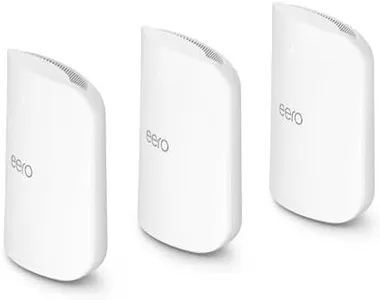
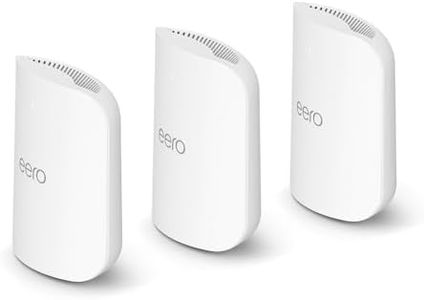
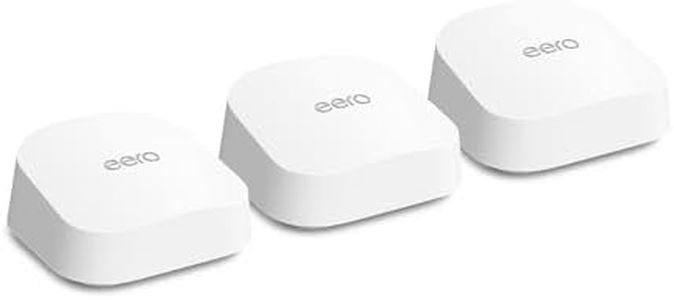
Amazon eero Max 7 mesh wifi system (newest model) - Supports internet plans up to 10 Gbps, Coverage up to 7,500 sq. ft., Connect 750+ devices, 3-pack

Rating
10.0
Chosen by1,431
Speed
Range
Number of Ports

Most important from
890 reviews

Speed
Upgrading to the eero Max 7 significantly improved wireless speeds, achieving a full gig in some areas and 800 Mbps in the farthest room.
Range
The system provides extensive coverage, with one user noting complete coverage throughout a 2600 sqft home and a good signal outside.
Number of Ports
The multi-gig LAN networking capability of the eero Max 7 stands out, providing an option for future upgrades to 10 Gbps.
MU-MIMO
The system handles multiple devices effortlessly, supporting simultaneous 4K streaming and teleconferences without glitches.

The eero Max 7 mesh wifi system is designed to deliver exceptional performance for a modern home. With support for Wi-Fi 7 technology, it offers impressive wireless speeds of up to 4.3 Gbps and wired speeds that can reach 9.4 Gbps. This makes it a strong choice for users who stream content, game online, or have multiple smart devices connected simultaneously. The system boasts an extensive coverage area of up to 7,500 square feet and can connect over 200 devices, making it suitable for larger homes or households with many connected gadgets.

One of the key strengths is its advanced mesh technology, known as TrueMesh, which enhances reliability by dynamically optimizing data paths to minimize interference. Additionally, the eero Max 7 acts as a smart home hub, compatible with various devices that use Matter, Zigbee, and Thread protocols, thereby enhancing its utility in smart home setups.

On the security front, the optional eero Plus subscription adds an extra layer of protection against online threats. Setting up the eero Max 7 is straightforward thanks to the user-friendly app, which guides you through the entire process. The need for a subscription for advanced security features may not appeal to all users, particularly those on a tight budget. Additionally, while it is built for high performance, its advanced features may be overwhelming for users who just need a basic, reliable wifi connection without the extras. The one-year warranty may not be as reassuring for those seeking long-term support.

Rating
10.0
Chosen by1,431
Speed
Range
Number of Ports

Most important from
890 reviews

Speed
Upgrading to the eero Max 7 significantly improved wireless speeds, achieving a full gig in some areas and 800 Mbps in the farthest room.
Range
The system provides extensive coverage, with one user noting complete coverage throughout a 2600 sqft home and a good signal outside.
Number of Ports
The multi-gig LAN networking capability of the eero Max 7 stands out, providing an option for future upgrades to 10 Gbps.
MU-MIMO
The system handles multiple devices effortlessly, supporting simultaneous 4K streaming and teleconferences without glitches.
#2

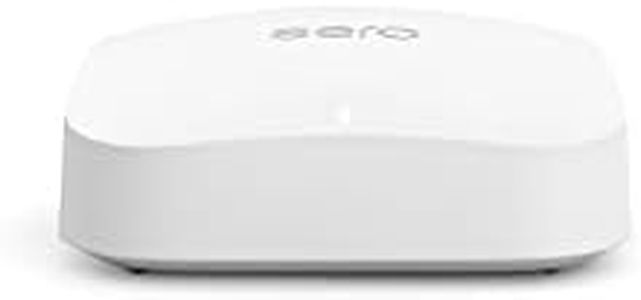
Amazon eero Pro 7 tri-band mesh Wi-Fi 7 router (newest model) - Supports internet plans up to 5 Gbps, Coverage up to 6,000 sq. ft., 3-pack

Rating
8.5
Coverage Area
Speed
Additional Features

Most important from
1109 reviews

Coverage Area
Coverage is excellent, reaching every corner of a large home with no dead zones or slow spots.
Speed
Outperforms competing systems like Orbi and previous mesh setups in both speed and coverage, making it a top-tier choice.
Additional Features
Some advanced features like the built-in VPN can introduce minor slowdowns or app login issues, but overall the system remains solid and dependable.

The Amazon eero Pro 7 is a powerful tri-band Wi-Fi 7 mesh router system designed for large homes or small businesses needing fast, reliable internet coverage. It supports very high internet speeds up to 5 Gbps and can cover up to 6,000 square feet with a three-pack, making it great if you want to eliminate dead zones across multiple floors or rooms. The router uses three separate wireless bands (2.4 GHz, 5 GHz, and 6 GHz) with multiple antennas that help manage many devices—over 600 at once—without slowing down.

Thanks to Wi-Fi 7 technology, it offers faster speeds and better handling of data compared to older Wi-Fi standards, which is helpful if you stream 4K videos, game online, or work from home with many connected gadgets. It also includes two 5 Gigabit Ethernet ports for wired connections, which is great for devices that need steady, speedy internet. Security-wise, the eero Pro 7 supports the latest WPA3 encryption and offers optional advanced protection like ad blocking and parental controls via a subscription service. It also works well with smart home devices, including Alexa and Zigbee hubs.

One downside is that the system can be pricey, especially if you want the full 3-pack for wide coverage, and the advanced security features require extra monthly fees. While setup is generally simple through the app, some users might find Wi-Fi 7 features a bit ahead of what their current devices can fully utilize. The eero Pro 7 is an excellent choice if you need a future-proof, high-performance mesh network that can handle many devices and large spaces, but it might be more than necessary for small homes or basic internet use.

Rating
8.5
Coverage Area
Speed
Additional Features

Most important from
1109 reviews

Coverage Area
Coverage is excellent, reaching every corner of a large home with no dead zones or slow spots.
Speed
Outperforms competing systems like Orbi and previous mesh setups in both speed and coverage, making it a top-tier choice.
Additional Features
Some advanced features like the built-in VPN can introduce minor slowdowns or app login issues, but overall the system remains solid and dependable.
#3

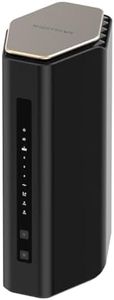
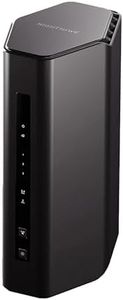
NETGEAR Nighthawk WiFi 7 Router (BE17000) – Router Only, 17 Gbps Wireless Speed, 10 Gig Internet Port, Tri-Band for Gaming, Covers 3,300 sq. ft., 150 Devices, VPN – Free Expert Help

Rating
8.2
WiFi Standards
Coverage Area
Additional Features

Most important from
225 reviews

WiFi Standards
The router works seamlessly with older 2.4 GHz devices, maintaining compatibility without sacrificing performance.
Coverage Area
The WiFi signal comfortably reaches distant areas like the driveway and separate garage, enabling smooth streaming even in outbuildings.
Additional Features
Setup is straightforward and flexible, allowing configuration directly through a PC browser without requiring the mobile app, though the app is available for convenience.

The NETGEAR Nighthawk WiFi 7 Router (BE17000) is a powerful choice for anyone needing very fast and reliable home WiFi, especially if you have many devices or enjoy gaming and streaming in high definition. It uses the latest WiFi 7 technology, which offers speeds up to 17 Gbps—much faster than older WiFi 6 routers—helping reduce lag during gaming and making 4K or even 8K video streaming smooth. The tri-band setup helps manage multiple devices well, supporting up to 150 devices in a coverage area of about 3,300 square feet, which is suitable for most medium to large homes.

The router includes a 10 Gigabit internet port along with four 1 Gigabit LAN ports, allowing for super-fast wired connections where needed. It also comes with security features through NETGEAR Armor, offering good protection against hackers and malware, plus a 30-day trial for extra peace of mind. The setup is user-friendly via the Nighthawk App, and expert support is available if needed.

One drawback is that this router does not include a built-in modem, so you will need to have or buy a separate modem compatible with your internet service. Additionally, it's designed for use in the U.S., which might limit compatibility elsewhere. Given the cutting-edge technology, the price tends to be higher, but this router represents a solid investment for future-proof WiFi with robust speed, coverage, and security for a busy household or gaming setup.

Rating
8.2
WiFi Standards
Coverage Area
Additional Features

Most important from
225 reviews

WiFi Standards
The router works seamlessly with older 2.4 GHz devices, maintaining compatibility without sacrificing performance.
Coverage Area
The WiFi signal comfortably reaches distant areas like the driveway and separate garage, enabling smooth streaming even in outbuildings.
Additional Features
Setup is straightforward and flexible, allowing configuration directly through a PC browser without requiring the mobile app, though the app is available for convenience.

Buying Guide for the Best Wifi Home Routers

Choosing the right WiFi home router is essential for ensuring a strong, reliable internet connection throughout your home. The right router can enhance your online experience, whether you're streaming movies, playing online games, or working from home. To make an informed decision, it's important to understand the key specifications and how they relate to your specific needs.
WiFi StandardsWiFi standards determine the speed and range of your wireless network. The most common standards are 802.11n, 802.11ac, and 802.11ax. 802.11n is older and slower, suitable for basic internet use. 802.11ac offers faster speeds and better range, ideal for HD streaming and gaming. 802.11ax, also known as WiFi 6, provides the fastest speeds and best performance in crowded environments. Choose a router with a standard that matches your internet usage and the number of devices in your home.
Dual-Band vs. Tri-BandRouters can operate on different frequency bands, typically 2.4 GHz and 5 GHz. Dual-band routers offer both bands, allowing you to separate devices based on their bandwidth needs. Tri-band routers add an additional 5 GHz band, which can help reduce congestion and improve performance for multiple high-demand devices. If you have many devices or frequently stream and game, a tri-band router may be beneficial. For average home use, a dual-band router is usually sufficient.
SpeedRouter speed is measured in megabits per second (Mbps) and indicates the maximum data transfer rate. Higher speeds mean faster internet, but the actual speed you experience also depends on your internet service plan. Routers are often labeled with their maximum combined speeds, such as AC1200 or AX6000. For basic browsing and streaming, a lower speed router (up to 1200 Mbps) is adequate. For heavy usage, such as 4K streaming or online gaming, look for higher speeds (3000 Mbps and above).
Coverage AreaThe coverage area of a router determines how far its signal can reach. This is important for ensuring a strong connection throughout your home. Coverage is typically measured in square feet. Smaller homes or apartments may only need coverage up to 1500 square feet, while larger homes may require 3000 square feet or more. Consider the size of your home and any potential obstacles, like walls or floors, that could interfere with the signal.
Number of AntennasAntennas help distribute the WiFi signal throughout your home. More antennas can improve signal strength and coverage. Routers with multiple antennas can use technologies like MIMO (Multiple Input Multiple Output) to handle multiple devices more efficiently. If you have a large home or many devices, look for a router with more antennas. For smaller spaces or fewer devices, fewer antennas may be sufficient.
Security FeaturesSecurity features protect your network from unauthorized access and cyber threats. Look for routers with WPA3 encryption, which is the latest and most secure standard. Additional features like guest networks, parental controls, and built-in firewalls can provide extra layers of protection. If you have sensitive data or children using the internet, prioritize routers with robust security features.
Additional FeaturesSome routers come with additional features that can enhance your network experience. These may include Quality of Service (QoS) settings to prioritize certain types of traffic, USB ports for connecting external storage, and compatibility with smart home devices. Consider what extra features might be useful for your specific needs, such as prioritizing gaming traffic or integrating with your smart home system.

FAQ