10 Best Webcams For Streaming 2026 in the United States


Related Products
Up to 43% off
Recommended lists

Webcam For Streaming
Our technology thoroughly searches through the online shopping world, reviewing hundreds of sites. We then process and analyze this information, updating in real-time to bring you the latest top-rated products. This way, you always get the best and most current options available.

Our Top Picks
Winner
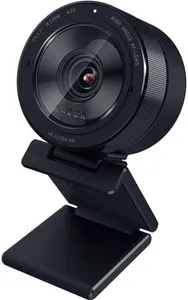
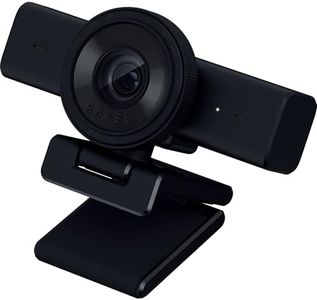
Razer Kiyo Pro Ultra 4K Webcam: Large Sensor - Auto Light Correction - Built-in Mic and Shutter - Pro Grade Content Creation, Streaming, Gaming, Video Calls - Works with OBS, Xsplit, PC, Zoom, Teams
The Razer Kiyo Pro Ultra 4K Webcam is a high-end option tailored for streaming, gaming, and professional content creation. With a 1/1.2″ Sony STARVIS 2 Sensor and a 2.9 μm pixel size, it delivers DSLR-like 4K quality, capturing exceptional detail and color. The custom F/1.7 Aperture Lens ensures clear and crisp images even in low-light conditions, making it ideal for varying lighting environments.
AI-powered video imaging helps with face tracking and auto exposure, keeping you well-lit and in focus without manual adjustments. The webcam also features HDR technology at 30 FPS, enhancing color accuracy and visual detail, which is great for vibrant and true-to-life streaming quality. Additionally, the built-in microphone provides convenience, although the audio quality might not match that of a dedicated external mic.
The camera’s ability to blur the background without software adds a professional touch to your streams. It’s compatible with popular software like OBS and Xsplit, as well as video conferencing platforms like Zoom and Teams, ensuring broad usability. However, it’s worth noting that its high-end features come at a premium price, and the webcam’s weight and dimensions might make it less portable. This webcam is best suited for serious streamers and content creators who demand high image quality and advanced features.
Logitech MX Brio Ultra HD 4K Collaboration, Streaming Webcam, 1080p at 60 FPS, Show Mode, Works with Microsoft Teams, Zoom, Google Meet, Nintendo Switch 2 New GameChat - Pale Gray
Most important from
1210 reviews
The Logitech MX Brio is a strong choice for streaming thanks to its Ultra HD 4K resolution at 30fps and smooth 1080p at 60fps, delivering sharp and fluid video. Its sensor with larger pixels and AI-enhanced features improves image clarity and face visibility even in low light, which is great if your room lighting isn’t perfect. Autofocus works well, keeping you sharp as you move. The dual noise-reducing microphones use AI to cut background noise, so your voice comes through clearly on calls or streams.
Unique to this model is the Show Mode that lets you tilt the camera down to share your desk or notes, adding versatility for collaboration. It also offers manual controls for lighting and color via Logitech’s software, though these settings might feel a bit advanced if you prefer plug-and-play simplicity. The built-in privacy shutter is a nice touch for peace of mind when not in use. Connectivity is modern with USB-C, compatible across major platforms and popular apps like Zoom and Microsoft Teams.
Logitech cameras typically offer a good wide angle suitable for streaming, and mounting options are flexible, fitting most monitors and tripods. For those wanting high-quality video and audio with helpful extras and who are comfortable exploring some fine-tuning, the MX Brio makes a solid webcam for streaming and collaboration. Casual users looking for a basic webcam may find some features more than necessary.
Most important from
1210 reviews
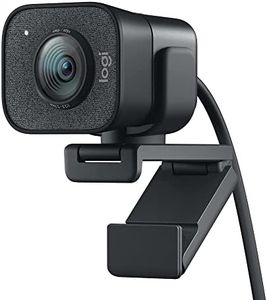
Logitech StreamCam Premium Webcam for Streaming and Content Creation, Full HD 1080p 60 fps, Works with Microsoft Teams, Google Meet, Zoom, Nintendo Switch 2’s new GameChat mode, for PC/Mac – Graphite
Most important from
2963 reviews
The Logitech for Creators StreamCam Premium Webcam is well-suited for streaming and content creation, offering Full HD 1080p resolution at 60 frames per second (fps), ensuring sharp and smooth video quality. The premium glass lens and smart auto-focus system help in capturing vibrant and detailed images. Additionally, the camera's auto-framing feature keeps you centered in the shot while moving, and intelligent exposure adjusts for varying lighting conditions, making it ideal for dynamic streaming environments.
The webcam is optimized for popular live streaming software like OBS and XSplit, making it easy to integrate into your existing setup. Versatile mounting options allow you to position the camera in landscape or portrait mode and mount it on your monitor or a tripod, providing flexibility in your streaming setup. The fast USB-C connection ensures a stable and reliable video feed.
However, the 5 ft cable length might be limiting for some setups, and the webcam’s reliance on USB-C could be problematic if your device lacks this port. The microphone quality, while serviceable, may not be sufficient for professional-grade audio, making an external microphone a consideration. Additionally, the Logitech Capture software enhances control over focus and exposure but may require some learning to utilize fully.