We Use CookiesWe use cookies to enhance the security, performance, functionality and for analytical and promotional activities. By continuing to browse this site you are agreeing to our privacy policy

10 Best Ultrabooks 2026 in the United States
How do we rank products for you?

Our technology thoroughly searches through the online shopping world, reviewing hundreds of sites. We then process and analyze this information, updating in real-time to bring you the latest top-rated products. This way, you always get the best and most current options available.

headphones-stars

Our Top Picks

#1

Winner

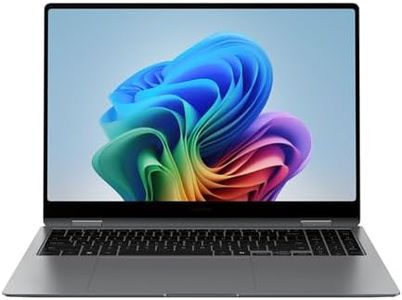
Samsung 16” Galaxy Book5 Pro 360 Copilot+ PC, AI Business Laptop, Windows 11 Pro, Intel Core Ultra 7 Processor 258V, 3K AMOLED Touchscreen, 32GB / 1TB, 120HZ, 2025 Model NP964QHA-KG2US, Gray

Rating
10.0
Chosen by1,381
Processor (CPU)
RAM
Display

Most important from
78 reviews

Processor (CPU)
The laptop delivers impressive speed and power, making multitasking and demanding tasks feel seamless and responsive.
RAM
The 32GB RAM significantly boosts performance compared to older models, ensuring smooth video editing and multitasking without lag.
Display
The 16-inch AMOLED touchscreen stands out with vibrant colors and sharp resolution, enhancing both work and media experiences.
Weight and Build Quality
Despite its large screen, the device remains lightweight and portable, making it easy to carry without bulk.
Keyboard and Touchpad
The keyboard is highly responsive and comfortable, complemented by a precise touchpad that enhances productivity.

The Samsung Galaxy Book5 Pro 360 is a premium ultrabook designed especially for business users and creative professionals who need strong performance and portability. Powered by the latest Intel Core Ultra 7 processor and 32GB of fast DDR5 RAM, it can smoothly handle demanding tasks, including multitasking and AI-assisted workflows. Its 1TB SSD provides ample and speedy storage for large files. The 16-inch AMOLED touchscreen with a sharp 3K resolution and 120Hz refresh rate delivers vibrant colors and smooth visuals, making it ideal for both work and media consumption. The screen also features anti-glare technology, which helps reduce reflections in bright environments.

Despite having a large display, the laptop remains slim (12.7mm thick) and lightweight at just 3.72 pounds, crafted from durable CNC aluminum, so it's easy to carry around without feeling bulky. The inclusion of a backlit keyboard, precision touchpad with palm rejection, and support for the S Pen stylus enhances productivity and comfort. Connectivity is modern with Wi-Fi 6 (802.11ax) and USB 3.0 ports, although the number of ports is limited, which might require adapters for some users.

Special AI features like Microsoft Copilot integration and the ability to sync with Samsung phones for calls and messages are unique perks for Samsung ecosystem users. This model is a stylish, fast, and versatile ultrabook that blends power with portability and AI-driven productivity tools. However, the premium price and slightly limited port selection might not suit everyone’s budget or connectivity needs.

Rating
10.0
Chosen by1,381
Processor (CPU)
RAM
Display

Most important from
78 reviews

Processor (CPU)
The laptop delivers impressive speed and power, making multitasking and demanding tasks feel seamless and responsive.
RAM
The 32GB RAM significantly boosts performance compared to older models, ensuring smooth video editing and multitasking without lag.
Display
The 16-inch AMOLED touchscreen stands out with vibrant colors and sharp resolution, enhancing both work and media experiences.
Weight and Build Quality
Despite its large screen, the device remains lightweight and portable, making it easy to carry without bulk.
Keyboard and Touchpad
The keyboard is highly responsive and comfortable, complemented by a precise touchpad that enhances productivity.
#2

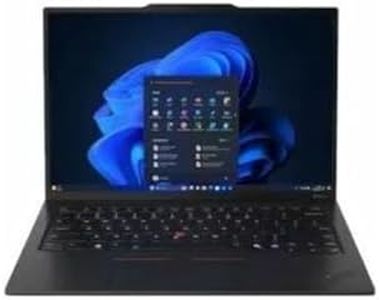
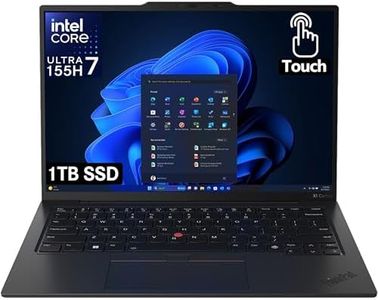
Lenovo ThinkPad X1 Carbon Gen 12 Touchscreen 14" Copilot+ PC Ultrabook - Intel Core Ultra 7 155H - 32 GB - 1 TB SSD - English Keyboard - Black Paint - Intel Chip - 1920 x 1200 - Windows 11 Pro

The Lenovo ThinkPad X1 Carbon Gen 12 is a premium ultrabook designed for business users who want a powerful yet portable laptop. It features a cutting-edge Intel Core Ultra 7 processor with up to 16 cores and speeds up to 4.8 GHz, paired with a generous 32 GB of fast DDR5 RAM, ensuring smooth multitasking and handling of demanding applications. Storage is ample with a speedy 1 TB NVMe SSD, providing plenty of space and quick access to files.

The 14-inch touchscreen display offers a sharp 1920 x 1200 resolution with an anti-glare coating that reduces eye strain, making it comfortable to use in various lighting conditions. While the screen brightness peaks at 400 nits, which is decent but not the brightest in this category, it should be adequate for most indoor environments. The laptop weighs just over 2 pounds, making it very light and easy to carry around all day. Connectivity options are strong with multiple USB ports, HDMI, and DisplayPort support, as well as the latest Bluetooth 6.0 and Wi-Fi 802.11.be standards, ensuring fast and reliable wireless connections. The keyboard is full-size with a numeric keypad, which is great for productivity, and the integrated touchscreen adds to the versatility.

Battery life of the ThinkPad series is known for solid endurance, so it should last through a typical workday. Build quality is expectedly high, with a sturdy yet sleek design in a professional black finish. The 60Hz refresh rate is standard but not ideal if you want super-smooth visuals for video or graphics work. The integrated graphics are suitable for everyday tasks but not designed for heavy gaming or specialized graphics software. The 1-year warranty is standard but might be limiting for some professional users who want longer coverage. This ultrabook suits professionals needing a lightweight, high-performance laptop with excellent RAM, storage, and connectivity, best for business use, multitasking, and general productivity rather than gaming or creative content creation.

#3

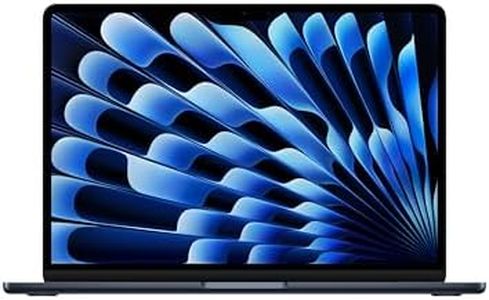
Apple 2025 MacBook Air 13-inch Laptop with M4 chip: Built for Apple Intelligence, 13.6" Liquid Retina Display, 16GB Unified Memory, 256GB SSD Storage, 12MP Center Stage Camera, Touch ID, Midnight

Rating
9.4
Processor (CPU)
RAM

Most important from
6682 reviews

Processor (CPU)
The M4 chip offers a noticeable speed improvement over previous models like the M1, M2, and M3.
RAM
Regret choosing the base model due to limited memory, but everything else is excellent.

The Apple 2025 MacBook Air is a strong contender in the ultrabook category, offering several impressive features. Powered by the M4 chip, it promises high-speed performance whether you're multitasking, editing videos, or playing games. The 16GB of unified memory and 256GB SSD storage provide adequate space and efficient processing for most users.

The 13.6-inch Liquid Retina display is vibrant and supports 1 billion colors, making it perfect for media consumption and professional work that requires color accuracy. With up to 18 hours of battery life, it's ideal for long work sessions or travel without worrying about frequent charging. Weighing only 2.73 pounds and featuring a sleek design, it's highly portable and can easily fit into a backpack or briefcase. The build quality is robust, typical of Apple products, ensuring durability.

Connectivity options include two Thunderbolt 4 ports, a MagSafe charging port, Wi-Fi 6E, and Bluetooth 5.3, which cover a wide range of modern needs and support up to two external displays. The backlit Magic Keyboard and Force Touch trackpad offer a comfortable and responsive typing experience. However, the storage might be insufficient for users who need to store large files or applications, and the limited number of ports can be a downside for those who require multiple peripheral connections. The high price point might also deter budget-conscious buyers. Despite these drawbacks, this ultrabook is particularly suitable for users who already own other Apple devices and can benefit from seamless integration and premium performance.

Rating
9.4
Processor (CPU)
RAM

Most important from
6682 reviews

Processor (CPU)
The M4 chip offers a noticeable speed improvement over previous models like the M1, M2, and M3.
RAM
Regret choosing the base model due to limited memory, but everything else is excellent.

Buying Guide for the Best Ultrabooks

Ultrabooks are a category of lightweight, high-performance laptops designed for portability and efficiency. When choosing an ultrabook, it's important to consider various specifications to ensure it meets your needs, whether for work, study, or general use. Understanding these key specs will help you make an informed decision and find the best fit for you.
Processor (CPU)The processor, or CPU, is the brain of your ultrabook, determining how fast and efficiently it can perform tasks. A more powerful processor will handle more demanding applications and multitasking better. Common processors in ultrabooks include Intel Core i3, i5, and i7, as well as AMD Ryzen series. For basic tasks like web browsing and word processing, an Intel Core i3 or AMD Ryzen 3 will suffice. For more intensive tasks like video editing or gaming, consider an Intel Core i5/i7 or AMD Ryzen 5/7.
RAMRAM (Random Access Memory) is crucial for multitasking and running applications smoothly. It temporarily stores data that your ultrabook is currently using. More RAM allows for better performance, especially when running multiple applications simultaneously. Ultrabooks typically come with 8GB, 16GB, or 32GB of RAM. For general use, 8GB is usually enough. If you plan to run more demanding software or multitask heavily, 16GB or more is recommended.
StorageStorage determines how much data you can save on your ultrabook, including the operating system, applications, and personal files. Ultrabooks usually come with SSDs (Solid State Drives), which are faster and more reliable than traditional HDDs (Hard Disk Drives). Common storage sizes are 256GB, 512GB, and 1TB. For basic use, 256GB may be sufficient, but if you store a lot of media files or large applications, consider 512GB or 1TB.
DisplayThe display is important for your viewing experience. Key factors include size, resolution, and panel type. Ultrabook screens typically range from 13 to 15 inches. A 13-inch display is more portable, while a 15-inch display offers more screen real estate. Resolution affects clarity; Full HD (1920x1080) is standard and sufficient for most users, but higher resolutions like 4K (3840x2160) provide sharper images. Panel types like IPS offer better color accuracy and viewing angles compared to TN panels.
Battery LifeBattery life is crucial for portability, determining how long you can use your ultrabook on a single charge. Ultrabooks are designed to be energy-efficient, often offering between 8 to 15 hours of battery life. If you need your ultrabook for long periods without access to a charger, look for models with longer battery life. Consider your usage patterns; if you travel frequently or work remotely, prioritize longer battery life.
Weight and Build QualityWeight and build quality affect the portability and durability of your ultrabook. Ultrabooks are known for being lightweight, typically weighing between 2 to 3 pounds. A lighter ultrabook is easier to carry around, making it ideal for students and professionals on the go. Build quality, including materials like aluminum or magnesium alloy, ensures durability. If you need a robust device for frequent travel, prioritize a lightweight yet sturdy build.
ConnectivityConnectivity options determine how you can connect your ultrabook to other devices and networks. Common ports include USB-A, USB-C, HDMI, and headphone jacks. USB-C is becoming standard due to its versatility and fast data transfer rates. Some ultrabooks also offer Thunderbolt 3/4 ports for even faster connections. Consider your peripheral needs; if you use external monitors, storage devices, or other accessories, ensure the ultrabook has the necessary ports.
Keyboard and TouchpadThe keyboard and touchpad are essential for user comfort and productivity. A good keyboard should have a comfortable layout, adequate key travel, and backlighting for use in low-light conditions. The touchpad should be responsive and support multi-touch gestures. If you type a lot or use your ultrabook for extended periods, prioritize a comfortable and well-designed keyboard and touchpad.

FAQ