We Use CookiesWe use cookies to enhance the security, performance, functionality and for analytical and promotional activities. By continuing to browse this site you are agreeing to our privacy policy

10 Best Samsung Tablets 2026 in the United States
How do we rank products for you?

Our technology thoroughly searches through the online shopping world, reviewing hundreds of sites. We then process and analyze this information, updating in real-time to bring you the latest top-rated products. This way, you always get the best and most current options available.

headphones-stars

Our Top Picks

#1

Winner

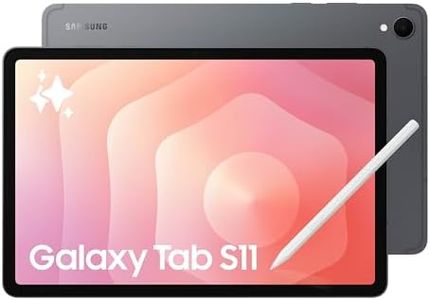
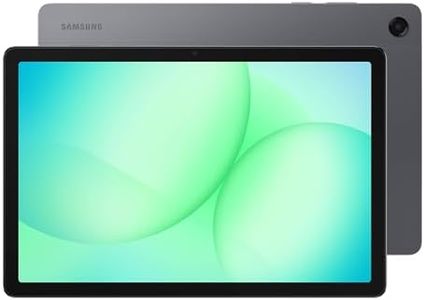
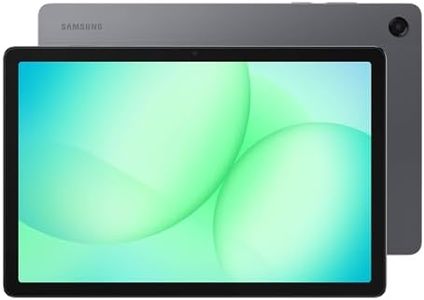
Samsung Galaxy Tab A11+ 8GB RAM, 256GB Storage, Optimized Performance, Long Lasting Battery, Expandable Storage, Large Display, Dolby Atmos Speakers, AI Assist, Slim, Light, 2 Year Warranty, Gray

Rating
10.0
Chosen by1,439
Display Size and Resolution
RAM (Memory)
Storage Capacity

Most important from
737 reviews

Display Size and Resolution
The tablet delivers smooth visuals with its 90Hz refresh rate, enhancing the overall viewing and gaming experience.
RAM (Memory)
Performance improves notably with 8GB of RAM, allowing most games to run well if graphics settings aren't maxed out.
Storage Capacity
Having both a microSD card slot and a headphone jack provides valuable flexibility for storage and audio options.
Battery Life
Battery life is exceptional, lasting all day and eliminating the need to stay plugged in constantly.
Software Updates and Ecosystem
Software bloatware from Samsung and Google is intrusive, with many apps only disable-able rather than uninstallable, impacting user experience.

The Samsung Galaxy Tab A11+ offers a spacious 11-inch display with a sharp 1920 x 1200 resolution, making it great for watching movies, browsing, or light gaming with smooth visuals thanks to its 90Hz refresh rate. Powered by a MediaTek chipset and equipped with 8GB of RAM, it handles everyday tasks like multitasking and app usage with ease, though it might not be suited for intense gaming or heavy productivity apps. A big plus is its roomy 256GB of internal storage, expandable if needed, which lets you store plenty of files, videos, and apps without worry.

The battery life is solid for all-day use and supports fast charging, so you won’t be tethered to an outlet for long. Sound quality stands out with Dolby Atmos and quad speakers, providing an immersive audio experience that’s rare in this price range. Its slim, lightweight design makes it easy to carry around. The front 5MP camera is decent for video calls but not for high-quality photos. Running on Android 16 with Google AI features, it should receive software updates and fit well within the Samsung ecosystem.

This tablet suits families or users who want a reliable, media-friendly device with plenty of storage and good performance for everyday use, but it’s less ideal if you need high-end processing power or advanced drawing capabilities.

Rating
10.0
Chosen by1,439
Display Size and Resolution
RAM (Memory)
Storage Capacity

Most important from
737 reviews

Display Size and Resolution
The tablet delivers smooth visuals with its 90Hz refresh rate, enhancing the overall viewing and gaming experience.
RAM (Memory)
Performance improves notably with 8GB of RAM, allowing most games to run well if graphics settings aren't maxed out.
Storage Capacity
Having both a microSD card slot and a headphone jack provides valuable flexibility for storage and audio options.
Battery Life
Battery life is exceptional, lasting all day and eliminating the need to stay plugged in constantly.
Software Updates and Ecosystem
Software bloatware from Samsung and Google is intrusive, with many apps only disable-able rather than uninstallable, impacting user experience.
#2

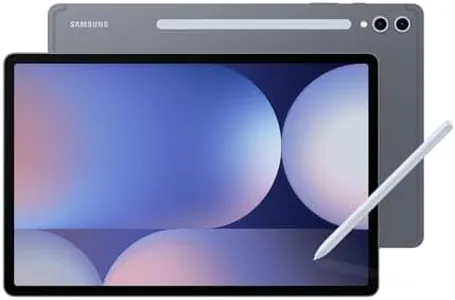
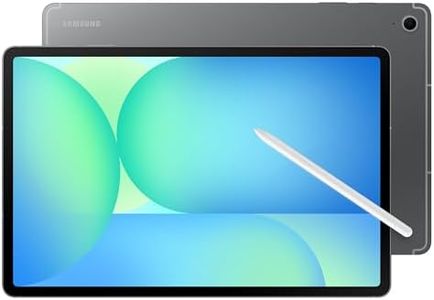
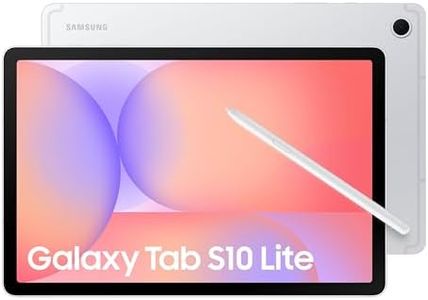
Samsung Galaxy Tab S10 Lite, 8GB RAM, 256GB, 2TB Expand, Long Battery Life, 10.9” LCD, S Pen for Note-Taking, Exynos 1380, Circle to Search, AI Tools, Silver

Rating
9.7
Display Size and Resolution
Processor (CPU)
Battery Life

Most important from
829 reviews

Display Size and Resolution
The tablet offers a vibrant and bright display that is easy on the eyes, making it comfortable for extended use.
Processor (CPU)
Performance is smooth and fast for everyday tasks, providing a seamless experience similar to Samsung smartphones.
Battery Life
Battery life is superb, easily supporting long usage without frequent recharging.

The Samsung Galaxy Tab S10 Lite is a solid choice if you're looking for a mid-range tablet that balances performance and usability. Its 10.9-inch LCD screen with a resolution of 2112 x 1320 pixels offers clear and bright visuals, suitable for watching videos, reading, or browsing. The tablet is powered by the Exynos 1380 processor and comes with 8GB of RAM, which handles everyday tasks and multitasking smoothly without lag. Storage is generous with 256GB built-in, and you can expand this dramatically by up to 2TB using a microSD card, which is great if you have lots of files, apps, or media.

The battery life is impressive, lasting up to 16 hours, so it can easily support a full day of use, and when it needs charging, the Super Fast Charging feature can quickly top it up in about two hours. A standout feature is the included S Pen, perfect for note-taking, drawing, or navigating, which makes this tablet especially good for students or creative users. Samsung’s software features like Circle to Search and AI Hot Key add handy smart functions that simplify searching and productivity. Additionally, the tablet integrates smoothly with other Galaxy devices, useful if you already use Samsung products.

One downside is the LCD display rather than AMOLED, resulting in colors and contrast that may not be as rich as higher-end models. Also, while the Exynos 1380 is competent, it won't match the speed of some flagship chips, so heavy gaming or very demanding apps might feel slower. For those seeking a tablet that covers general use, creativity, and good battery life without a premium price, the Galaxy Tab S10 Lite is a compelling option.

Rating
9.7
Display Size and Resolution
Processor (CPU)
Battery Life

Most important from
829 reviews

Display Size and Resolution
The tablet offers a vibrant and bright display that is easy on the eyes, making it comfortable for extended use.
Processor (CPU)
Performance is smooth and fast for everyday tasks, providing a seamless experience similar to Samsung smartphones.
Battery Life
Battery life is superb, easily supporting long usage without frequent recharging.
#3

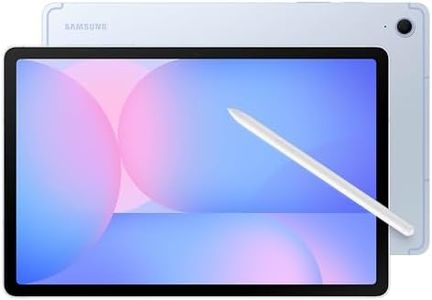
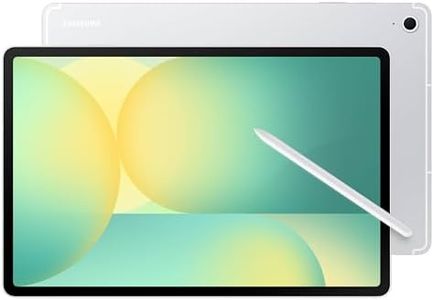
Samsung Galaxy Tab S10 FE 256GB WiFi Android Tablet, Large Display, Long Battery Life, Exynos 1580 Processor, IP68 Water-Resistant, 90 Hz Refresh, S Pen for Note-Taking, US Version, Blue

Rating
9.4
Resolution
Processor
Battery Life

Most important from
1563 reviews

Resolution
The vibrant 1440p display delivers excellent screen quality that makes gaming and media consumption a joy.
Processor
The midrange processor handles demanding games like Call of Duty Mobile on very high settings without a hitch.
Battery Life
Long battery life combined with fast charging keeps the tablet ready for extended use without frequent interruptions.
Connectivity
Seamless integration with Galaxy Buds allows effortless switching between phone and tablet for a smooth audio experience.

The Samsung Galaxy Tab S10 FE is a well-rounded Android tablet that suits users who want a large, sharp display and solid performance for entertainment and everyday use. It features a bright 10.9-inch screen with a sharp 2304 x 1440 resolution and smooth 90Hz refresh rate, making videos and games look vibrant and fluid. The tablet comes with a powerful Samsung processor and 256GB of internal storage, which is generous for apps, media, and files, and you can expand it further with a microSD card if needed. It includes 20 hours of battery life, which is impressive for long streaming or work sessions, plus fast charging for quick top-ups.

The included S Pen is a standout feature, offering precise and natural handwriting or drawing, boosted by helpful tools like handwriting neatness and math solver for productivity or study. Audio is enhanced with dual speakers, providing clear sound whether you’re watching or gaming. The tablet also has water resistance, giving some peace of mind against splashes. On the downside, while the cameras are decent for video calls and casual photos, they may not satisfy those needing high-end photography. Also, the tablet is WiFi-only, so if you need mobile data on the go, this could be limiting. Its size and 1.15-pound weight make it portable but not the smallest or lightest option available.

This tablet is a fitting choice for users looking for a versatile device with a big, quality screen, strong battery life, and creative tools, especially if you enjoy using a stylus and want expandable storage.

Rating
9.4
Resolution
Processor
Battery Life

Most important from
1563 reviews

Resolution
The vibrant 1440p display delivers excellent screen quality that makes gaming and media consumption a joy.
Processor
The midrange processor handles demanding games like Call of Duty Mobile on very high settings without a hitch.
Battery Life
Long battery life combined with fast charging keeps the tablet ready for extended use without frequent interruptions.
Connectivity
Seamless integration with Galaxy Buds allows effortless switching between phone and tablet for a smooth audio experience.

Buying Guide for the Best Samsung Tablets

Choosing the right Samsung tablet means matching your needs with the technical features each model offers. Start by thinking about how you'll use your tablet: Is it mostly for entertainment, like watching movies and browsing the internet? Or will you be using it for productivity tasks, such as note-taking, drawing, or even replacing a laptop for work or study? Understanding your main uses will help guide your choices when comparing the most important specs. It's essential to consider both hardware and software features to ensure the tablet will serve you well now and in the future.
Display Size and ResolutionDisplay size refers to the diagonal length of the screen, typically measured in inches, while resolution describes how clear and sharp the screen looks, based on the number of pixels. A larger screen (11 inches or more) can make watching movies, drawing, or working with documents more comfortable, while a smaller screen (around 8-10 inches) is more portable and easier to hold for long periods. High resolution, such as Full HD or higher, is important if you care about crisp visuals, especially for reading or viewing media. Choose display size and resolution based on your usage—opt for bigger and sharper displays if you prioritize immersive viewing or productivity, or settle for a smaller, standard-resolution display if you value portability.
Processor (CPU)The processor, or CPU, is the brain of your tablet and affects how fast and smoothly it runs. More powerful processors make multitasking, gaming, and sophisticated apps work better, while basic ones are fine for web browsing and simple tasks. Entry-level processors handle everyday tasks but can lag when pushed hard, mid-range CPUs strike a good balance for most users, and high-end processors are best for demanding activities like advanced gaming, drawing, or heavy multitasking. Think about what you'll actually use the tablet for, and choose a CPU accordingly—simple tasks need less power, while creative or productivity-heavy uses need more.
RAM (Memory)RAM is your tablet’s short-term memory, affecting how many apps you can run at once and how smoothly things happen. Tablets usually come with anywhere from 3GB to 12GB of RAM. Lower RAM amounts (3-4GB) are okay for reading, browsing, or simple gaming. Mid-range (6-8GB) is good for multitasking, moderate gaming, or switching between apps. Higher RAM (8GB and above) is ideal for demanding work, heavy multitasking, or creative apps. Pick more RAM if you plan to keep many apps open, use creative/professional tools, or want to future-proof your tablet.
Storage CapacityStorage is how much space you have for apps, photos, videos, and files. Tablets come with varying storage amounts, often 32GB, 64GB, 128GB, or more. Lower storage (32-64GB) may be enough for light users who stream content and keep few apps/files. Mid-range storage (128GB-256GB) is safer for users who download lots of apps, take many photos, or store files offline. Higher storage (256GB and above) is best for those who keep lots of large files, such as high-resolution photos, videos, or use the tablet for work/school projects. Also consider if the tablet supports a microSD card for storage expansion, which adds flexibility if you’re unsure.
Battery LifeBattery life determines how long you can use the tablet before needing to recharge. It's usually measured in hours of typical use. Tablets can offer anywhere from 8 to 15 hours of battery on a charge, depending on their size and features. If you often travel, work away from power outlets, or use your tablet all day, look for longer battery life. For occasional, short-duration use at home, moderate battery life may suffice. Remember, actual battery life can vary with brightness, usage, and app intensity.
Stylus and Keyboard CompatibilitySome Samsung tablets support stylus input (like the S Pen) or attachable keyboards, which add to their versatility. This feature is important if you’re interested in drawing, note-taking, or want to type comfortably for emails or documents. Make sure the tablet you pick is compatible with these accessories if you plan to use them, and check if they are included or need to be bought separately. If you’ll mostly browse or watch media, these extras might not be necessary.
Software Updates and EcosystemSamsung tablets run on Android, with their own One UI interface. Regular software updates keep your device secure and add features. Longevity of software support is important if you want your tablet to stay up to date and compatible with new apps. Also, consider how well the tablet works with other devices you own, like Samsung smartphones, laptops, or smart TVs, to make the most of features like screen sharing and syncing. Pick a model with good update history and ecosystem compatibility if you plan to use your tablet for a long time or integrate it into other devices.

FAQ