We Use CookiesWe use cookies to enhance the security, performance, functionality and for analytical and promotional activities. By continuing to browse this site you are agreeing to our privacy policy

10 Best Photo And Video Editing Laptops 2026 in the United States
How do we rank products for you?

Our technology thoroughly searches through the online shopping world, reviewing hundreds of sites. We then process and analyze this information, updating in real-time to bring you the latest top-rated products. This way, you always get the best and most current options available.

headphones-stars

Our Top Picks

#1

Winner

Apple 2025 MacBook Pro Laptop with M5 chip with 10‑core CPU and 10‑core GPU: Built for Apple Intelligence, 14.2-inch Liquid Retina XDR Display, 24GB Unified Memory, 1TB SSD Storage; Silver

Rating
10.0
Chosen by1,249
Processor (CPU)
Display
Storage

Most important from
280 reviews

Processor (CPU)
The MacBook Pro delivers lightning-fast performance with its 10-core CPU and GPU, making complex photo and video editing seamless and efficient.
Display
The 14.2-inch Liquid Retina XDR display offers stunning, vibrant colors and perfect brightness, ideal for color-accurate creative work.
Storage
Uploading and editing large batches of photos happens instantly, eliminating frustrating wait times during intensive Lightroom and Photoshop sessions.
Connectivity
The inclusion of a built-in SD card slot removes the need for adapters, streamlining the workflow for photographers.
Battery Life
Battery life impresses given the high performance, supporting long editing sessions without needing to recharge frequently.
Portability
The sleek Space Black finish and balanced 14-inch size provide a perfect blend of portability and screen real estate.

The Apple 2025 MacBook Pro with the M5 chip is a strong choice for photo and video editing thanks to its powerful 10-core CPU and 10-core GPU, offering impressive speed and smooth handling of demanding creative software like Adobe Creative Cloud. Its 24GB of unified memory ensures multitasking and editing large files run efficiently, while the 1TB SSD provides ample fast storage for high-resolution media. The 14.2-inch Liquid Retina XDR display is particularly notable, delivering vibrant colors, extreme brightness up to 1600 nits, and a 1,000,000:1 contrast ratio, making it excellent for color-accurate work and HDR content.

Battery life is excellent, supporting up to 24 hours of video streaming, which means you can work unplugged comfortably during long editing sessions. Portability is solid, with a lightweight design around 3.4 pounds and a thin profile, suitable for creatives who travel. The laptop features comprehensive connectivity options including three Thunderbolt 4 ports, HDMI, an SDXC card slot, and MagSafe charging, covering most professional peripherals and external display needs. The integrated Neural Engine boosts AI-powered tasks, speeding up workflows like image enhancement and video rendering.

As a Mac, it lacks options for discrete GPUs that some Windows laptops offer for even more graphics power. The price tends to be on the higher side, which might be a consideration if budget is tight. This MacBook Pro suits professionals and serious hobbyists who prioritize top-tier display quality, strong performance, and battery life in a portable package, especially if they are already invested in the Apple ecosystem.

Rating
10.0
Chosen by1,249
Processor (CPU)
Display
Storage

Most important from
280 reviews

Processor (CPU)
The MacBook Pro delivers lightning-fast performance with its 10-core CPU and GPU, making complex photo and video editing seamless and efficient.
Display
The 14.2-inch Liquid Retina XDR display offers stunning, vibrant colors and perfect brightness, ideal for color-accurate creative work.
Storage
Uploading and editing large batches of photos happens instantly, eliminating frustrating wait times during intensive Lightroom and Photoshop sessions.
Connectivity
The inclusion of a built-in SD card slot removes the need for adapters, streamlining the workflow for photographers.
Battery Life
Battery life impresses given the high performance, supporting long editing sessions without needing to recharge frequently.
Portability
The sleek Space Black finish and balanced 14-inch size provide a perfect blend of portability and screen real estate.
#2

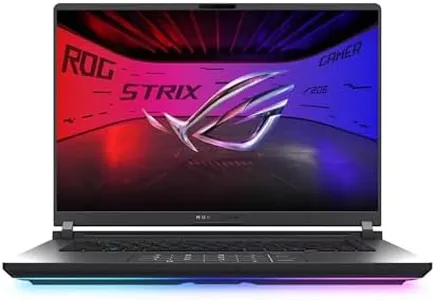
ASUS ROG Strix G16 (2025) Gaming Laptop, 16” ROG Nebula Display 16:10 2.5K 240Hz/3ms, NVIDIA® GeForce RTX™ 5070 Ti GPU, Intel® Core™ Ultra 9 275HX Processor, 32GB DDR5, 1TB SSD, Wi-Fi 7, Win11 Home

Rating
9.7
Processor (CPU)
RAM (Memory)
Storage

Most important from
159 reviews

Processor (CPU)
The laptop offers outstanding performance with a high-end Intel Core i9 and RTX 4070, handling demanding games and editing tasks smoothly.
RAM (Memory)
Upgradability is a strong point, allowing expansion to 64GB RAM and adding a second SSD without voiding the warranty.
Storage
Upgradability is a strong point, allowing expansion to 64GB RAM and adding a second SSD without voiding the warranty.
Display
The display impresses with sharp clarity and brightness, making visuals vibrant and detailed, even for non-gamers.
Battery Life
Battery life is limited, delivering around 45 minutes of gaming unplugged and only a few hours for general use, which can be frustrating for extended sessions.
Connectivity
Wireless internet speeds are significantly improved, providing a better online experience than older models.

The ASUS ROG Strix G16 (2025) is a powerhouse laptop that can handle demanding photo and video editing tasks with ease. It comes with a fast Intel Core Ultra 9 processor and a strong NVIDIA GeForce RTX 5070 Ti graphics card, which is great for rendering videos and working with detailed images smoothly. The 32GB of DDR5 RAM provides plenty of memory for multitasking, ensuring your editing software runs without slowdowns. Storage-wise, the 1TB SSD offers quick access to your files and enough space for large projects.

The 16-inch ROG Nebula display stands out with its sharp 2.5K resolution, 16:10 aspect ratio, and 240Hz refresh rate, which means colors and details will look vivid and motion will appear smooth—useful for precise editing work. The display also reduces glare, making it easier to work for long hours. However, this laptop weighs about 6 pounds, which might make it less convenient for frequent travel compared to lighter models. Battery life isn’t highlighted strongly and gaming laptops usually don’t last very long unplugged, so you may want to have access to power during extended editing sessions.

On the connectivity front, it supports the latest Wi-Fi 7 for fast internet and has multiple USB ports, helpful for connecting external drives or peripherals. Its cooling system is advanced, helping keep the laptop quiet and cool, which is important during intense editing. Though designed as a gaming laptop, its strong specs and display qualities make it a great choice for creatives needing performance and visual clarity, though portability and battery life could be improved for those often working on the move.

Rating
9.7
Processor (CPU)
RAM (Memory)
Storage

Most important from
159 reviews

Processor (CPU)
The laptop offers outstanding performance with a high-end Intel Core i9 and RTX 4070, handling demanding games and editing tasks smoothly.
RAM (Memory)
Upgradability is a strong point, allowing expansion to 64GB RAM and adding a second SSD without voiding the warranty.
Storage
Upgradability is a strong point, allowing expansion to 64GB RAM and adding a second SSD without voiding the warranty.
Display
The display impresses with sharp clarity and brightness, making visuals vibrant and detailed, even for non-gamers.
Battery Life
Battery life is limited, delivering around 45 minutes of gaming unplugged and only a few hours for general use, which can be frustrating for extended sessions.
Connectivity
Wireless internet speeds are significantly improved, providing a better online experience than older models.
#3

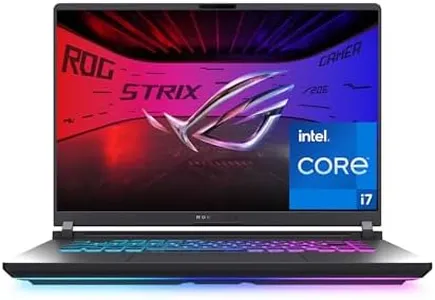
ASUS ROG Strix G16 (2025) Gaming Laptop, 16” FHD+ 16:10 165Hz/3ms Display, NVIDIA® GeForce RTX™ 5060 Laptop GPU, Intel® Core™ i7 Processor 14650HX, 16GB DDR5, 1TB Gen 4 SSD, Wi-Fi 7, Windows 11 Home

Rating
7.9
Processor (CPU)
RAM (Memory)
Portability

Most important from
425 reviews

Processor (CPU)
The laptop delivers impressive speed and quality performance that rivals many custom-built PCs.
RAM (Memory)
16GB RAM handles most editing and multitasking needs well, though upgrading to 32GB is recommended for future-proofing.
Portability
Its build quality stands out, especially with a tool-less design that makes upgrading RAM, storage, and battery hassle-free.

The ASUS ROG Strix G16 (2025) is a powerful laptop that delivers strong processing and graphics performance, featuring an Intel Core i7 14650HX CPU and NVIDIA GeForce RTX 5060 GPU. These components are well-suited for demanding photo and video editing tasks, enabling smooth playback and handling of complex projects. It comes equipped with 16GB of fast DDR5 RAM for multitasking and editing multiple files, and a spacious 1TB PCIe Gen 4 SSD that provides quick loading times and ample storage for large media files.

Its 16-inch display offers a 1920x1200 resolution with a 165Hz refresh rate and enhanced contrast, suitable for detailed editing work while delivering vibrant and clear visuals. The screen's color accuracy is good but may not reach the level of some professional editing laptops equipped with higher-end panels. Battery life is limited to about 2 hours, so extended use will require staying close to a power source. The laptop weighs nearly 6 pounds and measures just under 14 inches wide, making it moderately portable though heavier and bulkier than ultraportable models.

Connectivity options are modern and comprehensive, including Wi-Fi 7 and multiple USB ports, which facilitate transferring large files and connecting external devices. The laptop features an advanced cooling system that maintains steady performance during intensive use without generating excessive noise. This ASUS ROG Strix G16 is a solid choice for users seeking a laptop that functions both as a gaming machine and a capable device for photo and video editing, provided that shorter battery life and a somewhat heavier design are acceptable.

Rating
7.9
Processor (CPU)
RAM (Memory)
Portability

Most important from
425 reviews

Processor (CPU)
The laptop delivers impressive speed and quality performance that rivals many custom-built PCs.
RAM (Memory)
16GB RAM handles most editing and multitasking needs well, though upgrading to 32GB is recommended for future-proofing.
Portability
Its build quality stands out, especially with a tool-less design that makes upgrading RAM, storage, and battery hassle-free.

Buying Guide for the Best Photo And Video Editing Laptops

Choosing the right laptop for photo and video editing is crucial for ensuring smooth and efficient workflow. The right laptop will help you handle large files, run editing software smoothly, and produce high-quality results. When selecting a laptop for these tasks, you need to consider several key specifications that will impact your editing experience. Here are the most important specs to look at and how to choose the best fit for your needs.
Processor (CPU)The processor is the brain of your laptop and is responsible for executing tasks and running programs. For photo and video editing, a powerful processor is essential because it will handle the complex calculations and rendering processes involved. Processors are typically divided into segments like entry-level (e.g., Intel Core i3), mid-range (e.g., Intel Core i5), and high-end (e.g., Intel Core i7 or i9). For serious editing work, aim for at least a mid-range processor, but a high-end processor will provide the best performance and future-proofing.
Graphics Card (GPU)The graphics card is responsible for rendering images, videos, and animations. A dedicated GPU is crucial for video editing and 3D rendering because it offloads these tasks from the CPU, resulting in smoother performance. GPUs are categorized into integrated (built into the CPU) and dedicated (separate component). For photo editing, a mid-range dedicated GPU might suffice, but for video editing, especially 4K or higher resolution, a high-end dedicated GPU is recommended.
RAM (Memory)RAM is the short-term memory of your laptop, allowing it to store and quickly access data that is being used. More RAM means better multitasking and faster performance when working with large files. For photo and video editing, 8GB of RAM is the minimum, but 16GB or more is ideal for handling larger projects and running multiple applications simultaneously without lag.
StorageStorage determines how much data you can keep on your laptop. There are two main types: HDD (Hard Disk Drive) and SSD (Solid State Drive). SSDs are faster and more reliable, making them better for editing tasks. When choosing storage, consider both capacity and speed. A minimum of 512GB SSD is recommended, but 1TB or more is ideal if you work with large video files. Some laptops offer a combination of SSD for speed and HDD for additional storage.
DisplayThe display is where you see your work, so having a high-quality screen is important for accurate color representation and detail. Look for a laptop with at least Full HD (1920x1080) resolution, but higher resolutions like 4K (3840x2160) are better for video editing. Additionally, consider the color accuracy (look for 100% sRGB or Adobe RGB coverage) and screen size (15 inches or larger is preferable for detailed work).
Battery LifeBattery life is important if you plan to edit on the go. Editing tasks are power-intensive, so a laptop with a long battery life will allow you to work longer without needing to recharge. Look for laptops with at least 6-8 hours of battery life under normal usage, but keep in mind that heavy editing will drain the battery faster.
PortabilityPortability refers to the size and weight of the laptop. If you need to carry your laptop frequently, a lighter and more compact model will be more convenient. However, more powerful laptops tend to be larger and heavier. Balance your need for performance with how often you need to move your laptop. A 15-inch laptop is a good compromise between screen size and portability.
ConnectivityConnectivity options like USB ports, HDMI, and Thunderbolt are important for connecting external devices such as monitors, storage drives, and peripherals. Ensure the laptop has enough ports for your needs, including fast data transfer options like USB-C or Thunderbolt 3/4. An SD card reader can also be useful for quickly transferring photos from your camera.

FAQ