We Use CookiesWe use cookies to enhance the security, performance, functionality and for analytical and promotional activities. By continuing to browse this site you are agreeing to our privacy policy

10 Best Motion Sensor Switches 2026 in the United States
How do we rank products for you?

Our technology thoroughly searches through the online shopping world, reviewing hundreds of sites. We then process and analyze this information, updating in real-time to bring you the latest top-rated products. This way, you always get the best and most current options available.

headphones-stars

Our Top Picks

#1

Winner

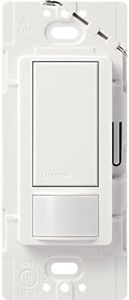
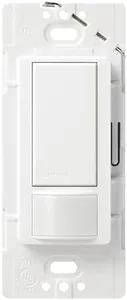
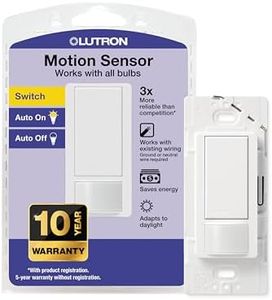
Lutron Maestro Motion Sensor Switch | 5 Amp, Single-Pole/Multi-Location | MS-OPS5M-SW | Snow

Rating
10.0
Chosen by1,251
Detection Range
Sensitivity Adjustment
Installation Type

Most important from
1771 reviews

Detection Range
It effectively prevents lights from turning off unexpectedly by detecting even subtle movements like typing or reading.
Sensitivity Adjustment
The switch intelligently adapts to lighting conditions, learning your preferences for when to activate in both light and dark environments.
Installation Type
Installation is generally simple and compatible with many setups, but some users experienced difficulties even with professional wiring.

The Lutron Maestro Motion Sensor Switch is a solid choice if you're looking for a smart and convenient way to control your lights without manually flipping a switch. It automatically turns lights on when you enter a room and off when you leave, using advanced XCT sensing technology that can detect even small movements like typing or reading. This helps prevent the lights from turning off unexpectedly when you're still in the room. It also features smart ambient light detection, so it won’t turn lights on if there’s enough daylight, which can save energy.

Installation is quite straightforward and doesn’t require a neutral wire, making it suitable for many existing home wiring setups. It supports single-pole, 3-way, and multi-location setups, so you can control lights from multiple switches in larger spaces like garages or bathrooms. You can also customize how long the lights stay on after you leave, with options ranging from 1 to 30 minutes.

The switch works well with a wide variety of lighting types including incandescent, halogen, CFL, LED, and low-voltage options, handling up to 600 watts. One minor downside is that the coordinating wallplate is sold separately, so you’ll need to purchase that to complete the look. Also, while it supports multi-location setups, additional compatible switches need to be bought separately. If you want a reliable, energy-saving motion switch that adapts to your lighting preferences and doesn’t require complicated wiring changes, this Lutron model is a practical and user-friendly option.

Rating
10.0
Chosen by1,251
Detection Range
Sensitivity Adjustment
Installation Type

Most important from
1771 reviews

Detection Range
It effectively prevents lights from turning off unexpectedly by detecting even subtle movements like typing or reading.
Sensitivity Adjustment
The switch intelligently adapts to lighting conditions, learning your preferences for when to activate in both light and dark environments.
Installation Type
Installation is generally simple and compatible with many setups, but some users experienced difficulties even with professional wiring.
#2

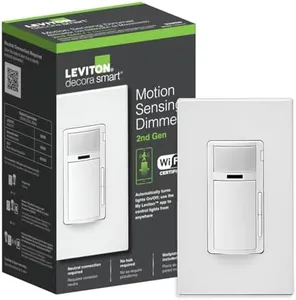
Leviton Decora Smart Motion Sensing Dimmer Switch, Wi-Fi 2nd Gen, Neutral Wire Required, Works with My Leviton, Alexa, Google Assistant, Apple Home/Siri & Wired or Wire-Free 3-Way, D2MSD-1RW, White

Rating
10.0
Compatibility with Lighting Types

Most important from
72 reviews

Compatibility with Lighting Types
The dimmer adjustment is precise, allowing for low dimming levels that are acceptable for LED lights.

The Leviton Decora Smart Motion Sensing Dimmer Switch offers a blend of convenience and energy savings, making it a great fit for anyone looking to automate their lighting. Its motion-sensing capability ensures lights turn on when you enter a room and off when you leave, which is perfect for high-traffic areas like laundry rooms, closets, and garages. The built-in light sensor prevents lights from activating unnecessarily, enhancing energy efficiency.

For those who value ambiance, the full-range dimming feature allows you to adjust lighting levels to your preference at different times of the day. Additionally, this switch supports voice control through Google Assistant, Amazon Alexa, and Apple Siri, adding hands-free convenience to your home automation setup. Compatibility with various lighting types (dimmable LEDs, CFLs, incandescent, and fluorescent) and the option to use it in a single-pole or 3-way configuration make it versatile for different installations in your home.

The simple installation process, aided by the My Leviton app, makes replacing your existing switch straightforward. However, it's worth noting that a neutral wire is required for installation, which might be a limitation in older homes without updated wiring. Also, while the switch offers control over multiple devices through the My Leviton app, it may involve a learning curve for those not familiar with smart home technology. The Leviton Decora Smart Motion Sensing Dimmer Switch is a robust choice for modernizing your home's lighting with smart, energy-efficient, and user-friendly features.

Rating
10.0
Compatibility with Lighting Types

Most important from
72 reviews

Compatibility with Lighting Types
The dimmer adjustment is precise, allowing for low dimming levels that are acceptable for LED lights.
#3

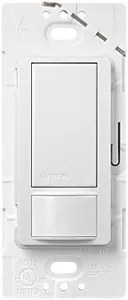
Lutron Maestro Motion Sensor Switch | 2 Amp, Single Pole | MS-OPS2-SW | Snow

Rating
9.4
Detection Range
Sensitivity Adjustment
Installation Type

Most important from
13691 reviews

Detection Range
The switch’s motion detection covers a wide angle of about 150 degrees, sufficient for typical small rooms like laundry areas and bathrooms.
Sensitivity Adjustment
Customizable settings allow adjustment of motion sensitivity and auto-off delay, enabling users to tailor operation from as short as 15 seconds to 30 minutes.
Installation Type
Installation is straightforward for those with basic electrical knowledge, with clear wiring instructions making it accessible without needing a licensed electrician.
Compatibility with Lighting Types
Compatibility with various bulb types including CFL and LED ensures flexibility and longevity, with LEDs lasting longer under frequent on/off cycles.

The Lutron Maestro Motion Sensor Switch is designed for single-pole use in small rooms such as bathrooms, closets, or laundry areas. It uses advanced XCT sensing technology to detect even small movements like typing or reading, which helps prevent lights from turning off unexpectedly. The switch also includes smart ambient light detection, which learns your preferred lighting level and keeps the lights off when there is enough daylight, saving energy. You can set the lights to turn off automatically after 1, 5, 15, or 30 minutes of no motion, giving flexible control over the time delay.

Installation is relatively simple and can be done in about 15 minutes, even in homes without a neutral wire, which broadens compatibility. It works with a variety of light types including CFL, LED, incandescent, halogen, and low voltage, making it versatile for many lighting setups. However, the switch is rated for a maximum of 2 amps, so it’s better suited to smaller lighting loads rather than large or multiple fixtures. It is single-pole only, so it cannot be used in multi-way switch setups which might limit some installation options. The lack of built-in batteries means it draws power directly from the wiring, which keeps maintenance low.

While it offers vacancy-only mode to meet certain energy codes, it doesn’t provide remote control or app integration, which might be a downside for users wanting smart home connectivity. This switch provides a reliable, energy-saving automatic lighting solution for small spaces without complex installation or smart home features.

Rating
9.4
Detection Range
Sensitivity Adjustment
Installation Type

Most important from
13691 reviews

Detection Range
The switch’s motion detection covers a wide angle of about 150 degrees, sufficient for typical small rooms like laundry areas and bathrooms.
Sensitivity Adjustment
Customizable settings allow adjustment of motion sensitivity and auto-off delay, enabling users to tailor operation from as short as 15 seconds to 30 minutes.
Installation Type
Installation is straightforward for those with basic electrical knowledge, with clear wiring instructions making it accessible without needing a licensed electrician.
Compatibility with Lighting Types
Compatibility with various bulb types including CFL and LED ensures flexibility and longevity, with LEDs lasting longer under frequent on/off cycles.

Buying Guide for the Best Motion Sensor Switches

Choosing the right motion sensor switch can greatly enhance the convenience and security of your home or office. These devices automatically turn lights on or off when they detect movement, saving energy and adding an extra layer of safety. To make an informed decision, it's important to understand the key specifications and how they align with your needs. Here are the main factors to consider when selecting a motion sensor switch.
Detection RangeThe detection range is the maximum distance at which the sensor can detect movement. This is important because it determines how far away the sensor can 'see' motion. Detection ranges typically vary from a few feet to over 50 feet. For small rooms or hallways, a shorter range may be sufficient, while larger areas like garages or outdoor spaces may require a longer range. Consider the size of the area where you plan to install the switch to choose the appropriate detection range.
Field of ViewThe field of view refers to the angle at which the sensor can detect motion. This is crucial because it affects how wide an area the sensor can cover. Common fields of view range from 90 degrees to 360 degrees. A 90-degree field of view is suitable for corners, while a 180-degree field of view works well for flat walls. For central locations or areas where you need full coverage, a 360-degree field of view is ideal. Think about the layout of the space and where the sensor will be placed to determine the best field of view.
Sensitivity AdjustmentSensitivity adjustment allows you to control how easily the sensor detects motion. This is important to avoid false triggers from small pets or other minor movements. Sensitivity can usually be adjusted from low to high. If you have pets or want to avoid triggering the lights for small movements, choose a switch with adjustable sensitivity and set it to a lower level. For areas where you want to ensure that all movement is detected, a higher sensitivity setting may be more appropriate.
Time DelayTime delay is the amount of time the light stays on after motion is no longer detected. This is important for ensuring that the light stays on long enough for you to safely move through the area. Time delays can range from a few seconds to several minutes. For areas like hallways or staircases, a shorter time delay may be sufficient. For larger rooms or outdoor areas, a longer time delay might be necessary to ensure the light stays on while you are in the space. Consider how long you typically need the light to remain on after leaving the sensor's range.
Installation TypeInstallation type refers to how the motion sensor switch is installed and connected to your electrical system. This is important for ensuring compatibility with your existing setup and ease of installation. Some switches are designed for wall mounting, while others can be ceiling-mounted. There are also plug-in options for those who prefer not to deal with wiring. If you are comfortable with electrical work, a hardwired switch may be suitable. For a simpler installation, consider a plug-in or battery-operated model. Think about your installation skills and the location where you plan to install the switch.
Power SourceThe power source is how the motion sensor switch is powered. This is important for ensuring that the switch will work reliably in your chosen location. Options include hardwired, battery-operated, and plug-in models. Hardwired switches are connected directly to your electrical system and are generally more reliable. Battery-operated switches offer flexibility in placement but require regular battery changes. Plug-in models are easy to install but need a nearby outlet. Consider the availability of power sources in your installation area and choose the type that best fits your needs.
Compatibility with Lighting TypesCompatibility with lighting types refers to the kinds of light bulbs the motion sensor switch can control. This is important to ensure that the switch will work with your existing or planned lighting setup. Some switches are compatible with incandescent, fluorescent, and LED bulbs, while others may only work with specific types. Check the specifications of the switch to ensure it matches the type of lighting you use. If you plan to use energy-efficient LED bulbs, make sure the switch is compatible with them.

FAQ