10 Best Microsoft Flight Simulator Controls 2026 in the United States
Related Products
Up to 30% off



Our technology thoroughly searches through the online shopping world, reviewing hundreds of sites. We then process and analyze this information, updating in real-time to bring you the latest top-rated products. This way, you always get the best and most current options available.

Our Top Picks
Winner
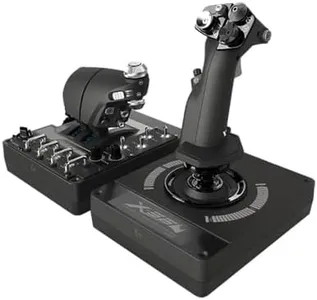
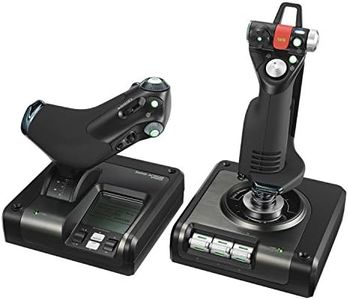
Logitech G X56 H.O.T.A.S Throttle and Joystick Flight Simulator Game Controller, 4 Spring Options, +189 Programmable Controls, RGB Lighting, 2x USB, PC - Black
Most important from
2868 reviews
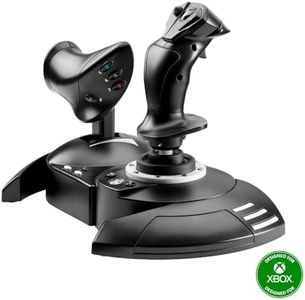
The Logitech G X56 H.O.T.A.S Throttle and Joystick is designed for flight simulator enthusiasts, offering military-grade precision and customizable controls. It features a comprehensive array of control surfaces, including pitch, roll, yaw, and directional movements, making it suitable for both space and flight simulations. The build quality is robust, with a solid feel and adjustable stick force via a 4-spring system, ensuring comfort and accuracy during extended use.
The twin throttles with friction adjusters and throttle lock add to the realistic experience. A standout feature is the 189 programmable controls, allowing users to tailor their setup to match their exact preferences. Additionally, the RGB backlighting can be customized to match the rest of your gaming rig, enhancing the visual appeal. It is highly compatible with various Windows versions, requiring two USB 2.0 ports.
The joystick and throttle can be bulky, and its weight of 5.06 pounds might be a consideration for those with limited desk space. It is ideal for VR setups, placing controls conveniently under your fingers, which is beneficial for precise navigation. This product is perfect for flight simulation fans looking for a customizable and precise control system.
Most important from
2868 reviews
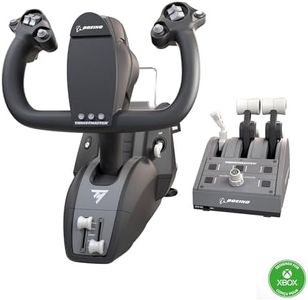
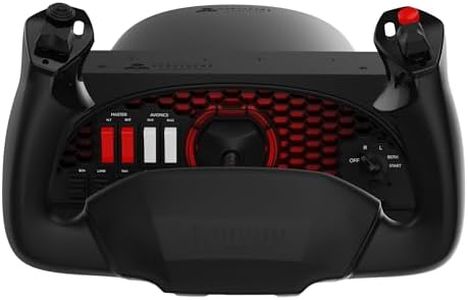
Thrustmaster TCA Yoke PACK Boeing Edition (Compatible with Xbox Series X/S, PC)
Most important from
752 reviews
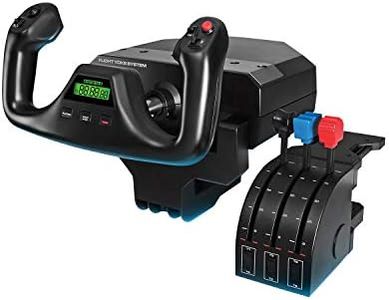
The Thrustmaster TCA Yoke PACK Boeing Edition is designed primarily for flight simulation enthusiasts using Microsoft Flight Simulator, catering to both Xbox Series X/S and PC users. One of its standout features is the modular design, allowing users to easily swap out mini-stick modules, enhancing flexibility. The yoke comes with an impressive number of programmable buttons (35), which can significantly improve your control options during flight. The magnetic technology used for the main axes provides precise movements, which is essential for a realistic flying experience.
Another strong point is the build quality; it is sturdy and designed to withstand heavy use, making it a reliable choice for long gaming sessions. The ergonomic mechanical D-pad and super-responsive buttons are designed for quick reaction times, enhancing gameplay. Plus, with a warranty from Thrustmaster covering parts and labor, users can feel secure about their investment.
However, there are some drawbacks to consider. The weight of the unit (5.4 pounds) may be somewhat bulky for users with limited space, and the dimensions (19 x 15 x 19 inches) could make it difficult to set up in smaller areas. Additionally, while it comes with a good number of features, some users might find the learning curve steep if they're new to flight simulations. Lastly, the product is officially licensed for Xbox and PC, but full functionality is contingent on having Microsoft Flight Simulator, which is sold separately.
Most important from
752 reviews
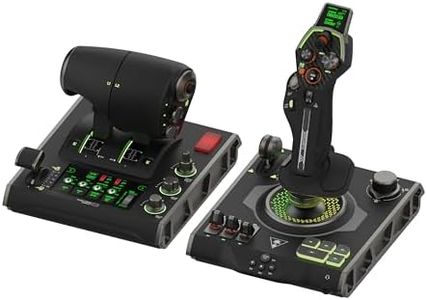
Turtle Beach VelocityOne Flightdeck Universal HOTAS Simulation System Joystick & Throttle for Air & Space Combat Simulation For Windows 10 & 11 PCs – Touch Display & Buttons, 139 Programmable Controls
Most important from
2275 reviews
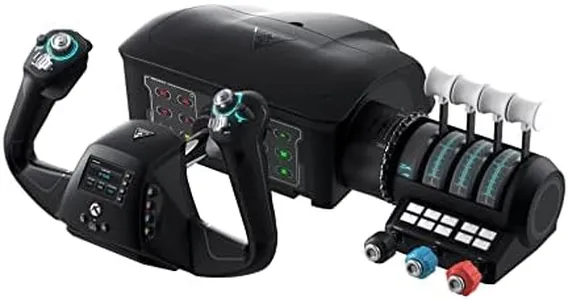
The Turtle Beach VelocityOne Flightdeck is a solid choice for flight simulation fans, especially those interested in air and space combat games on Windows PCs. This system combines a joystick and throttle with 139 programmable buttons, which is excellent for customizing controls exactly how you want. The world’s first flight touch display and customizable OLED Head Up Display offer unique visual feedback that can enhance your experience.
Its contactless Hall-Effect controls make for precise and durable input, while the adjustable stick height and haptic throttle detent let you tailor the feel to your hand size and preferences. The build feels sturdy and solid, weighing over 9 pounds, so it won’t feel cheap or flimsy. It supports multi-zone RGB lighting and has audio enhancements for any headset with a 3.5mm jack, adding to immersion.
Compatibility is focused on Windows 10 and 11, which covers most PC users but excludes consoles or Mac. One possible downside is the absence of traditional force feedback, which some flight sim enthusiasts expect for a more realistic feel. The large number of buttons and customization options may also be overwhelming if you’re new to flight sims, but the included Flight Hangar app helps manage this. This makes it a well-built, feature-rich setup ideal for serious and hobbyist pilots who want extensive control and customization on PC.