10 Best Mac Webcam 2026 in the United States

Related Products
Up to 13% off

Recommended lists

Mac Webcams
Our technology thoroughly searches through the online shopping world, reviewing hundreds of sites. We then process and analyze this information, updating in real-time to bring you the latest top-rated products. This way, you always get the best and most current options available.

Our Top Picks
Winner
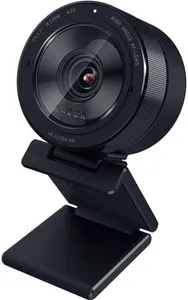
Razer Kiyo Pro Ultra 4K Webcam: Large Sensor - Auto Light Correction - Built-in Mic and Shutter - Pro Grade Content Creation, Streaming, Gaming, Video Calls - Works with OBS, Xsplit, PC, Zoom, Teams
Most important from
225 reviews
The Razer Kiyo Pro Ultra 4K Webcam offers impressive image quality thanks to its large Sony STARVIS 2 sensor and 4K resolution, making it a great choice for users who want sharp, detailed video for streaming, professional content, or video calls. Its custom F/1.7 aperture lens and AI-powered lighting adjustments help maintain clear and vibrant visuals even in low-light settings, which is a big plus if you don’t have perfect lighting.
The webcam supports HDR at 30 FPS, enhancing color accuracy and dynamic range to make your image look more natural. Autofocus is reliable and the webcam can softly blur your background without additional software, adding a polished, portrait-like effect. The frame rates are good, offering 4K at 24 FPS and 1080p at 60 FPS options, which suit both detailed video and smoother motion.
The built-in microphone provides audio suitable for casual calls and streams but is not a replacement for a dedicated microphone if you need professional sound. Compatibility-wise, it works best with Windows where you get full control over advanced settings; on Mac, it functions plug-and-play but lacks software customization, which might limit fine-tuning. The webcam is slightly heavier and larger than average, which might affect portability or setup in tight spaces. This webcam is a solid option for Mac users who prioritize premium video quality and simplicity, though they should consider the limited software features on Mac and possibly use an external mic for better audio performance.
Most important from
225 reviews
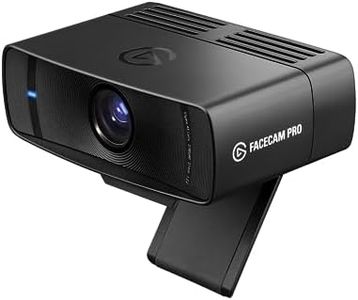
Elgato Facecam Pro, True 4K60 Ultra HD Webcam for Live Streaming, Gaming, Video Calls, Sony Sensor, Advanced Light Correction, DSLR Style Control, Wide Angle, works with OBS, Teams, Zoom, PC/Mac
Most important from
439 reviews
The Elgato Facecam Pro stands out with its True 4K60 UHD resolution, which ensures incredibly sharp and fluid video quality, making it ideal for live streaming, video calls, and gaming. The high frame rate of 60 fps contributes to smooth motion handling. Its wide-angle lens with a 90-degree field of view captures more of the surroundings, which can be especially useful for team meetings or showing more background in your streaming setup.
The advanced autofocus and manual focus options offer flexibility for different shooting scenarios, and the large area SONY STARVIS sensor excels in low-light conditions, ensuring clear images even in less-than-ideal lighting. Additionally, the webcam allows for cinematic effects like pan, tilt, or crop without sacrificing image quality, adding a professional touch to your videos. The robust monitor clamp and 1/4-inch thread ensure secure and versatile mounting options.
In conclusion, the Elgato Facecam Pro is a high-quality webcam suited for users who prioritize exceptional video clarity and versatile control, but they might need an external microphone for better audio and ensure their system is compatible.
Most important from
439 reviews
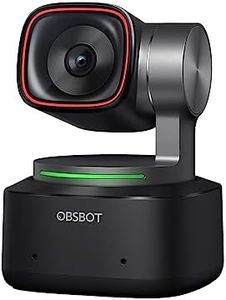
OBSBOT Tiny 2 Webcam 4K Voice Control PTZ, AI Tracking Multi-Mode & Auto Focus, Web Camera with 1/1.5" Sensor, Gesture Control, 60 FPS, HDR Light Correction, Webcam for PC, Streaming, Meeting, etc.
Most important from
1043 reviews
The OBSBOT Tiny 2 Webcam offers a robust 4K resolution that ensures a clear and sharp image quality, ideal for professional streaming, meetings, and other video applications. Its impressive 60 FPS frame rate guarantees smooth video, minimizing any motion blur. With a 1/1.5” CMOS sensor, the webcam excels in low light environments, making it great for varied lighting conditions.
The AI tracking and auto-focus features stand out, especially with its quick 0.3 seconds focus time and additional tracking modes, ensuring you stay centered in the frame whether you're moving around or presenting objects. The voice and gesture controls add an innovative touch, allowing hands-free operation and enhancing user convenience. However, users should be cautious as the webcam may become hot during use, though this is stated as normal and not harmful. The microphone quality is adequate for video calls but might not replace a dedicated external mic if high audio fidelity is required.
Compatibility is extensive, working well with both Windows and macOS systems. The webcam's versatility is further highlighted by its customizable modes and software support, making it a valuable choice for professionals, educators, and content creators alike. The mounting options are standard, providing stability during use. The OBSBOT Tiny 2 Webcam is a feature-rich, high-performance device that caters well to a range of needs in the mac-webcam category, albeit with a slight concern on heating during prolonged use.