We Use CookiesWe use cookies to enhance the security, performance, functionality and for analytical and promotional activities. By continuing to browse this site you are agreeing to our privacy policy

10 Best Duplex Color Printer 2026 in the United States

How do we rank products for you?

Our technology thoroughly searches through the online shopping world, reviewing hundreds of sites. We then process and analyze this information, updating in real-time to bring you the latest top-rated products. This way, you always get the best and most current options available.

headphones-stars

Our Top Picks

#1

Winner

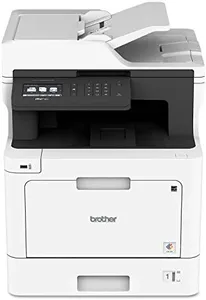
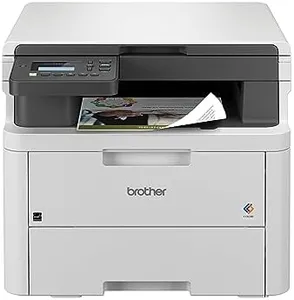
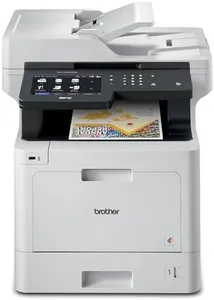
Brother MFC-L3780CDW Wireless Digital Color All-in-One Printer with Laser Quality Output, Single Pass Duplex Copy & Scan | Includes 2 Month Refresh Subscription Trial, Works with Alexa

Rating
10.0
Chosen by1,297
Print Speed
Print Quality
Duplex Printing

Most important from
769 reviews

Print Speed
This Brother printer is impressively fast and quiet, a significant upgrade from older models that often jammed and took forever to print.
Print Quality
The color printing may not match photo printer quality, but it's fast, bright, and perfectly acceptable for documents.
Duplex Printing
The single-pass duplex scanning feature is a game-changer, significantly enhancing efficiency.
Paper Handling Capacity
Although there were a couple of paper jams on larger print jobs, they were easy to clear with access to the back of the printer.

The Brother MFC-L3780CDW Wireless Digital Color All-in-One Printer is designed for small businesses and home offices, offering robust capabilities and features. One of its strongest points is the print speed, reaching up to 31 pages per minute for both monochrome and color prints, which is impressive and beneficial for high-volume printing tasks. Additionally, the printer supports single-pass duplex copying and scanning, enhancing efficiency for document handling.

The print quality is laser-grade, ensuring professional and clear outputs suitable for various business documents. Another significant advantage is its wide range of connectivity options, including dual-band wireless, Gigabit Ethernet, Wi-Fi Direct, USB, and NFC, providing flexibility in connecting multiple devices simultaneously. The printer also integrates with voice control methods, adding a layer of convenience in operation. The paper handling capacity is quite substantial, with a maximum input sheet capacity of up to 250 sheets, accommodating everyday business needs effectively.

However, the size and weight of the printer (47.8 pounds) might be a consideration for those with limited space. Next, while the toner costs can be high, Brother offers a Refresh EZ Print Subscription Service that could save up to 50% on toner, which is a useful option for consistent usage. The initial page print time of less than 12.5 seconds and the resolution of 2400 x 600 dpi (dots per inch) for both black and white and color printing enhance its reliability and output quality. On the downside, the printer’s relatively large dimensions may not fit seamlessly into compact office setups, and the cost of replacement toner cartridges should be considered in the long-term operational expenses.

Rating
10.0
Chosen by1,297
Print Speed
Print Quality
Duplex Printing

Most important from
769 reviews

Print Speed
This Brother printer is impressively fast and quiet, a significant upgrade from older models that often jammed and took forever to print.
Print Quality
The color printing may not match photo printer quality, but it's fast, bright, and perfectly acceptable for documents.
Duplex Printing
The single-pass duplex scanning feature is a game-changer, significantly enhancing efficiency.
Paper Handling Capacity
Although there were a couple of paper jams on larger print jobs, they were easy to clear with access to the back of the printer.
#2

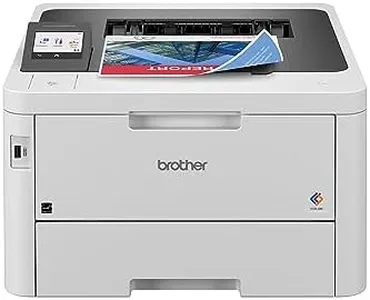
Brother Color Laser All-in-One Printer with Advanced Security, High-Speed 33ppm Printing, Wireless Network, 7 in Touchscreen, Duplex Print and Scan for Business (MFC-L8905CDW)

Rating
9.4
Print Speed
Print Quality
Connectivity Options

Most important from
252 reviews

Print Speed
The printer's automatic document feeder works efficiently, scanning both sides in one pass, making it very speedy.
Print Quality
Color output is reasonably good, though sometimes the match between the computer screen and the printer output can be off.
Connectivity Options
Wireless printing from various devices is seamless, but wireless scanning can sometimes be problematic.
Paper Handling Capacity
The printer is expandable in terms of paper feed trays and handles different paper types well, though heavier paper needs to be fed through the bypass tray.
Ink or Toner Costs
The use of high-yield toner cartridges helps keep costs down and reduces the frequency of replacements.

The Brother MFC‐L8905CDW is a versatile all-in-one color laser printer designed for business environments with higher print volumes. One of its strong points is the fast print speed of up to 33 pages per minute, both in monochrome and color, which enhances productivity. The automatic duplex printing and scanning features are highly efficient, allowing for two-sided printing and scanning up to 58 images per minute.

This printer also excels in connectivity options, offering wired, Wi-Fi, and various cloud service integrations directly from its large 7-inch color touchscreen display, making it user-friendly and convenient for office setups. The 70-page auto document feeder further aids in handling large scanning tasks efficiently. Another advantage is the cost-effectiveness in terms of printing, as it uses high-yield toner cartridges that can print a substantial number of pages, reducing the overall cost per page.

However, the printer's print quality, with a maximum resolution of 300 x 300 dpi, may not be as sharp as some other printers in its category, which could be a concern for those needing high-definition prints. The unit is also quite heavy, weighing 65.4 pounds, and has a relatively large footprint, which might be challenging for smaller office spaces. The initial cost of the printer might be higher than some alternatives, but it balances out with lower operating costs over time. The Brother MFC‐L8905CDW is well-suited for businesses that prioritize speed, connectivity, and cost-efficiency over ultra-high print resolution and compactness.

Rating
9.4
Print Speed
Print Quality
Connectivity Options

Most important from
252 reviews

Print Speed
The printer's automatic document feeder works efficiently, scanning both sides in one pass, making it very speedy.
Print Quality
Color output is reasonably good, though sometimes the match between the computer screen and the printer output can be off.
Connectivity Options
Wireless printing from various devices is seamless, but wireless scanning can sometimes be problematic.
Paper Handling Capacity
The printer is expandable in terms of paper feed trays and handles different paper types well, though heavier paper needs to be fed through the bypass tray.
Ink or Toner Costs
The use of high-yield toner cartridges helps keep costs down and reduces the frequency of replacements.
#3

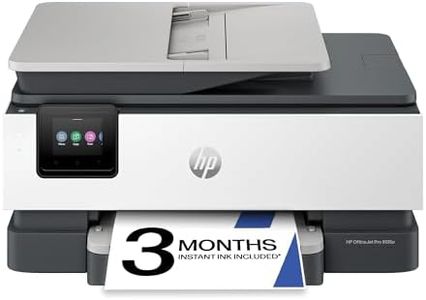
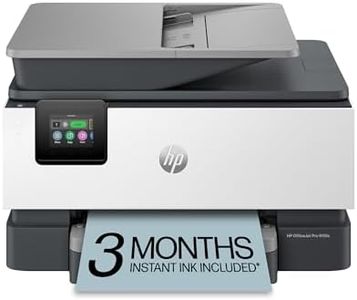
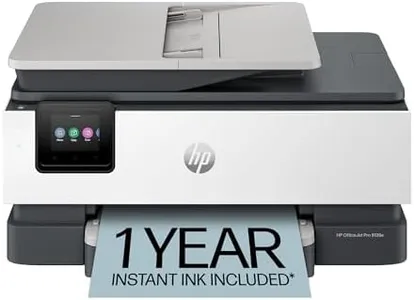
HP OfficeJet Pro 9135e Wireless All-in-One Color Inkjet Printer, Print, scan, copy, fax, ADF, Duplex printing best-for-office, 3 month Instant Ink trial included, AI-enabled (404M0A)

Rating
8.5
Print Speed
Print Quality
Duplex Printing

Most important from
1143 reviews

Print Speed
Print speed is impressive, reaching up to 24 pages per minute in black and 20 in color, supporting high-volume office needs.
Print Quality
This printer delivers fast, professional-quality color printing and scanning, making it ideal for business documents and presentations.
Duplex Printing
Automatic two-sided printing and dual 250-sheet trays provide efficient paper handling and reduce the need for frequent refills.
Connectivity Options
Wireless, USB, and Ethernet connectivity options offer versatile and convenient printing from multiple devices anywhere.
Paper Handling Capacity
Automatic two-sided printing and dual 250-sheet trays provide efficient paper handling and reduce the need for frequent refills.
Ink or Toner Costs
Ink subscription service helps manage ink costs, though the printer only accepts HP cartridges with chips, limiting third-party options.
Size and Design
The build quality feels sturdy and polished, with thoughtful details like a removable power cord adding to user convenience.

The HP OfficeJet Pro 9135e is a solid choice for small to medium businesses needing a reliable duplex color printer. It offers fast print speeds—up to 25 pages per minute in black and 20 in color—so you won’t waste time waiting for documents. The print quality is sharp, with up to 1200 x 1200 dpi for text and 4800 x 1200 optimized dpi for color images, making it suitable for professional-looking brochures and presentations. Automatic two-sided printing and scanning save paper and effort, which is a big plus for busy offices.

This printer supports multiple connectivity options, including wireless dual-band Wi-Fi, USB, and Ethernet, so you can print from smartphones, laptops, or desktop computers with ease. It also features two 250-sheet input trays, giving you a total paper capacity of 500 sheets, which reduces frequent refilling. The 4.3-inch color touchscreen is intuitive and makes navigation straightforward.

The printer uses HP’s Instant Ink subscription service, which can lower ink costs by delivering cartridges before you run out, but after six months this service requires a paid subscription unless canceled. The printer is designed to only accept HP cartridges with chips, which may limit cheaper third-party options and cause unexpected costs. Its size is moderate, not too bulky but it weighs about 26 pounds, so it needs a decent spot in your workspace. Security features like HP Wolf Pro help protect your data, a useful addition for office environments. Made with recycled materials, it also offers a more sustainable choice. This model is ideal if you want fast, quality color printing with automatic duplexing and strong connectivity for office use, though you should be prepared for ongoing ink expenses tied to HP’s cartridge system and a printer size that requires some desk space.

Rating
8.5
Print Speed
Print Quality
Duplex Printing

Most important from
1143 reviews

Print Speed
Print speed is impressive, reaching up to 24 pages per minute in black and 20 in color, supporting high-volume office needs.
Print Quality
This printer delivers fast, professional-quality color printing and scanning, making it ideal for business documents and presentations.
Duplex Printing
Automatic two-sided printing and dual 250-sheet trays provide efficient paper handling and reduce the need for frequent refills.
Connectivity Options
Wireless, USB, and Ethernet connectivity options offer versatile and convenient printing from multiple devices anywhere.
Paper Handling Capacity
Automatic two-sided printing and dual 250-sheet trays provide efficient paper handling and reduce the need for frequent refills.
Ink or Toner Costs
Ink subscription service helps manage ink costs, though the printer only accepts HP cartridges with chips, limiting third-party options.
Size and Design
The build quality feels sturdy and polished, with thoughtful details like a removable power cord adding to user convenience.

Buying Guide for the Best Duplex Color Printer

Choosing the right duplex color printer can be a bit overwhelming given the variety of options available. However, by understanding the key specifications and how they align with your needs, you can make an informed decision. Here are the main specs to consider when selecting a duplex color printer and how to navigate them.
Print SpeedPrint speed, measured in pages per minute (PPM), indicates how quickly a printer can produce documents. This is important if you need to print large volumes of documents regularly. Printers with speeds of 20-30 PPM are suitable for home or small office use, while those with speeds above 30 PPM are better for larger offices with higher print demands. Consider your typical print volume to determine the right speed for you.
Print QualityPrint quality is measured in dots per inch (DPI) and determines the clarity and detail of the printed documents. Higher DPI values, such as 1200 x 1200, are ideal for printing high-resolution images and detailed graphics, while lower DPI values, like 600 x 600, are sufficient for text documents. If you frequently print photos or marketing materials, opt for a higher DPI printer.
Duplex PrintingDuplex printing refers to the printer's ability to print on both sides of the paper automatically. This feature is important for saving paper and reducing printing costs. If you often print double-sided documents, such as booklets or reports, ensure the printer supports automatic duplex printing. For occasional double-sided printing, manual duplex printing might suffice.
Connectivity OptionsConnectivity options determine how you can connect your printer to other devices. Common options include USB, Wi-Fi, Ethernet, and Bluetooth. Wi-Fi and Ethernet are ideal for networked environments, allowing multiple users to access the printer. USB connections are straightforward for single-user setups. Consider your workspace and how you plan to connect the printer to choose the right connectivity options.
Paper Handling CapacityPaper handling capacity refers to the number of sheets a printer can hold in its input and output trays. This is crucial for determining how often you'll need to refill the paper. Printers with larger capacities, such as 250 sheets or more, are suitable for high-volume printing environments. For home or small office use, a capacity of 100-150 sheets may be sufficient. Assess your typical print volume to decide the appropriate capacity.
Ink or Toner CostsInk or toner costs can significantly impact the overall cost of owning a printer. It's important to consider the cost per page, which includes the price of the ink or toner and the number of pages it can print. High-yield cartridges, which print more pages, can be more cost-effective in the long run. If you print frequently, look for printers with lower cost per page to save on ongoing expenses.
Size and DesignThe size and design of the printer can affect where you can place it and how it fits into your workspace. Compact printers are ideal for small desks or home offices, while larger models may be better suited for dedicated office spaces. Consider the available space in your work area and choose a printer that fits comfortably without obstructing your workflow.

FAQ