We Use CookiesWe use cookies to enhance the security, performance, functionality and for analytical and promotional activities. By continuing to browse this site you are agreeing to our privacy policy

10 Best Affordable Laptop Computers 2026 in the United States
How do we rank products for you?

Our technology thoroughly searches through the online shopping world, reviewing hundreds of sites. We then process and analyze this information, updating in real-time to bring you the latest top-rated products. This way, you always get the best and most current options available.

headphones-stars

Our Top Picks

#1

Winner

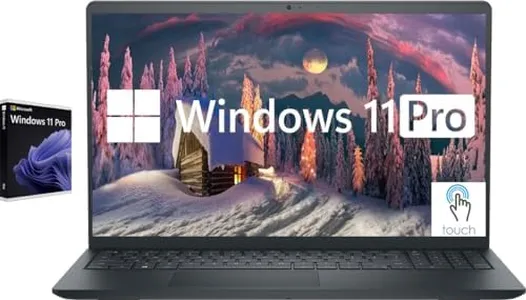
Dell Inspiron Touchscreen Laptop, 15.6" Business & Student Laptop Computer, Windows 11 Pro Laptop, Intel i5-1155G7 Processor, Full HD IPS Display, Numeric Keypad, Carbon Black (40GB RAM | 2TB SSD)

Rating
10.0
Chosen by1,161
Processor (CPU)
Storage
Display

Most important from
205 reviews

Processor (CPU)
This laptop offers exceptional boot-up speed and strong performance for its price, making it a top-notch choice for everyday use.
Storage
Plenty of storage space with a fast startup, and the touchscreen adds a valuable bonus to the overall experience.
Display
Pictures are vibrant and the sound quality is impressively good for a laptop in this category.
Battery Life
The battery life is extraordinary, supporting long hours of non-gaming applications without worry.
Build Quality and Portability
Lightweight and fast, it’s a perfect upgrade from older, bulkier models and is used constantly once acquired.

The Dell Inspiron Touchscreen Laptop is a solid choice if you want a budget-friendly laptop that handles everyday tasks smoothly. It features an Intel Core i5-1155G7 processor with four cores and up to 4.5 GHz speed, making it responsive enough for schoolwork, office tasks, and light multitasking. The 15.6-inch Full HD IPS display offers decent viewing angles and sharp images with a touchscreen feature, although the brightness at 220 nits might feel a bit dim in very bright rooms.

One standout feature is the generous 2TB SSD storage, providing plenty of space and faster file access compared to standard hard drives. It runs Windows 11 Pro, a professional and secure operating system suited for business and school environments. The laptop has practical ports including USB 3.2 and HDMI for easy connectivity, plus a numeric keypad helpful for number entry. Weighing about 3.6 pounds and with a slim profile under 0.7 inches thick, it is reasonably portable but not ultra-lightweight.

The build quality appears decent for an affordable laptop, designed to look professional and fit well in office or classroom settings. This Dell Inspiron offers a touchscreen, solid storage, and a mid-range processor in a budget-friendly package, making it a suitable option for many users.

Rating
10.0
Chosen by1,161
Processor (CPU)
Storage
Display

Most important from
205 reviews

Processor (CPU)
This laptop offers exceptional boot-up speed and strong performance for its price, making it a top-notch choice for everyday use.
Storage
Plenty of storage space with a fast startup, and the touchscreen adds a valuable bonus to the overall experience.
Display
Pictures are vibrant and the sound quality is impressively good for a laptop in this category.
Battery Life
The battery life is extraordinary, supporting long hours of non-gaming applications without worry.
Build Quality and Portability
Lightweight and fast, it’s a perfect upgrade from older, bulkier models and is used constantly once acquired.
#2

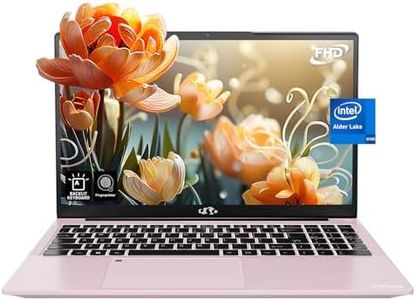
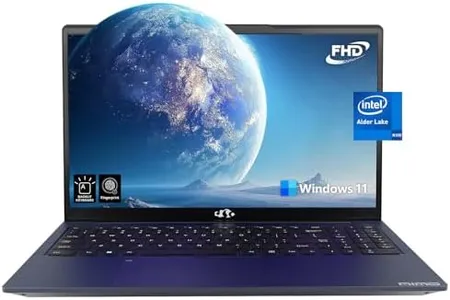
NIMO 15.6 IPS FHD-Laptop, 16GB RAM 1TB SSD Intel Pentium Quad Core N100, Computer with Backlit Keyboard Fingerprint (Beat to i3-1115G4 Up to 3.4GHz) Laptops for Student, Win 11 Rose Gold

Rating
8.8
Processor (CPU)
Storage
Display

Most important from
842 reviews

Processor (CPU)
The laptop arrives ready to use with a clean, clear screen and performs faster than expected for its category.
Storage
The fast 1TB PCIe SSD enables quick file transfers, such as loading nearly 48GB in under 20 minutes, showcasing impressive storage speed.
Display
The bright, crisp display has almost no edge bleed, making extended viewing comfortable and visually pleasing.
Battery Life
Battery life is suitable for typical use, and the laptop's low 6W power consumption supports running on solar power setups.
Build Quality and Portability
The well-built metal chassis is sturdy with no rattles or missing components, reflecting solid construction for the price.

The NIMO 15.6-inch laptop offers a solid package for students or anyone needing a budget-friendly but capable machine. It has a 12th Gen Intel Pentium N100 processor with 4 cores that runs up to 3.4GHz, making it decent for everyday tasks like browsing, streaming, and document editing. The 16GB of DDR4 RAM is generous for this price range, allowing smooth multitasking without much slowdown. Storage is ample with a fast 1TB PCIe SSD, which means quick startups and plenty of space for files and programs.

The display is a 15.6-inch Full HD IPS panel with anti-glare coating, providing clear and comfortable viewing for extended use, which is great for both work and entertainment. It also has a backlit keyboard and fingerprint reader, adding convenience and security. The build quality stands out for the price, with a sturdy metal shell that’s both durable and stylish in rose gold.

Battery life is about 5 hours, which might be a bit short if you need all-day use unplugged but is acceptable for typical school or office days. Portability is decent given its slim profile and weight around 3.8 pounds, so it’s easy to carry around campus or between rooms. Connectivity options like Wi-Fi 6, Bluetooth 5.2, and multiple USB 3.0 ports add to its versatility. Running Windows 11, the laptop is ready for most software users need today. The Intel Pentium N100, while efficient, won’t match the speed of more powerful Intel Core i3 or i5 processors, so heavy multitasking or demanding software might feel slow. For general use, this laptop strikes a good balance of performance, storage, and features at an affordable price.

Rating
8.8
Processor (CPU)
Storage
Display

Most important from
842 reviews

Processor (CPU)
The laptop arrives ready to use with a clean, clear screen and performs faster than expected for its category.
Storage
The fast 1TB PCIe SSD enables quick file transfers, such as loading nearly 48GB in under 20 minutes, showcasing impressive storage speed.
Display
The bright, crisp display has almost no edge bleed, making extended viewing comfortable and visually pleasing.
Battery Life
Battery life is suitable for typical use, and the laptop's low 6W power consumption supports running on solar power setups.
Build Quality and Portability
The well-built metal chassis is sturdy with no rattles or missing components, reflecting solid construction for the price.
#3

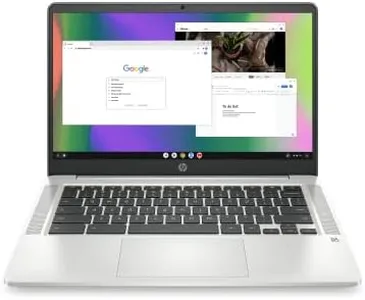
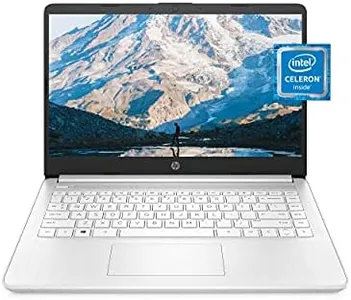
HP Chromebook 14 Laptop, Intel Celeron N4120, 4 GB RAM, 64 GB eMMC, 14" HD Display, Chrome OS, Thin Design, 4K Graphics, Long Battery Life, Ash Gray Keyboard (14a-na0226nr, 2022, Mineral Silver)

Rating
8.8
Battery Life
Build Quality and Portability
Operating System

Most important from
2894 reviews

Battery Life
The battery comfortably lasts all day, supporting extended use without frequent charging.
Build Quality and Portability
The laptop’s build quality stands out with a durable hinge design that balances smooth opening and closing while reducing the risk of breakage.
Operating System
The absence of a backlit keyboard and touchscreen is notable and may impact usability in low-light conditions or for those expecting these features.

The HP Chromebook 14 is a solid choice for anyone looking for an affordable, portable laptop mainly for everyday tasks like web browsing, streaming, and schoolwork. It runs on an Intel Celeron N4120 processor which is decent for lightweight multitasking but might struggle with more demanding apps. The 4 GB of RAM is enough for smooth Chrome OS operation and basic multitasking, though it’s not suited for heavy software or many browser tabs open at once. Storage-wise, the 64 GB eMMC is limited compared to traditional laptops but typical for Chromebooks, relying more on cloud storage.

The 14-inch HD display offers clear visuals with an anti-glare coating, making it comfortable to use in various lighting conditions, though the resolution (1366x768) is modest and won’t deliver crisp detail like higher-end screens. One standout feature is its long battery life—up to 14 hours—which is great if you need a laptop that can last a full day without charging, plus HP Fast Charge adds convenience.

The build is thin and lightweight, making it easy to carry around for school or travel. Chrome OS ensures a simple, secure experience with access to many Android apps, but keep in mind it’s a different environment than Windows or Mac, which might limit compatibility with some software. Connectivity options like Wi-Fi 5 and Bluetooth are good for wireless use. This Chromebook is best suited for users needing a budget-friendly, easy-to-carry laptop for internet use, streaming, and basic productivity. It’s not ideal if you require high-end performance, large storage, or a high-resolution screen, but for its price, it balances portability, battery life, and everyday functionality well.

Rating
8.8
Battery Life
Build Quality and Portability
Operating System

Most important from
2894 reviews

Battery Life
The battery comfortably lasts all day, supporting extended use without frequent charging.
Build Quality and Portability
The laptop’s build quality stands out with a durable hinge design that balances smooth opening and closing while reducing the risk of breakage.
Operating System
The absence of a backlit keyboard and touchscreen is notable and may impact usability in low-light conditions or for those expecting these features.

Buying Guide for the Best Affordable Laptop Computers

Choosing an affordable laptop can be a daunting task, but with the right approach, you can find a model that fits your needs without breaking the bank. The key is to understand what specifications are most important for your intended use and how to balance performance with cost. Here are some key specs to consider when shopping for an affordable laptop and how to navigate them to find the best fit for you.
Processor (CPU)The processor is the brain of your laptop, determining how quickly and efficiently it can perform tasks. For basic tasks like web browsing, email, and word processing, an Intel Core i3 or AMD Ryzen 3 processor will suffice. If you plan to do more demanding tasks like photo editing or light gaming, consider an Intel Core i5 or AMD Ryzen 5. For heavy multitasking or more intensive applications, an Intel Core i7 or AMD Ryzen 7 would be ideal, but these are often found in higher-priced models.
Memory (RAM)RAM is where your laptop stores data that is actively being used, which affects how many applications you can run simultaneously and how smoothly they operate. For basic use, 4GB of RAM is the minimum, but 8GB is recommended for a smoother experience. If you plan to run multiple applications at once or use more demanding software, 16GB of RAM will provide better performance. More than 16GB is generally unnecessary for most users and can significantly increase the cost.
StorageStorage determines how much data you can keep on your laptop, including the operating system, applications, and personal files. There are two main types: Hard Disk Drives (HDD) and Solid State Drives (SSD). HDDs are cheaper and offer more storage space, but are slower. SSDs are faster and more reliable but come at a higher cost per gigabyte. For most users, a 256GB SSD provides a good balance of speed and storage capacity. If you need more space for files like videos and photos, consider a 512GB SSD or a combination of a smaller SSD with a larger HDD.
DisplayThe display affects your viewing experience and can impact your comfort during extended use. Screen size typically ranges from 11 to 17 inches. Smaller screens (11-13 inches) are more portable and suitable for basic tasks, while larger screens (15-17 inches) provide a better viewing experience for media consumption and multitasking. Resolution is also important; a Full HD (1920x1080) resolution is recommended for clear and sharp images. Higher resolutions like 4K are usually unnecessary for most users and can drain battery life faster.
Battery LifeBattery life is crucial if you plan to use your laptop on the go. Manufacturers often provide an estimated battery life, but real-world usage can vary. For basic tasks, a laptop with 6-8 hours of battery life should be sufficient. If you need to work away from a power source for extended periods, look for models that offer 10 hours or more. Keep in mind that more powerful components and higher-resolution screens can reduce battery life.
Build Quality and PortabilityThe build quality and portability of a laptop are important for durability and ease of transport. Laptops made from materials like aluminum or magnesium alloy tend to be more durable than plastic ones. Weight is also a factor; lighter laptops (under 3 pounds) are easier to carry around, making them ideal for students and professionals who travel frequently. Consider how often you'll be moving your laptop and choose a model that balances durability with portability.
Operating SystemThe operating system (OS) is the software that manages your laptop's hardware and software resources. The most common options are Windows, macOS, and Chrome OS. Windows is versatile and compatible with a wide range of software, making it a good choice for most users. macOS, found on Apple laptops, is known for its user-friendly interface and seamless integration with other Apple products. Chrome OS is lightweight and designed for web-based tasks, making it ideal for users who primarily use their laptops for internet browsing and cloud-based applications. Choose an OS that aligns with your software needs and personal preferences.

FAQ