We Use CookiesWe use cookies to enhance the security, performance, functionality and for analytical and promotional activities. By continuing to browse this site you are agreeing to our privacy policy

10 Best Wifi Routers 2026 in the United States

How do we rank products for you?

Our technology thoroughly searches through the online shopping world, reviewing hundreds of sites. We then process and analyze this information, updating in real-time to bring you the latest top-rated products. This way, you always get the best and most current options available.

headphones-stars

Our Top Picks

#1

Winner

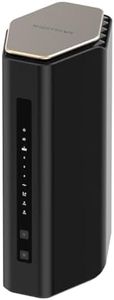
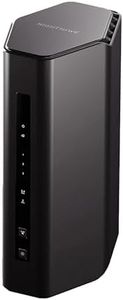
NETGEAR Nighthawk Tri-Band WiFi 7 Router (RS700S) - Router Only- BE19000 Wireless Speed (up to 19 Gbps) – 10 Gig Internet Port - Covers up to 3,500 sq. ft. – 1-Year Armor & Free Expert Help

Rating
10.0
Chosen by1,344
Frequency Bands (Single-Band, Dual-Band, Tri-Band)
Coverage Area
Speed Rating

Most important from
851 reviews

Frequency Bands (Single-Band, Dual-Band, Tri-Band)
The tri-band setup seamlessly serves 2.4GHz, 5GHz, and 6GHz devices all at once with stable, rock-solid connectivity.
Coverage Area
Coverage is outstanding, reliably providing strong signal throughout large homes and even reaching outdoors and neighboring units.
Speed Rating
The router delivers blazing fast WiFi speeds, easily pulling full gigabit speeds over the 6GHz band and maintaining 600-700 Mbps across the 5GHz band.
Number and Type of Ports
The 10 Gigabit and multi-gig ports handle high bandwidth demands flawlessly, fully utilizing ISP plans and supporting fiber services.
Security Features
Built-in security features provide advanced protection against hackers and malware, offering peace of mind without extra software.
Mesh Networking Capability
For homes larger than 2500 sq ft, pairing with a mesh system might be advisable, but for medium to large homes, coverage is more than sufficient.

The NETGEAR Nighthawk RS700S is a top-tier WiFi 7 router designed for users seeking the fastest and most reliable wireless connection. Its tri-band setup offers wide coverage of up to 3,500 sq. ft., making it suitable for large homes or small offices. The router delivers an impressive maximum speed of 19 Gbps, which is about 2.4 times faster than WiFi 6, ideal for gaming, 4K/8K streaming, and smooth video calls without lag.

It features a 10 Gigabit port along with four 1 Gigabit LAN ports, allowing multiple wired devices or a high-speed modem to connect simultaneously. Security is enhanced with NETGEAR Armor, providing protection against hackers and malware and includes a 1-year subscription for added peace of mind. This router requires a separate modem for internet connectivity as it does not include one.

The device is designed specifically for U.S. internet services, which might limit its use elsewhere. While it offers excellent speed and coverage, built-in mesh networking capabilities are not included, so expanding coverage with additional units may require separate mesh-compatible devices. This router is a powerful choice for users who want cutting-edge wireless performance and strong security but should be paired with an existing modem and possibly additional mesh units if extended coverage is needed.

Rating
10.0
Chosen by1,344
Frequency Bands (Single-Band, Dual-Band, Tri-Band)
Coverage Area
Speed Rating

Most important from
851 reviews

Frequency Bands (Single-Band, Dual-Band, Tri-Band)
The tri-band setup seamlessly serves 2.4GHz, 5GHz, and 6GHz devices all at once with stable, rock-solid connectivity.
Coverage Area
Coverage is outstanding, reliably providing strong signal throughout large homes and even reaching outdoors and neighboring units.
Speed Rating
The router delivers blazing fast WiFi speeds, easily pulling full gigabit speeds over the 6GHz band and maintaining 600-700 Mbps across the 5GHz band.
Number and Type of Ports
The 10 Gigabit and multi-gig ports handle high bandwidth demands flawlessly, fully utilizing ISP plans and supporting fiber services.
Security Features
Built-in security features provide advanced protection against hackers and malware, offering peace of mind without extra software.
Mesh Networking Capability
For homes larger than 2500 sq ft, pairing with a mesh system might be advisable, but for medium to large homes, coverage is more than sufficient.
#2

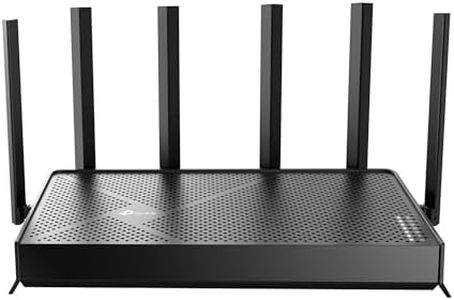
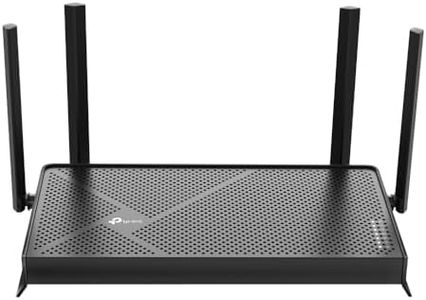
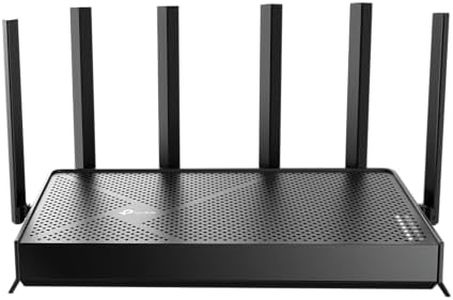
TP-Link Tri-Band BE9700 WiFi 7 Router Archer BE600 | 10G WAN/LAN +2.5G WAN/LAN +3× 2.5G LAN Ports, New 320Mhz Channel | Covers up to 2,600 Sq. ft and 120 Devices|VPN, HomeShield for Network Security

Rating
9.1
Wi-Fi Standard (e.g., Wi-Fi 5, Wi-Fi 6)
Frequency Bands (Single-Band, Dual-Band, Tri-Band)
Coverage Area

Most important from
335 reviews

Wi-Fi Standard (e.g., Wi-Fi 5, Wi-Fi 6)
The router delivers a remarkable boost in speed, routinely doubling or tripling wireless performance even on devices that only support WiFi 6.
Frequency Bands (Single-Band, Dual-Band, Tri-Band)
Tri-band technology provides ample bandwidth to prevent congestion, maintaining consistent, high-speed connections across multiple devices.
Coverage Area
Strong and stable Wi-Fi coverage eliminates the need for multiple extenders, reliably covering large homes with full gigabit speeds.
Security Features
Parental controls and security features add valuable peace of mind alongside top-tier performance.

The TP-Link Archer BE600 is a cutting-edge WiFi 7 tri-band router designed for users who want fast, reliable internet across a large home. It supports the newest Wi-Fi 7 standard, which means it can deliver blazing speeds—up to 5,765 Mbps on the 6 GHz band and solid performance on 5 GHz and 2.4 GHz bands. This makes it a great choice for gaming, 4K/8K streaming, and handling many devices at once, up to 120 simultaneously. With coverage up to 2,600 square feet and six antennas using beamforming technology, it can provide strong signals even in larger homes or areas that are usually hard to reach.

The router features multiple high-speed ports, including a 10 Gbps WAN/LAN port and several 2.5 Gbps LAN ports, allowing for very fast wired connections with compatible equipment. Security is a priority here, with VPN support and TP-Link’s HomeShield service offering parental controls and protection for smart devices on your network. Setup is user-friendly through an app or web interface.

While it excels in speed and coverage, this router does not support mesh networking, which means if you want to expand coverage further beyond its range, you might need additional units or a dedicated mesh system. Its advanced features and multi-gig ports may be more than what casual users need unless you have very high internet speeds or many devices. The Archer BE600 suits tech enthusiasts or larger households looking for the latest WiFi technology, strong security, and fast wired connections.

Rating
9.1
Wi-Fi Standard (e.g., Wi-Fi 5, Wi-Fi 6)
Frequency Bands (Single-Band, Dual-Band, Tri-Band)
Coverage Area

Most important from
335 reviews

Wi-Fi Standard (e.g., Wi-Fi 5, Wi-Fi 6)
The router delivers a remarkable boost in speed, routinely doubling or tripling wireless performance even on devices that only support WiFi 6.
Frequency Bands (Single-Band, Dual-Band, Tri-Band)
Tri-band technology provides ample bandwidth to prevent congestion, maintaining consistent, high-speed connections across multiple devices.
Coverage Area
Strong and stable Wi-Fi coverage eliminates the need for multiple extenders, reliably covering large homes with full gigabit speeds.
Security Features
Parental controls and security features add valuable peace of mind alongside top-tier performance.
#3

NETGEAR Nighthawk WiFi 7 Router (BE17000) – Router Only, 17 Gbps Wireless Speed, 10 Gig Internet Port, Tri-Band for Gaming, Covers 3,300 sq. ft., 150 Devices, VPN – Free Expert Help

Rating
8.5
Coverage Area
Speed Rating
Mesh Networking Capability

Most important from
225 reviews

Coverage Area
Installation is straightforward, delivering immediate improvements in range and signal strength with no more unexpected network drops or lag, even with many connected devices.
Speed Rating
The router provides a stable and fast connection that resolves common streaming issues like buffering and freezing on various devices, including older 2.4 GHz models.
Mesh Networking Capability
Setup via the app is intuitive, with clear step-by-step instructions that make pairing with modems and managing devices effortless.

The NETGEAR Nighthawk WiFi 7 Router (BE17000) is a cutting-edge router designed for users who want extremely fast wireless speeds, especially useful for gaming, 4K/8K streaming, and UHD video calls. It supports the newest WiFi 7 standard, which is about 2.4 times faster than WiFi 6, and offers a tri-band setup to help manage multiple devices smoothly—up to 150 at once. This router covers a large area of about 3,300 square feet, making it suitable for most homes or small offices.

It includes one 10 Gigabit port and four 1 Gigabit Ethernet ports, allowing for very fast wired connections, which is excellent for gamers or anyone needing stable, high-speed internet for devices like PCs or smart TVs. On security, it provides NETGEAR Armor—a strong protection suite against hackers and malware, available as a 30-day free trial, with ongoing use requiring a subscription. Setup is user-friendly via the Nighthawk App, and expert help is available if needed.

This device operates as a router-only unit, so a separate modem from your internet provider is required to get online. It delivers great speed and coverage, making it a powerful choice for those seeking top wireless performance and security, although it does not include built-in mesh networking support for extending coverage with additional units.

Rating
8.5
Coverage Area
Speed Rating
Mesh Networking Capability

Most important from
225 reviews

Coverage Area
Installation is straightforward, delivering immediate improvements in range and signal strength with no more unexpected network drops or lag, even with many connected devices.
Speed Rating
The router provides a stable and fast connection that resolves common streaming issues like buffering and freezing on various devices, including older 2.4 GHz models.
Mesh Networking Capability
Setup via the app is intuitive, with clear step-by-step instructions that make pairing with modems and managing devices effortless.

Buying Guide for the Best Wifi Routers

Choosing the right Wi-Fi router can make a big difference to the speed, coverage, and stability of your home or office internet. It's important to think about how many devices will connect, the size of your space, and your typical internet activities (like streaming, working from home, gaming, or just browsing). Start by understanding the main features routers offer—by knowing what each does, you can more easily match a router to your specific needs.
Wi-Fi Standard (e.g., Wi-Fi 5, Wi-Fi 6)The Wi-Fi standard is basically the technology generation the router uses. Newer standards (like Wi-Fi 6) are faster, handle more devices at once, and are generally better at managing crowding in busy areas. Older standards (like Wi-Fi 5) are fine for basic browsing on a small number of devices, while newer ones are best if you have a smart home with lots of devices or do high-bandwidth activities like 4K streaming or gaming. If your devices (phones, laptops, etc.) also support the newer standard, picking a matching router gives you the most benefit.
Frequency Bands (Single-Band, Dual-Band, Tri-Band)Routers broadcast Wi-Fi on different radio frequencies called bands—most commonly 2.4 GHz and 5 GHz. Single-band only offers 2.4 GHz, which travels farther but at slower speeds. Dual-band lets your devices use both 2.4 and 5 GHz, with the 5 GHz band being faster but with a shorter range. Tri-band routers add an extra 5 GHz band, which helps if you have many high-use devices. If your household streams movies and plays games, go for at least dual-band. Tri-band is for busy households with lots of heavy users.
Coverage AreaCoverage area tells you how much space the router can cover with a strong signal. Smaller apartments typically do fine with basic coverage, while large homes or spaces with multiple floors need routers with range-extending features like additional antennas or mesh systems. Think about where you’ll place the router and whether walls or distance might weaken the signal—if so, look for a router known for strong coverage.
Speed RatingRouter speed ratings (often shown in Mbps or Gbps) are the maximum speeds the router can support. For general browsing, lower speeds might be enough, but if you have a fast internet plan, stream lots of video, or play online games, pick a router with a higher speed rating. Keep in mind that real-world speeds are usually lower than advertised, but getting a router with a speed at or above your internet service can prevent bottlenecks.
Number and Type of PortsRouters have ports to plug in wired devices—usually Ethernet for computers or gaming consoles, and sometimes USB for printers or storage. If you have devices that need wired connections for reliability or speed, count how many ports you'll need. Wired connections are great for gaming, working from home, or stable video calls.
Security FeaturesModern routers come with built-in security tools like firewalls, WPA3 encryption, and sometimes features like guest networks or parental controls. Security is important for privacy and for keeping your network safe from unwanted access. If you want to manage who uses your Wi-Fi, set usage rules, or feel more protected, look out for these features.
Mesh Networking CapabilitySome routers can become part of a mesh system, which uses multiple routers to spread a strong Wi-Fi signal throughout your space. If you have a big house or areas where Wi-Fi is weak, a router with mesh capabilities can be expanded with extra units to ensure smooth coverage everywhere. This is especially useful if your signal drops off far from the router or if you have complex layouts or multiple floors.

FAQ