We Use CookiesWe use cookies to enhance the security, performance, functionality and for analytical and promotional activities. By continuing to browse this site you are agreeing to our privacy policy

10 Best Webcams For Video Calling 2026 in the United States
How do we rank products for you?

Our technology thoroughly searches through the online shopping world, reviewing hundreds of sites. We then process and analyze this information, updating in real-time to bring you the latest top-rated products. This way, you always get the best and most current options available.

headphones-stars

Our Top Picks

#1

Winner

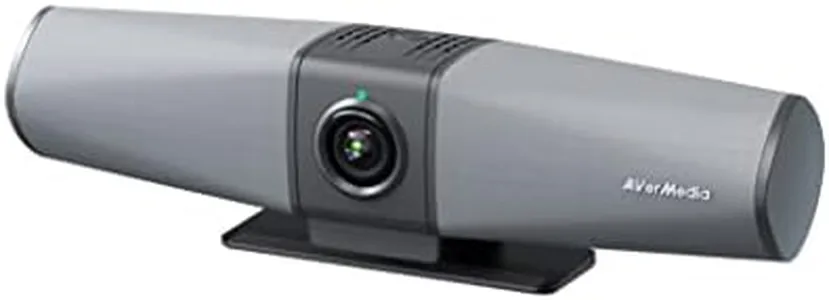
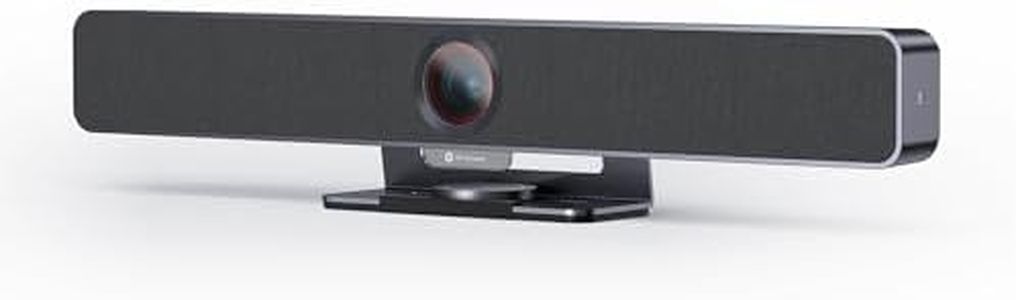
AVerMedia PA511D- 4K Video Conference Camera, Speakerphone, Echo Cancellation, Autoframing, Zoom Certified, Wired Network and One Cable Connection - Webcam for PC, Tripod & Monitor

Rating
10.0
Chosen by1,217
Resolution
Field of View (FOV)
Microphone Quality

Most important from
27 reviews

Resolution
The camera delivers video quality surpassing expectations for remote use, providing a sharp and reliable image.
Field of View (FOV)
The ultra-wide field of view comfortably covers meeting rooms, making it ideal for group video conferences.
Microphone Quality
Echo cancellation technology is highly effective, eliminating distracting echoes even during multi-person conversations.
Compatibility
Zoom integration is seamless, ensuring smooth video calls without compatibility issues.

The AVerMedia PA511D Mingle Bar is a strong choice for video calls, especially in professional or group meeting settings. Its 4K video resolution combined with an ultra-wide 124° field of view means it captures sharp, detailed images and can fit multiple people or a whiteboard in the frame, which is great for team collaboration. The webcam uses intelligent image processing like HDR and noise reduction to maintain clarity even in different lighting conditions, so your video looks good whether the room is bright or dim. Autofocusing and real-time optimization help keep the picture clear without manual adjustments.

On the audio side, it shines with advanced microphone technology including AI noise cancellation and beamforming, which picks up voices clearly from all directions while reducing background noise. This makes conversations easier to hear and understand. The device connects through a single USB-C cable, simplifying setup by merging webcam, audio, and wired network in one line. It also offers flexible mounting with security slots, fitting well on monitors or tripods. One limitation is that being wired may reduce portability compared to wireless options, and the product size is a bit bulky relative to simpler webcams.

In terms of compatibility, it is designed for PC use and Zoom certification ensures smooth integration with popular video conferencing software. This webcam is well suited for users needing a high-quality, reliable video conferencing tool for office or home use where multiple participants and clear audio/video are priorities.

Rating
10.0
Chosen by1,217
Resolution
Field of View (FOV)
Microphone Quality

Most important from
27 reviews

Resolution
The camera delivers video quality surpassing expectations for remote use, providing a sharp and reliable image.
Field of View (FOV)
The ultra-wide field of view comfortably covers meeting rooms, making it ideal for group video conferences.
Microphone Quality
Echo cancellation technology is highly effective, eliminating distracting echoes even during multi-person conversations.
Compatibility
Zoom integration is seamless, ensuring smooth video calls without compatibility issues.
#2

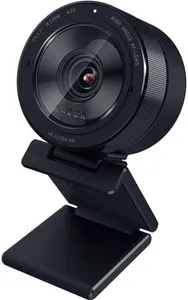
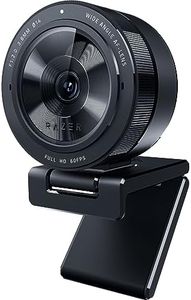
Razer Kiyo Pro Ultra 4K Webcam: Large Sensor - Auto Light Correction - Built-in Mic and Shutter - Pro Grade Content Creation, Streaming, Gaming, Video Calls - Works with OBS, Xsplit, PC, Zoom, Teams

The Razer Kiyo Pro Ultra 4K Webcam offers impressive features for video calling, content creation, and streaming. Its 4K resolution ensures sharp and detailed video quality, and with a high frame rate at 1440p, it provides smooth video playback.

The large 1/1.2″ Sony STARVIS 2 sensor paired with an F/1.7 aperture lens allows the webcam to perform exceptionally well in low-light conditions, making it ideal for various lighting environments. The AI-powered video imaging, along with HDR technology, ensures vibrant and accurate colors, while the face-tracking autofocus keeps the user in sharp focus during calls or streams.

The built-in microphone captures clear audio, and the webcam's compatibility with popular video calling platforms like Zoom and Teams adds convenience. The mounting options offer flexibility in positioning the webcam where it's needed most. For those looking for top-tier video quality and performance in a webcam, the Razer Kiyo Pro Ultra is a strong contender.

#3

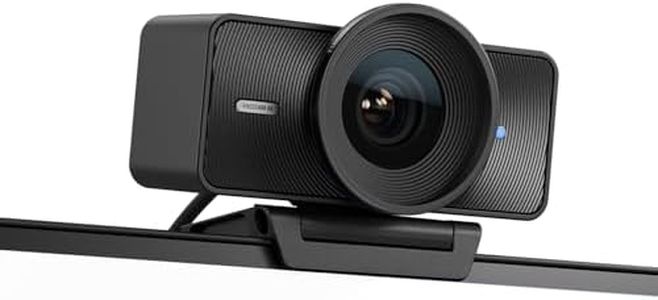
Elgato Facecam 4K - 4K60 Studio Webcam, DSLR-Like Control, Cinematic Effects, 49mm Lens Filters, HDR, Uncompressed Video, Optimized Focus Area | USB-C for PC & Mac

Rating
8.8
Low Light Performance
Frame Rate
Compatibility

Most important from
321 reviews

Low Light Performance
The webcam delivers significantly better image quality with excellent low-light performance, eliminating common lighting frustrations.
Frame Rate
Motion blur is minimal, providing a smoother and clearer video experience compared to other high-end webcams.
Compatibility
Integration with streaming software like OBS is seamless, enhancing professional streaming and content creation workflows.
other
Its software is far more user-friendly and versatile, allowing dynamic on-the-fly adjustments, especially when integrated with tools like the Stream Deck.

The Elgato Facecam 4K is a high-end webcam designed primarily for users who want superb video quality for video calls, streaming, or content creation. It features an ultra-clear 4K resolution at 60 frames per second, delivering very smooth and sharp images that surpass most typical webcams. The Sony STARVIS 2 CMOS sensor and Elgato's Prime Lens technology provide vibrant colors and crisp details, giving a DSLR-like feel to your video.

This webcam supports a 49mm lens filter, allowing creative customization of your video look, making it especially appealing to streamers and video professionals. It includes HDR and uncompressed video support, improving performance in varied lighting conditions. The package comes with a monitor mount and a detachable USB-C cable, making it easy to set up on most computers with USB-C ports.

Compatibility with both PC and Mac and the included Camera Hub software allow user-friendly control over image settings. The Elgato Facecam 4K is more expensive and advanced than typical video calling cameras, making it a strong choice for those who want professional-level video quality and creative control rather than casual use. It's ideal for reliable, high-resolution video calls or streaming.

Rating
8.8
Low Light Performance
Frame Rate
Compatibility

Most important from
321 reviews

Low Light Performance
The webcam delivers significantly better image quality with excellent low-light performance, eliminating common lighting frustrations.
Frame Rate
Motion blur is minimal, providing a smoother and clearer video experience compared to other high-end webcams.
Compatibility
Integration with streaming software like OBS is seamless, enhancing professional streaming and content creation workflows.
other
Its software is far more user-friendly and versatile, allowing dynamic on-the-fly adjustments, especially when integrated with tools like the Stream Deck.

Buying Guide for the Best Webcams For Video Calling

Choosing the right webcam for video calling can significantly enhance your communication experience. Whether you're using it for work meetings, virtual hangouts with friends, or online classes, the right webcam can make a big difference in video and audio quality. Here are some key specifications to consider when selecting a webcam, along with explanations to help you understand their importance and how to choose the best fit for your needs.
ResolutionResolution refers to the number of pixels that the webcam can capture, which directly affects the clarity and detail of the video. Higher resolution means better image quality. Common resolutions include 720p (HD), 1080p (Full HD), and 4K (Ultra HD). For most video calling purposes, 1080p is a good balance between quality and performance. If you need extremely high detail, such as for professional streaming or recording, you might consider a 4K webcam. However, for basic video calls, 720p can be sufficient.
Frame RateFrame rate, measured in frames per second (fps), determines how smooth the video appears. A higher frame rate results in smoother motion. Standard frame rates for webcams are 30fps and 60fps. For regular video calls, 30fps is usually adequate, providing smooth and clear video. If you want even smoother video, especially for fast movements or gaming, a 60fps webcam might be preferable.
Field of View (FOV)Field of View (FOV) indicates how much of the scene the webcam can capture. It is measured in degrees. A wider FOV (e.g., 90 degrees or more) can capture more of the background and is useful for group calls or showing more of your surroundings. A narrower FOV (e.g., 60-70 degrees) focuses more on your face and is ideal for personal calls or professional meetings where you want to minimize background distractions. Choose a FOV based on how much of your environment you want to include in the frame.
AutofocusAutofocus allows the webcam to automatically adjust the lens to keep the subject in sharp focus, even if you move around. This is important for maintaining clear video quality without manual adjustments. Webcams with autofocus are particularly useful if you tend to move during calls or if you want to show objects up close. If you plan to stay relatively still during calls, a fixed-focus webcam might suffice.
Low Light PerformanceLow light performance refers to the webcam's ability to produce clear video in dim lighting conditions. This is crucial if you often make video calls in poorly lit environments. Look for webcams with features like low-light correction or HDR (High Dynamic Range) to ensure good video quality even in less-than-ideal lighting. If you have good lighting in your space, this may be less of a concern.
Microphone QualityMany webcams come with built-in microphones, which can vary in quality. A good microphone will capture clear and crisp audio, reducing background noise. If you don't have a separate microphone, look for a webcam with a high-quality built-in mic. For the best audio experience, especially in noisy environments, consider a webcam with noise-canceling features or use an external microphone.
Mounting OptionsMounting options refer to how the webcam can be positioned or attached. Common options include clips for attaching to a monitor or laptop, tripods, and flexible stands. Consider where and how you will use the webcam. If you need flexibility in positioning, look for webcams with versatile mounting options. If you plan to keep the webcam in a fixed position, a simple clip-on model might be sufficient.
CompatibilityCompatibility ensures that the webcam works with your computer's operating system and the video calling software you use. Most modern webcams are compatible with Windows, macOS, and popular video calling platforms like Zoom, Skype, and Teams. Check the specifications to ensure compatibility with your setup. If you use multiple devices or platforms, look for a webcam with broad compatibility.

FAQ