We Use CookiesWe use cookies to enhance the security, performance, functionality and for analytical and promotional activities. By continuing to browse this site you are agreeing to our privacy policy

10 Best USB-C Webcams 2026 in the United States
How do we rank products for you?

Our technology thoroughly searches through the online shopping world, reviewing hundreds of sites. We then process and analyze this information, updating in real-time to bring you the latest top-rated products. This way, you always get the best and most current options available.

headphones-stars

Our Top Picks

#1

Winner

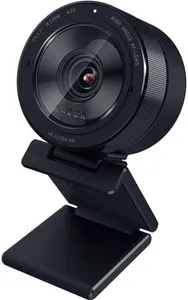
Razer Kiyo Pro Ultra 4K Webcam: Large Sensor - Auto Light Correction - Built-in Mic and Shutter - Pro Grade Content Creation, Streaming, Gaming, Video Calls - Works with OBS, Xsplit, PC, Zoom, Teams

Rating
10.0
Chosen by1,375
Resolution
Autofocus
Low Light Performance

Most important from
225 reviews

Resolution
The video quality delivers an impressive, professional-grade experience suitable for both gaming and work meetings.
Autofocus
Smart autofocus and AI-driven exposure adjustments ensure the user stays in focus and well-lit throughout the session.
Low Light Performance
The camera excels in low-light environments, producing clear, vibrant images with true-to-life colors thanks to its large sensor and wide aperture.
Compatibility
Windows users benefit from fully customizable settings through dedicated software, unlocking the camera's full potential.

The Razer Kiyo Pro Ultra is a high-end 4K webcam designed especially for content creators, streamers, and professionals who need sharp, detailed video. Its large 1/1.2" Sony STARVIS 2 sensor and wide F/1.7 aperture let in plenty of light, which means it performs very well even in dim environments. This helps produce clear, vibrant images with true-to-life colors thanks to HDR support at 30 frames per second. The webcam offers flexible video options including uncompressed 4K at 24 FPS, 1440p at 30 FPS, and smooth 1080p at 60 FPS, covering a variety of quality and performance needs.

Autofocus is smart and face-tracking, keeping you in focus as you move, while an AI-powered exposure adjusts lighting automatically so you always look your best. The device also features a built-in microphone and a physical shutter for privacy. What sets it apart is the ability to blur the background without extra software, adding a professional touch with portrait-style depth. It supports Windows fully with software that lets you customize settings extensively, but Mac users will only get basic plug-and-play functionality without access to advanced controls. The webcam’s mounting options are standard and should work with most setups.

While it excels in video quality and low-light performance, the price might be higher than basic models, and Mac users won’t benefit from all features. For those who want a webcam that delivers pro-grade visuals and smart lighting adjustments ideal for streaming, video calls, and content creation, this model is a strong choice.

Rating
10.0
Chosen by1,375
Resolution
Autofocus
Low Light Performance

Most important from
225 reviews

Resolution
The video quality delivers an impressive, professional-grade experience suitable for both gaming and work meetings.
Autofocus
Smart autofocus and AI-driven exposure adjustments ensure the user stays in focus and well-lit throughout the session.
Low Light Performance
The camera excels in low-light environments, producing clear, vibrant images with true-to-life colors thanks to its large sensor and wide aperture.
Compatibility
Windows users benefit from fully customizable settings through dedicated software, unlocking the camera's full potential.
#2

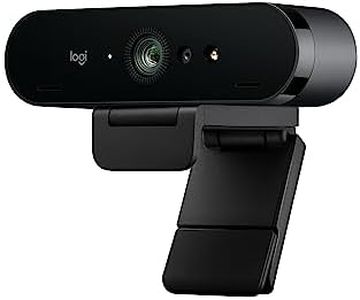
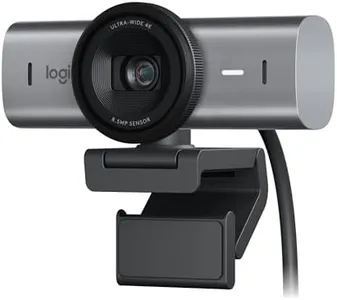
Logitech MX Brio Ultra HD 4K Collaboration, Streaming Webcam, 1080p at 60 FPS, Show Mode, Works with Microsoft Teams, Zoom, Google Meet, Nintendo Switch 2 New GameChat - Graphite

Rating
8.5
Resolution
Field of View (FOV)
Microphone Quality

Most important from
1210 reviews

Resolution
The picture quality is great, making it perfect for daily Teams calls.
Field of View (FOV)
Setting up with Logi software is easy, allowing customization of the field of view.
Microphone Quality
Camera quality over Teams is outstanding, with minimal difference between the built-in microphones and external ones.

The Logitech MX Brio Ultra HD 4K Collaboration and Streaming Webcam offers impressive specs for users seeking high-quality video performance. It supports Ultra HD 4K resolution at 30fps and 1080p at 60fps, providing sharp and clear images. The AI-enhanced image quality features auto-exposure, auto white balance, noise reduction, and autofocus, which help maintain excellent visibility even in challenging light conditions. The dual noise-reducing microphones effectively minimize background noise, ensuring clear audio during calls and streaming sessions.

Additionally, the Show Mode allows users to tilt the webcam down to share notes and sketches, enhancing collaboration. Privacy is safeguarded with the built-in webcam cover that blocks the camera when not in use. Compatibility is broad, working seamlessly with Windows, macOS, Chrome OS, and Linux, and it is certified for popular platforms like Zoom, Microsoft Teams, and Google Meet. The webcam can be paired with Logitech software for enhanced control over video streaming settings via MX keyboard and mouse.

The physical dimensions and weight are standard, making it portable but not exceptionally compact. The Logitech MX Brio Ultra HD 4K Webcam is a solid choice for professionals and streamers needing high resolution and reliable performance.

Rating
8.5
Resolution
Field of View (FOV)
Microphone Quality

Most important from
1210 reviews

Resolution
The picture quality is great, making it perfect for daily Teams calls.
Field of View (FOV)
Setting up with Logi software is easy, allowing customization of the field of view.
Microphone Quality
Camera quality over Teams is outstanding, with minimal difference between the built-in microphones and external ones.
#3

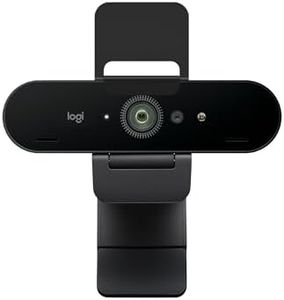
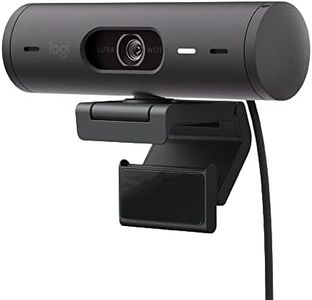
Logitech Brio 4K Webcam, Video Calling, Noise-Cancelling mic, HD Auto Light Correction, Wide Field of View, Windows Hello Works with Microsoft Teams, Zoom, Google Meet, PC/Mac/Laptop/MacBook/Tablet

Rating
8.5
Resolution
Field of View (FOV)
Autofocus

Most important from
1176 reviews

Resolution
Ultra 4K HD video delivers sharp, detailed images that make virtual sessions feel as close to in-person meetings as possible, capturing emotional expressions and non-verbal cues effectively.
Field of View (FOV)
Adjustable field of view provides flexibility to show just the face or a wider room, which is valuable for presentations or sharing visual aids during calls.
Autofocus
Users appreciate the ability to adjust focus, zoom, pan, and tilt while maintaining high image quality, enhancing control over the video framing.
Low Light Performance
Automatic light correction adapts seamlessly to varying lighting conditions, keeping the video consistently clear and well-lit without manual adjustments.
Microphone Quality
The noise-canceling microphones minimize background noise, ensuring clear and focused conversations even in home office environments with distractions like pet sounds.
Mounting Options
The included USB cable is thick and rigid, which can make positioning the camera slightly challenging without additional accessories.
Compatibility
Plug-and-play functionality works smoothly across Windows, Mac, laptops, and tablets, allowing easy setup without technical hassle.

The Logitech Brio 4K Webcam is an excellent choice if you want top-notch video quality with up to 4K resolution at 30 frames per second, making your video calls and streams look sharp and detailed. It has a good autofocus system and offers 5x digital zoom, which helps keep your image clear even if you move around. The field of view is adjustable with three options (65°, 78°, and 90°), so you can choose to show just your face or a wider room view. It performs well in low light thanks to Logitech's RightLight 3 technology, which automatically adjusts brightness and contrast to handle glare or backlighting effectively.

For sound, it has dual microphones with noise-cancelling technology that picks up clear audio up to about 1.2 meters away while minimizing background noise. The webcam is versatile on compatibility, working smoothly with Windows, Mac, ChromeOS, and popular video apps like Microsoft Teams, Zoom, and Google Meet. It also supports Windows Hello facial recognition for quick and secure login. Additional practical features include a privacy shutter to cover the lens and the Logi Options+ app, which lets you fine-tune your video settings easily.

While the 4K resolution is impressive, the frame rate maxes out at 30 fps, which is fine for most but may feel less smooth compared to higher frame rate webcams for fast motion. It connects via both USB-A and USB-C but doesn’t include an integrated tripod mount, so ensuring stable placement might require extra accessories. The Logitech Brio 4K works well for professionals and serious users who want crisp video and reliable audio for calls, streaming, or content creation.

Rating
8.5
Resolution
Field of View (FOV)
Autofocus

Most important from
1176 reviews

Resolution
Ultra 4K HD video delivers sharp, detailed images that make virtual sessions feel as close to in-person meetings as possible, capturing emotional expressions and non-verbal cues effectively.
Field of View (FOV)
Adjustable field of view provides flexibility to show just the face or a wider room, which is valuable for presentations or sharing visual aids during calls.
Autofocus
Users appreciate the ability to adjust focus, zoom, pan, and tilt while maintaining high image quality, enhancing control over the video framing.
Low Light Performance
Automatic light correction adapts seamlessly to varying lighting conditions, keeping the video consistently clear and well-lit without manual adjustments.
Microphone Quality
The noise-canceling microphones minimize background noise, ensuring clear and focused conversations even in home office environments with distractions like pet sounds.
Mounting Options
The included USB cable is thick and rigid, which can make positioning the camera slightly challenging without additional accessories.
Compatibility
Plug-and-play functionality works smoothly across Windows, Mac, laptops, and tablets, allowing easy setup without technical hassle.

Buying Guide for the Best USB-C Webcams

When choosing a USB-C webcam, it's important to consider several key specifications to ensure you get the best fit for your needs. A good webcam can significantly enhance your video conferencing, streaming, or content creation experience. Here are the key specs you should pay attention to and how to navigate them.
ResolutionResolution refers to the number of pixels that the webcam can capture, which directly affects the clarity and detail of the video. Common resolutions include 720p (HD), 1080p (Full HD), and 4K (Ultra HD). If you need a webcam for basic video calls, 720p might suffice. For professional video conferencing or streaming, 1080p is a good balance of quality and performance. If you require the highest level of detail, such as for content creation or high-end streaming, a 4K webcam would be ideal.
Frame RateFrame rate, measured in frames per second (fps), determines how smooth the video appears. A higher frame rate results in smoother motion. Standard frame rates are 30fps and 60fps. For general use, 30fps is usually adequate. However, if you are streaming or recording fast-paced activities, such as gaming or sports, a 60fps webcam will provide a much smoother and more professional-looking video.
Field of View (FOV)Field of View (FOV) indicates how much of the scene the webcam can capture. It is measured in degrees. A narrower FOV (around 60-70 degrees) is suitable for individual use, focusing on your face and upper body. A wider FOV (90 degrees or more) is better for group calls or capturing more of your background. Choose a FOV based on whether you need to include more people or background elements in your video.
AutofocusAutofocus allows the webcam to automatically adjust the lens to keep the subject in sharp focus. This is particularly useful if you move around a lot during calls or presentations. Some webcams have fixed focus, which is fine if you stay in a relatively fixed position. If you need flexibility and clarity regardless of movement, look for a webcam with reliable autofocus.
Low Light PerformanceLow light performance refers to how well the webcam can capture clear video in dim lighting conditions. This is important if you often use the webcam in poorly lit environments. Look for webcams with features like low-light correction or HDR (High Dynamic Range) to ensure you remain visible and clear even in less-than-ideal lighting.
Microphone QualityMany webcams come with built-in microphones, which can be convenient if you don't have a separate mic. The quality of these microphones can vary significantly. For casual use, a basic built-in mic might be sufficient. However, for professional calls or streaming, look for webcams with high-quality, noise-canceling microphones to ensure your voice is captured clearly without background noise.
Mounting OptionsMounting options refer to how you can position the webcam. Common options include clip-on mounts for attaching to the top of a monitor or laptop, and tripod mounts for more flexible positioning. Consider how and where you will use the webcam. If you need to frequently adjust the angle or position, a webcam with versatile mounting options will be more convenient.
CompatibilityCompatibility ensures that the webcam will work with your device and operating system. Most USB-C webcams are plug-and-play, meaning they should work with any device that has a USB-C port. However, it's always good to check if the webcam is compatible with your specific operating system (Windows, macOS, Linux) and any software you plan to use (Zoom, Skype, OBS).

FAQ