We Use CookiesWe use cookies to enhance the security, performance, functionality and for analytical and promotional activities. By continuing to browse this site you are agreeing to our privacy policy

10 Best Pocket Photo Printers 2026 in the United States

How do we rank products for you?

Our technology thoroughly searches through the online shopping world, reviewing hundreds of sites. We then process and analyze this information, updating in real-time to bring you the latest top-rated products. This way, you always get the best and most current options available.

headphones-stars

Our Top Picks

#1

Winner

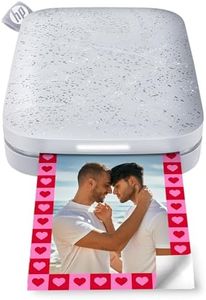
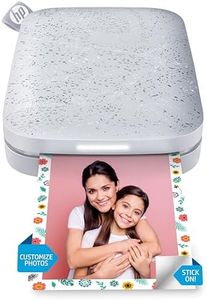
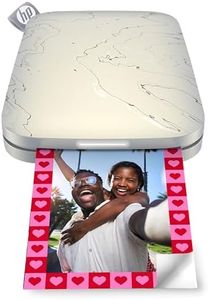
HP Sprocket Portable 2x3 Instant Photo Printer (Luna Pearl) Print Pictures on Zink Sticky-Backed Paper from Your iOS & Android Device.

Rating
10.0
Chosen by1,404
Print Quality
Connectivity
Battery Life

Most important from
25179 reviews

Print Quality
Picture quality is surprisingly decent for a printer that doesn't use ink, and the prints are durable, although they might curl if exposed to cold.
Connectivity
Connectivity issues can occur, but they are resolvable by reinstalling the app and restarting the phone.
Battery Life
Battery life is satisfactory, allowing for extended use with minimal charging.
Paper Type and Cost
The sticky-backed photos are easy to use and add a creative touch to projects.

The HP Sprocket 2x3 Instant Smartphone Photo Printer is a compact and portable device, perfect for quick and easy photo printing on the go. One of the standout features is its ZINK Zero Ink technology, which means there are no expensive ink or toner replacements needed. The prints are smudge-proof, water-resistant, and tear-resistant, adding durability to your photos. The printer uses 2x3-inch paper which is also sticky-backed, allowing you to use your photos as stickers. This could be a fun feature for creative projects or decorating spaces with favorite memories.

Print quality is decent with a resolution of 313 x 400 dpi, but it might not satisfy those looking for professional-level photo quality. The printer supports Bluetooth 5.1, making it easy to connect to smartphones (both iOS and Android) and print directly from social media or your phone's gallery. The HP Sprocket app adds value by offering editing tools like filters, frames, and stickers to personalize photos before printing. Additionally, multiple users can connect to the printer simultaneously, which is great for social gatherings.

Battery life is adequate, providing around 35 prints per charge, and the printer charges via micro USB. Print speed is modest, with the capability to produce one color photo per minute. One thing to be mindful of is the ongoing cost of the ZINK photo paper, which can add up over time. The printer's small output sheet capacity of 10 sheets means you may need to reload it often during heavy use. This printer is ideal for casual users and social gatherings, providing a fun and convenient way to print and share photos, though serious photographers may find its print quality and speed lacking.

Rating
10.0
Chosen by1,404
Print Quality
Connectivity
Battery Life

Most important from
25179 reviews

Print Quality
Picture quality is surprisingly decent for a printer that doesn't use ink, and the prints are durable, although they might curl if exposed to cold.
Connectivity
Connectivity issues can occur, but they are resolvable by reinstalling the app and restarting the phone.
Battery Life
Battery life is satisfactory, allowing for extended use with minimal charging.
Paper Type and Cost
The sticky-backed photos are easy to use and add a creative touch to projects.
#2

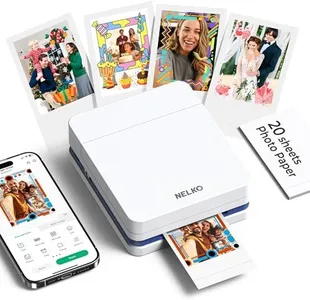
Nelko Photo Printer, PP01 Color Mini Portable Printer, Instant Smartphone Inkjet Printer, Sticky-Back Rechargeable Portable Picture Printer for iOS & Android, Perfect for Valentine's Day Gift, White

Rating
9.1
Print Quality
Connectivity
Print Speed

Most important from
544 reviews

Print Quality
This compact printer delivers surprisingly clear and vibrant photos quickly, making it perfect for instant snapshots.
Connectivity
The Bluetooth connection is seamless, and the app offers creative tools like borders, labels, and AI image editing for personalized prints.
Print Speed
Printing speed is impressive, producing photos in about 30 seconds with minimal noise.

The Nelko PP01 is a compact and lightweight portable photo printer that fits easily in your pocket, making it great for travel, parties, or scrapbooking. It prints 2x3 inch full-color photos with good clarity and accurate colors thanks to its inkjet technology. The photos come on sticky-backed, smudge-proof, and water-resistant paper, which is ideal for sticking in albums or journals.

The printer connects to your smartphone via Bluetooth using the Nelko app, which offers plenty of creative options like filters, stickers, and text to customize your pictures before printing. This makes it handy for personalizing photos for gifts or special occasions like Valentine’s Day. However, it requires a 9V battery for power, which might not last very long compared to rechargeable options, and the charging adapter is not included.

Print speed is decent, with images ready in under a minute, but it only prints single-sided photos and handles a small paper size, so it’s best suited for quick snapshots rather than large prints. The included photo paper can be a bit pricey if you print often. This printer represents a user-friendly choice if you want an easy way to print vibrant, small photos instantly from your phone, especially for casual use, crafts, and events.

Rating
9.1
Print Quality
Connectivity
Print Speed

Most important from
544 reviews

Print Quality
This compact printer delivers surprisingly clear and vibrant photos quickly, making it perfect for instant snapshots.
Connectivity
The Bluetooth connection is seamless, and the app offers creative tools like borders, labels, and AI image editing for personalized prints.
Print Speed
Printing speed is impressive, producing photos in about 30 seconds with minimal noise.
#3

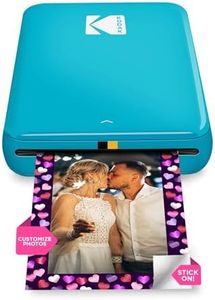
KODAK Step Instant Photo Printer, Zink 2x3” Color Sticky-Back Photos, Bluetooth Compatible with iOS & Android Devices, Editing App, Blue

Rating
9.1
Print Quality
App Features
Connectivity

Most important from
20224 reviews

Print Quality
Printing is quick and easy, with vibrant colors that stand out for the price.
App Features
The app's editing suite adds fun customization options like frames, stickers, and collages.
Connectivity
Setup and Bluetooth connection are straightforward, making the printing process seamless.
Print Size
The sticky-backed 2x3 inch prints are great for decorating and sharing memories easily.
Print Speed
It’s a fun, modern alternative to Polaroids, producing instant prints within seconds.
Paper Type and Cost
Affordable refill packs make ongoing printing budget-friendly without sacrificing quality.

The Kodak Step Instant Photo Printer is a lightweight and highly portable option for anyone wanting to print fun, small photos on the go. It uses ZINK technology to produce 2x3 inch sticky-backed, full-color prints that are durable and smudge-resistant, which is great for quick sharing or decorating. The print resolution is 300 dpi, offering decent detail for casual snapshots, though it won’t match the sharpness of larger photo printers.

It connects easily to iOS and Android devices via Bluetooth or NFC, making it simple to print directly from your phone without cables. The built-in lithium-ion battery can print about 25 photos on a full charge, which suits light to moderate use but might feel limited for heavy printing sessions. Print speed is about one minute per photo, which is standard for portable photo printers but slower than larger machines.

The included Kodak app offers a full editing suite with filters, borders, stickers, and text, allowing creative customization before printing. Paper comes in a convenient peel-and-stick format, but the 2x3 inch size is quite small, ideal mostly for casual prints, crafts, or sharing rather than for high-quality photo albums. Paper cost is generally affordable, but since it’s proprietary ZINK paper, it could add up if you print frequently. This printer suits users seeking a fun, compact device for instant photos and creative projects, rather than professional-grade photo printing.

Rating
9.1
Print Quality
App Features
Connectivity

Most important from
20224 reviews

Print Quality
Printing is quick and easy, with vibrant colors that stand out for the price.
App Features
The app's editing suite adds fun customization options like frames, stickers, and collages.
Connectivity
Setup and Bluetooth connection are straightforward, making the printing process seamless.
Print Size
The sticky-backed 2x3 inch prints are great for decorating and sharing memories easily.
Print Speed
It’s a fun, modern alternative to Polaroids, producing instant prints within seconds.
Paper Type and Cost
Affordable refill packs make ongoing printing budget-friendly without sacrificing quality.

Buying Guide for the Best Pocket Photo Printers

Pocket photo printers are compact devices that allow you to print photos directly from your smartphone or other devices. They are perfect for on-the-go printing, making them ideal for travel, parties, or simply capturing memories instantly. When choosing a pocket photo printer, it's important to consider several key specifications to ensure you get the best fit for your needs. Here are the main specs to look at and how to navigate them.
Print QualityPrint quality is measured in dots per inch (DPI). Higher DPI means better resolution and more detailed prints. For casual use and small prints, a DPI of around 300 is usually sufficient. If you want higher quality prints with more detail, look for printers with a DPI of 600 or more. Consider what you will be using the prints for; if they are just for fun and casual sharing, lower DPI might be acceptable, but for keepsakes or gifts, higher DPI is preferable.
Print SizePrint size refers to the dimensions of the photos the printer can produce. Common sizes include 2x3 inches, 3x4 inches, and 4x6 inches. Smaller sizes are more portable and convenient for quick snapshots, while larger sizes are better for more detailed photos and display purposes. Think about how you plan to use the prints – if you want to create a photo album or scrapbook, larger prints might be more suitable. For wallet-sized photos or instant sharing, smaller prints are ideal.
ConnectivityConnectivity options determine how you can connect your devices to the printer. Most pocket photo printers use Bluetooth or Wi-Fi for wireless printing. Some may also offer NFC (Near Field Communication) for quick pairing. Ensure the printer is compatible with your smartphone or device. If you prefer a hassle-free connection, look for printers with easy-to-use apps and seamless Bluetooth or Wi-Fi connectivity. If you often print from multiple devices, versatile connectivity options are a plus.
Battery LifeBattery life indicates how long the printer can operate on a single charge. This is crucial for portability and convenience, especially if you plan to use the printer while traveling or at events. Battery life can range from a few prints per charge to over 50 prints. Consider how often you will use the printer and how many prints you typically need in one session. For frequent use or long trips, a printer with a longer battery life is more practical.
Print SpeedPrint speed refers to how quickly the printer can produce a photo. This can vary from a few seconds to a couple of minutes per print. Faster print speeds are more convenient, especially if you need to print multiple photos in a short time. However, faster speeds can sometimes compromise print quality. If you value speed and need quick prints, look for a printer with a faster print speed. If quality is more important, you might be willing to wait a bit longer for each print.
Paper Type and CostDifferent printers use different types of paper, such as ZINK (zero ink) paper or traditional photo paper with ink cartridges. ZINK paper is convenient as it doesn't require ink, but it can be more expensive. Traditional photo paper and ink cartridges might offer better quality but require more maintenance. Consider the ongoing cost of paper and ink when choosing a printer. If you prefer low maintenance and convenience, ZINK paper might be the way to go. If you prioritize print quality and are okay with managing ink, traditional photo paper could be better.
App FeaturesMany pocket photo printers come with companion apps that offer additional features like photo editing, filters, and collage creation. These features can enhance your printing experience and allow for more creativity. Look for printers with apps that are user-friendly and offer the features you find most useful. If you enjoy customizing your photos before printing, a printer with a robust app can be a great choice. If you prefer straightforward printing, a simpler app might suffice.

FAQ