We Use CookiesWe use cookies to enhance the security, performance, functionality and for analytical and promotional activities. By continuing to browse this site you are agreeing to our privacy policy

10 Best Laptops For Video Editing 2026 in the United States
How do we rank products for you?

Our technology thoroughly searches through the online shopping world, reviewing hundreds of sites. We then process and analyze this information, updating in real-time to bring you the latest top-rated products. This way, you always get the best and most current options available.

headphones-stars

Our Top Picks

#1

Winner

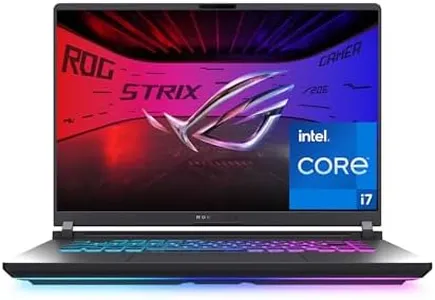
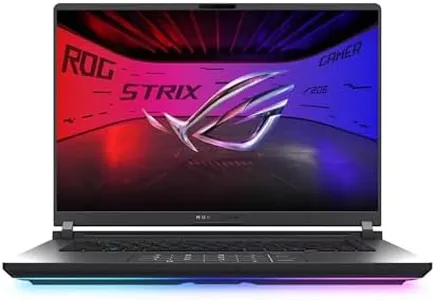
ASUS ROG Strix G16 (2025) Gaming Laptop, 16” ROG Nebula Display 16:10 2.5K 240Hz/3ms, NVIDIA® GeForce RTX™ 5070 Ti GPU, Intel® Core™ Ultra 9 275HX Processor, 32GB DDR5, 1TB SSD, Wi-Fi 7, Win11 Home

Rating
10.0
Chosen by1,142
Processor (CPU)
Graphics Card (GPU)
RAM

Most important from
159 reviews

Processor (CPU)
The laptop delivers blazing fast performance with a powerful CPU and graphics card, making multitasking and running demanding applications smooth and efficient.
Graphics Card (GPU)
The laptop delivers blazing fast performance with a powerful CPU and graphics card, making multitasking and running demanding applications smooth and efficient.
RAM
Upgradability is a strong point, with support for up to 64GB RAM and an additional SSD slot, allowing users to scale the machine according to their needs.
Storage
Upgradability is a strong point, with support for up to 64GB RAM and an additional SSD slot, allowing users to scale the machine according to their needs.
Display
The display is bright and clear, offering sharp visuals that benefit both gaming and productivity, though some users wished for a touchscreen or a slightly smaller screen size.
Battery Life
Battery life is limited, especially during gaming or streaming, with only about 45 minutes of gaming time on battery and around 2 to 3 hours for general use, which restricts unplugged usage.
Ports and Connectivity
Connectivity options meet basic needs and include Wi-Fi 7, offering improved internet speeds compared to older models.

The ASUS ROG Strix G16 (2025) is a powerhouse laptop well suited for video editing thanks to its high-end Intel Core Ultra 9 275HX processor and NVIDIA GeForce RTX 5070 Ti graphics card. These components provide plenty of speed and graphical performance for handling demanding editing software and rendering tasks. With 32GB of fast DDR5 RAM, multitasking between editing apps and other programs is smooth, which is important when working on complex video projects. Storage-wise, the 1TB PCIe Gen 4 SSD offers quick access to large media files and enough space for most creators’ needs, though some may want to add external drives for bigger libraries.

The 16-inch ROG Nebula display delivers a sharp 2.5K resolution with a 16:10 aspect ratio, giving you more vertical workspace to see timelines and editing tools clearly. Its 240Hz refresh rate and low response time are gaming-focused but also ensure smooth visuals when scrubbing through footage. Given the powerful hardware, expect limited unplugged use—typical for gaming laptops. The laptop includes modern connectivity with Wi-Fi 7 and multiple USB ports for quick data transfers and connecting peripherals, which is useful in a creative workflow. Weighing about 6 pounds, it’s on the heavier side, so it’s best if you don’t need to carry it around frequently.

Designed primarily as a gaming machine, this ASUS model meets many video editing demands with strong performance, vivid display quality, and ample memory, making it a solid choice for creators who prioritize power and immersive visuals over extreme portability.

Rating
10.0
Chosen by1,142
Processor (CPU)
Graphics Card (GPU)
RAM

Most important from
159 reviews

Processor (CPU)
The laptop delivers blazing fast performance with a powerful CPU and graphics card, making multitasking and running demanding applications smooth and efficient.
Graphics Card (GPU)
The laptop delivers blazing fast performance with a powerful CPU and graphics card, making multitasking and running demanding applications smooth and efficient.
RAM
Upgradability is a strong point, with support for up to 64GB RAM and an additional SSD slot, allowing users to scale the machine according to their needs.
Storage
Upgradability is a strong point, with support for up to 64GB RAM and an additional SSD slot, allowing users to scale the machine according to their needs.
Display
The display is bright and clear, offering sharp visuals that benefit both gaming and productivity, though some users wished for a touchscreen or a slightly smaller screen size.
Battery Life
Battery life is limited, especially during gaming or streaming, with only about 45 minutes of gaming time on battery and around 2 to 3 hours for general use, which restricts unplugged usage.
Ports and Connectivity
Connectivity options meet basic needs and include Wi-Fi 7, offering improved internet speeds compared to older models.
#2

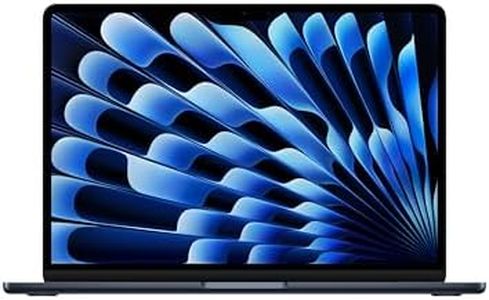
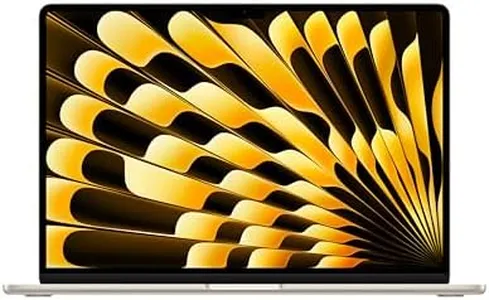
Apple 2025 MacBook Air 15-inch Laptop with M4 chip: Built for Apple Intelligence, 15.3" Liquid Retina Display, 24GB Unified Memory, 512GB SSD Storage, 12MP Center Stage Camera, Touch ID, Starlight

Rating
9.4
Processor (CPU)
Display
Battery Life

Most important from
2807 reviews

Processor (CPU)
The M4 chip delivers lightning-fast performance that makes video editing and multitasking feel seamless and instant.
Display
The 15.3-inch Liquid Retina display offers stunning brightness and color accuracy, perfect for vibrant and precise video work.
Battery Life
Exceptional battery life allows for extended editing sessions on the go without worrying about frequent charging.
Ports and Connectivity
Connectivity is limited to two Thunderbolt 4 ports and a headphone jack, which might require adapters for multiple peripherals.

The Apple 2025 MacBook Air 15-inch equipped with the new M4 chip is a strong contender for video editing, especially for those who prefer macOS and value portability. The 10-core CPU combined with a 10-core GPU and 24GB of unified memory means it can handle multiple apps and video editing tasks smoothly, making it suitable for both casual and moderately heavy editing work. The 512GB SSD offers fast storage but might feel limited if you work with large video files frequently, so external storage could be necessary.

The 15.3-inch Liquid Retina display is bright, sharp, and supports a billion colors, which helps ensure your videos look vibrant and accurate during editing. Battery life is excellent for a laptop of this power, promising up to 18 hours of video streaming, so you can edit on the go without being tethered to a power outlet. However, the MacBook Air has only two Thunderbolt 4 ports and a headphone jack, which might require adapters if you need to connect multiple external drives or peripherals simultaneously.

The integrated GPU is powerful for an ultralight laptop but won’t match dedicated gaming or workstation GPUs when handling very complex effects or 3D rendering. If you prioritize a lightweight design, seamless integration with other Apple devices, and a crisp display, this MacBook Air is a great choice for video editors who mainly work with 1080p or 4K footage and don’t require extreme graphics horsepower. For professional editors working with very large projects or specialized software needing discrete GPUs, a MacBook Pro or other high-end editing laptop might be more appropriate.

Rating
9.4
Processor (CPU)
Display
Battery Life

Most important from
2807 reviews

Processor (CPU)
The M4 chip delivers lightning-fast performance that makes video editing and multitasking feel seamless and instant.
Display
The 15.3-inch Liquid Retina display offers stunning brightness and color accuracy, perfect for vibrant and precise video work.
Battery Life
Exceptional battery life allows for extended editing sessions on the go without worrying about frequent charging.
Ports and Connectivity
Connectivity is limited to two Thunderbolt 4 ports and a headphone jack, which might require adapters for multiple peripherals.
#3

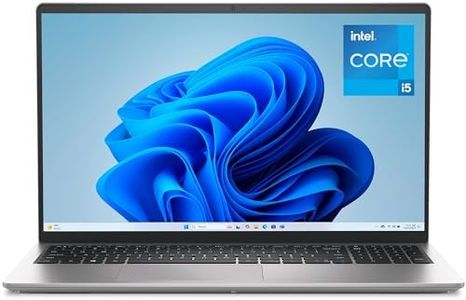
Dell 15 Laptop DC15250-15.6-inch FHD (1920x1080) 120Hz Display, Intel Core i5-1334U Processor, 16GB DDR4 RAM, 512GB SSD, Intel UHD Graphics, Windows 11 Home, Onsite Service - Platinum Silver

Rating
8.8
Display

Most important from
341 reviews

Display
Its 15.6-inch screen offers a large, bright, and clear display with a smooth refresh rate that makes viewing and editing easier.

The Dell 15 Laptop DC15250 is a stylish and practical choice for basic video editing tasks. It comes with a 10-core Intel Core i5-1334U processor and 16GB of RAM, which together offer solid performance for handling everyday video projects and multitasking. The 512GB SSD provides decent storage with faster file access, useful when working with video files. Its 15.6-inch Full HD display runs at 120Hz, delivering smooth visuals and an anti-glare coating that helps reduce eye strain during long editing sessions. However, the laptop uses integrated Intel UHD Graphics rather than a dedicated graphics card, which limits its ability to handle more demanding video effects or rendering tasks efficiently.

This setup might be sufficient for casual or beginner video editors, but professionals working with high-resolution footage or complex edits may find the GPU a bottleneck. Battery life is optimized with energy-efficient features and Express Charge support, helping you stay productive on the go. Connectivity includes multiple USB ports (two USB 3.0 and one USB 2.0) plus Wi-Fi 6, allowing for easy connection to peripherals and fast internet. The addition of a backlit keyboard and numeric keypad adds comfort and convenience.

The Dell laptop is well-suited for users who want a reliable, affordable machine for light to moderate video editing, though it may not meet the demands of heavy-duty editing due to its integrated graphics and mid-range processor.

Rating
8.8
Display

Most important from
341 reviews

Display
Its 15.6-inch screen offers a large, bright, and clear display with a smooth refresh rate that makes viewing and editing easier.

Buying Guide for the Best Laptops For Video Editing

Choosing the right laptop for video editing is crucial because it directly impacts your productivity and the quality of your work. Video editing is a resource-intensive task that requires a powerful machine to handle large files, complex software, and high-resolution videos. When selecting a laptop for video editing, you need to consider several key specifications to ensure that the laptop can meet your needs and provide a smooth editing experience.
Processor (CPU)The processor, or CPU, is the brain of your laptop and is responsible for executing tasks and running programs. For video editing, a powerful CPU is essential because it handles the rendering and exporting of videos. CPUs are typically divided into different segments based on their performance: entry-level (e.g., Intel Core i3, AMD Ryzen 3), mid-range (e.g., Intel Core i5, AMD Ryzen 5), and high-end (e.g., Intel Core i7, i9, AMD Ryzen 7, 9). For video editing, aim for at least a mid-range CPU, but a high-end CPU will provide the best performance, especially for 4K or higher resolution videos.
Graphics Card (GPU)The graphics card, or GPU, is responsible for rendering images and videos. A dedicated GPU is crucial for video editing as it significantly speeds up rendering times and allows for smoother playback of high-resolution videos. GPUs are categorized into entry-level (e.g., NVIDIA GeForce MX series), mid-range (e.g., NVIDIA GeForce GTX series), and high-end (e.g., NVIDIA GeForce RTX series). For video editing, a mid-range GPU is the minimum requirement, but a high-end GPU will provide the best performance, especially for tasks like 3D rendering and effects.
RAMRAM, or Random Access Memory, is the short-term memory of your laptop that stores data for currently running programs. For video editing, having enough RAM is crucial because it allows you to work with large files and multiple applications simultaneously without slowing down your system. RAM is typically available in different capacities: 8GB, 16GB, 32GB, and higher. For video editing, 16GB is the minimum recommended, but 32GB or more is ideal for handling larger projects and more complex editing tasks.
StorageStorage refers to where your files and programs are saved on your laptop. There are two main types of storage: Hard Disk Drives (HDD) and Solid State Drives (SSD). SSDs are faster and more reliable than HDDs, making them the preferred choice for video editing. Storage capacity is measured in gigabytes (GB) or terabytes (TB). For video editing, an SSD with at least 512GB is recommended, but 1TB or more is ideal for storing large video files and projects. Additionally, having an external storage solution can be beneficial for backing up your work.
DisplayThe display is the screen of your laptop, and for video editing, having a high-quality display is important for accurately viewing and editing your footage. Key factors to consider include resolution (Full HD, 4K), color accuracy (sRGB, Adobe RGB), and screen size. A higher resolution display (4K) provides more detail and clarity, while good color accuracy ensures that your edits look consistent across different devices. A larger screen size (15 inches or more) can also make it easier to work on detailed projects. Choose a display that balances resolution, color accuracy, and size based on your editing needs.
Battery LifeBattery life refers to how long your laptop can run on a single charge. While video editing is typically done while plugged in due to its high power consumption, having good battery life can be beneficial for working on the go or in situations where a power outlet is not available. Battery life is measured in hours, and for video editing, a laptop with at least 6-8 hours of battery life is recommended. However, prioritize other specifications over battery life if you primarily edit while plugged in.
Ports and ConnectivityPorts and connectivity options are important for connecting external devices such as monitors, storage drives, and peripherals. Common ports include USB-A, USB-C, HDMI, and Thunderbolt. For video editing, having a variety of ports can enhance your workflow by allowing you to connect multiple devices simultaneously. Additionally, consider laptops with fast data transfer options like Thunderbolt 3 or 4 for quicker file transfers. Choose a laptop with the ports and connectivity options that match your specific needs and setup.

FAQ