We Use CookiesWe use cookies to enhance the security, performance, functionality and for analytical and promotional activities. By continuing to browse this site you are agreeing to our privacy policy

8 Best iPad Pros For Artists 2026 in the United States
How do we rank products for you?

Our technology thoroughly searches through the online shopping world, reviewing hundreds of sites. We then process and analyze this information, updating in real-time to bring you the latest top-rated products. This way, you always get the best and most current options available.

headphones-stars

Our Top Picks

#1

Winner

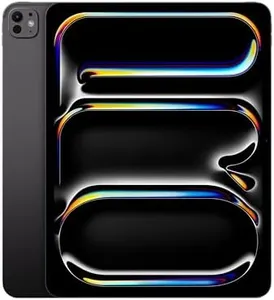
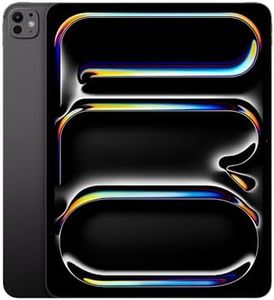
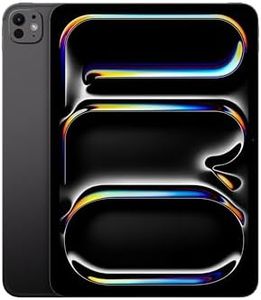
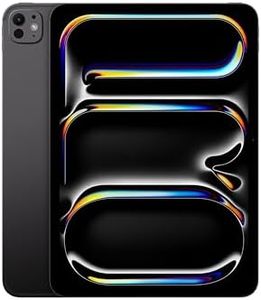
Apple iPad Pro 13-inch (M5): Ultra Retina XDR Display - Nano-Texture Glass, 2TB, 12MP Front/Back Camera, LiDAR Scanner, Wi-Fi 7 with Apple N1, Face ID, All-Day Battery Life — Space Black

Rating
10.0
Chosen by1,271
Performance
Display Size
Battery Life

Most important from
462 reviews

Performance
The device delivers remarkably fast response times and handles demanding applications with ease, ensuring a smooth and intuitive creative workflow.
Display Size
The 13-inch screen is impressively sharp and bright, offering a visually stunning canvas that enhances detailed artistic work.
Battery Life
Charging is quick and efficient, supporting long hours of use without frequent interruptions.
Storage Capacity
Storage options are ample and worth the investment, especially for artists managing large projects and files.

The Apple iPad Pro 13-inch with the M5 chip is a powerful tool for artists looking for a top-tier digital canvas. Its 13-inch Ultra Retina XDR display offers stunning color accuracy, extreme brightness, and a smooth ProMotion refresh rate up to 120Hz, which means your brush strokes feel fluid and precise. The nano-texture glass option helps reduce glare, a nice plus if you work in bright environments. Performance-wise, the M5 chip with Neural Accelerators handles demanding creative apps effortlessly, so you can draw, paint, and edit without lag. With up to 2TB of storage, it easily accommodates large projects and extensive media libraries, though such high capacity might be more than casual users need.

Apple Pencil compatibility is excellent, supporting both the Apple Pencil Pro and USB-C versions, giving artists precise control and responsiveness for sketching and detailing. Battery life provides around 10 hours of use, enough for a full day of work, though heavy use of demanding apps or external displays may reduce this. The iPad’s integration with iPadOS 26 and features like Face ID and Wi-Fi 7 make it versatile and convenient beyond just drawing.

On the downside, the premium price and large size might be overwhelming or unnecessary for beginners or casual creatives. Also, the 1.28-pound weight could feel a bit heavy for extended handheld use compared to smaller tablets. For professional artists or serious hobbyists wanting a beautifully bright screen, fast performance, and lots of storage for detailed artwork, this iPad Pro is a solid choice.

Rating
10.0
Chosen by1,271
Performance
Display Size
Battery Life

Most important from
462 reviews

Performance
The device delivers remarkably fast response times and handles demanding applications with ease, ensuring a smooth and intuitive creative workflow.
Display Size
The 13-inch screen is impressively sharp and bright, offering a visually stunning canvas that enhances detailed artistic work.
Battery Life
Charging is quick and efficient, supporting long hours of use without frequent interruptions.
Storage Capacity
Storage options are ample and worth the investment, especially for artists managing large projects and files.
#2

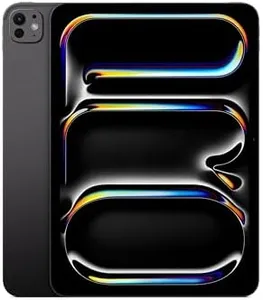
Apple iPad Pro 13-inch (M5): Ultra Retina XDR Display, 256GB, Landscape 12MP Front Camera/12MP Back Camera, LiDAR Scanner, Wi-Fi 7 with Apple N1, Face ID, All-Day Battery Life — Space Black

Rating
9.1
Display Size
Display Quality
Performance

Most important from
462 reviews

Display Size
The 13-inch display offers stunning brightness and sharp colors, creating an exceptional canvas for detailed artwork.
Display Quality
Drawing feels incredibly smooth and responsive thanks to the ProMotion technology with up to 120Hz refresh rate.
Performance
The M5 chip delivers fast and intuitive performance, handling demanding creative apps with ease.
Storage Capacity
Storage is worth investing in, as some creative apps and files require ample space to function optimally.
Battery Life
Battery life easily supports a full day of creative work, and fast charging quickly gets you back to your projects.

The Apple iPad Pro 13-inch (M5) is a powerful tablet that suits artists who want a large, vibrant canvas to create on. Its 13-inch Ultra Retina XDR display offers stunning brightness and sharp colors, making it great for detailed artwork and color-sensitive tasks. The ProMotion technology allows the screen to refresh up to 120 times per second, which means drawing feels smooth and responsive, reducing lag when using the Apple Pencil. This model supports both the Apple Pencil Pro and USB-C Apple Pencil, giving artists precise control and a natural drawing experience.

Performance-wise, the M5 chip delivers fast and efficient processing power, handling demanding creative apps effortlessly, including those that use AI features for enhanced workflows. The 256GB storage should be adequate for many users, though artists working with very large files or lots of apps might find it limiting compared to higher storage options. Memory and speed support multitasking well, so switching between apps or large projects feels seamless.

Battery life is solid, offering up to 10 hours of use, which is enough for a full day of sketching, painting, or editing without frequent charging. The fast-charging feature is a helpful bonus to quickly get back to work. Additional perks include advanced cameras and a LiDAR scanner, which might be useful for artists interested in augmented reality or capturing textures. The device is lightweight and portable for a 13-inch tablet, but still larger than typical tablets, so it might feel less convenient for on-the-go casual sketching. This iPad Pro model is well-suited for professional and serious hobbyist artists seeking a premium display, excellent performance, and strong Apple Pencil compatibility, though those who need more storage or prefer a smaller, more portable device might want to consider other options.

Rating
9.1
Display Size
Display Quality
Performance

Most important from
462 reviews

Display Size
The 13-inch display offers stunning brightness and sharp colors, creating an exceptional canvas for detailed artwork.
Display Quality
Drawing feels incredibly smooth and responsive thanks to the ProMotion technology with up to 120Hz refresh rate.
Performance
The M5 chip delivers fast and intuitive performance, handling demanding creative apps with ease.
Storage Capacity
Storage is worth investing in, as some creative apps and files require ample space to function optimally.
Battery Life
Battery life easily supports a full day of creative work, and fast charging quickly gets you back to your projects.
#3

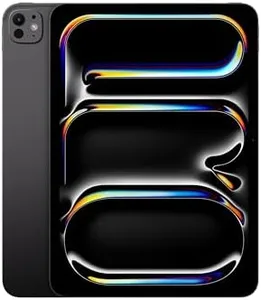
Apple iPad Pro 11-inch (M5): Ultra Retina XDR Display, 256GB, Landscape 12MP Front Camera/12MP Back Camera, LiDAR Scanner, Wi-Fi 7 with Apple N1, Face ID, All-Day Battery Life — Space Black

Rating
9.1
Display Quality
Display Size
Performance

Most important from
405 reviews

Display Quality
The screen delivers vivid colors and exceptional clarity, making every detail stand out with crisp precision.
Display Size
The 11-inch display strikes the perfect balance between portability and ample workspace for detailed art projects.
Performance
Performance is flawless, with blazing speed and smooth operation even during demanding tasks.

The Apple iPad Pro 11-inch (M5) is a powerful and sleek device that suits artists who want a highly responsive and vibrant digital canvas. Its Ultra Retina XDR display offers bright, sharp colors and smooth motion with ProMotion technology, which means drawing and painting feel natural and fluid. The screen size of 11 inches is a good balance—large enough for detailed work but still portable. Performance is top-notch thanks to the M5 chip with Neural Accelerators, making it easy to run demanding art apps and multitask without lag. Storage starts at 256GB, which provides ample room for large art projects, though bigger capacities are available if you plan to store many files.

The iPad is fully compatible with the Apple Pencil (USB-C), delivering precise and intuitive control for sketching, shading, and note-taking. Battery life supports up to 10 hours of use, so you can work on your art for extended periods without worrying about charging frequently. On the downside, the 11-inch screen might feel a bit small to some artists used to larger canvases, and the price can be high, especially when adding accessories like the Magic Keyboard or Apple Pencil. Also, while the iPad Pro supports external displays and fast wireless connections, some users might find the need to buy adapters for certain setups.

This iPad Pro is an excellent choice for artists who want a portable yet powerful device with excellent display quality and Apple Pencil support, though it may be more than needed for casual sketching or those on a tight budget.

Rating
9.1
Display Quality
Display Size
Performance

Most important from
405 reviews

Display Quality
The screen delivers vivid colors and exceptional clarity, making every detail stand out with crisp precision.
Display Size
The 11-inch display strikes the perfect balance between portability and ample workspace for detailed art projects.
Performance
Performance is flawless, with blazing speed and smooth operation even during demanding tasks.

Buying Guide for the Best iPad Pros For Artists

Choosing the right iPad Pro for artists involves understanding the key specifications that will impact your creative work. The iPad Pro is a powerful tool for digital artists, offering a range of features that can enhance your drawing, painting, and design experience. To make the best choice, you need to consider factors such as display quality, performance, storage capacity, and compatibility with accessories like the Apple Pencil. Here's a breakdown of the key specs to help you make an informed decision.
Display SizeThe display size of an iPad Pro is crucial for artists as it determines the amount of workspace you have. iPad Pros typically come in two sizes: around 11 inches and around 12.9 inches. A larger display provides more room for detailed work and can make it easier to see fine details, which is beneficial for intricate designs and illustrations. However, a smaller display is more portable and easier to handle on the go. If you primarily work in a studio or need a larger canvas, the 12.9-inch model might be the best fit. If you need something more portable, the 11-inch model could be more suitable.
Display QualityDisplay quality is another important factor, especially for artists who rely on accurate color representation and high resolution. The iPad Pro features a Liquid Retina display with ProMotion technology, True Tone, and P3 wide color. These features ensure that colors are vibrant and true to life, and the high resolution provides sharp and clear images. For artists, a high-quality display means your digital artwork will look as good on the screen as it does when printed. Look for models with these advanced display technologies to ensure the best visual experience.
PerformancePerformance is determined by the iPad Pro's processor and RAM. The latest iPad Pros are equipped with powerful processors like the M1 or M2 chip, which provide fast and efficient performance. This is important for artists who use resource-intensive apps for drawing, painting, and 3D modeling. A powerful processor ensures smooth multitasking and quick rendering times, which can significantly enhance your workflow. If you work with large files or complex projects, opting for a model with a more powerful processor will be beneficial.
Storage CapacityStorage capacity is essential for artists who need to store large files, such as high-resolution images, videos, and project files. iPad Pros come with various storage options, ranging from 128GB to 2TB. If you work with a lot of large files or prefer to keep your entire portfolio on your device, you should consider a model with higher storage capacity. However, if you primarily use cloud storage or external drives, a lower storage option might suffice. Assess your storage needs based on your workflow and the size of your typical projects.
Apple Pencil CompatibilityThe Apple Pencil is a crucial accessory for artists using the iPad Pro. It offers precision and responsiveness that are essential for drawing and sketching. The second-generation Apple Pencil is compatible with the latest iPad Pro models and features magnetic attachment, wireless charging, and double-tap functionality for quick tool changes. When choosing an iPad Pro, ensure it is compatible with the second-generation Apple Pencil to take full advantage of these features. This will enhance your drawing experience and provide a more seamless workflow.
Battery LifeBattery life is important for artists who work on the go or during long sessions without access to a power source. The iPad Pro offers impressive battery life, typically lasting up to 10 hours of continuous use. This allows you to work on your projects without worrying about frequent recharging. If you often work in different locations or travel frequently, consider the battery life to ensure it meets your needs. A longer battery life means more uninterrupted creative time.

FAQ