We Use CookiesWe use cookies to enhance the security, performance, functionality and for analytical and promotional activities. By continuing to browse this site you are agreeing to our privacy policy

10 Best High Resolution Photo Scanners 2026 in the United States

How do we rank products for you?

Our technology thoroughly searches through the online shopping world, reviewing hundreds of sites. We then process and analyze this information, updating in real-time to bring you the latest top-rated products. This way, you always get the best and most current options available.

headphones-stars

Our Top Picks

#1

Winner

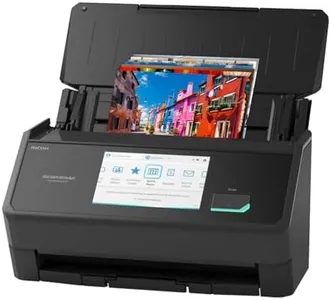
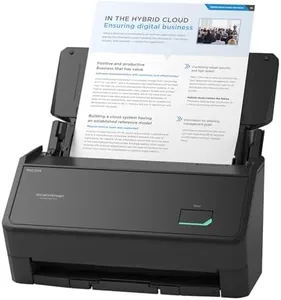
ScanSnap iX2500 Photo Edition Wireless or USB High-Speed Cloud Enabled Photo, Document & Receipt Scanner with Large 5" Touchscreen for Mac or PC, Black

Rating
10.0
Chosen by1,101
Scanning Speed
Connectivity
Software Compatibility

Most important from
23 reviews

Scanning Speed
The scanner delivers impressively fast scanning speeds, handling large volumes with ease and producing fully OCR'd documents almost instantly.
Connectivity
Wireless setup is seamless once configured, with the scanner automatically connecting over the network without extra effort.
Software Compatibility
The accompanying ScanSnap Home software offers a clean, unified interface that significantly improves document management and OCR performance.
Size and Portability
The scanner handles photos and documents quietly and compactly, making it convenient to place and use in various environments.
Media Handling
It struggles somewhat with irregular media, such as hole-punched papers, which can cause feeding issues and require close monitoring during scanning.

The ScanSnap iX2500 Photo Edition is designed to digitize photos quickly and with good quality, making it a solid choice for users wanting to preserve memories or manage photo collections. It offers a respectable 600 dpi resolution and 24-bit color depth, which is suitable for everyday photo scanning, though it might not capture the ultra-fine detail that professional photo scanners provide. A standout feature is its scanning speed, able to process up to 100 photos per minute, which is excellent if you have large volumes to scan. The inclusion of three photo carrier sheets helps protect delicate prints, showing thoughtful media handling.

Connectivity options include both USB-C and Wi-Fi 6, allowing flexible connection to computers, mobile devices, or cloud services without hassle. Its large 5-inch touchscreen and customizable scanning profiles enhance ease of use, making it simple to organize and optimize scanned images automatically. The stable wireless connection and support for cloud integration are extra conveniences for modern workflows.

The device weighs about 7.7 pounds and is moderately sized, so it’s not the most portable scanner if you need to move it often. Also, while the software is compatible with Mac and PC, full support for ARM-based Windows systems is pending an update in late 2025, which could be a consideration for some users. This scanner is well suited for those seeking a fast, user-friendly photo scanner with sufficient resolution for typical photo archiving needs, particularly for users who value easy cloud sharing and photo organization.

Rating
10.0
Chosen by1,101
Scanning Speed
Connectivity
Software Compatibility

Most important from
23 reviews

Scanning Speed
The scanner delivers impressively fast scanning speeds, handling large volumes with ease and producing fully OCR'd documents almost instantly.
Connectivity
Wireless setup is seamless once configured, with the scanner automatically connecting over the network without extra effort.
Software Compatibility
The accompanying ScanSnap Home software offers a clean, unified interface that significantly improves document management and OCR performance.
Size and Portability
The scanner handles photos and documents quietly and compactly, making it convenient to place and use in various environments.
Media Handling
It struggles somewhat with irregular media, such as hole-punched papers, which can cause feeding issues and require close monitoring during scanning.
#2

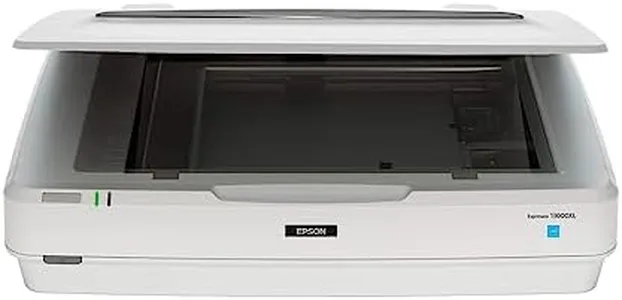
Epson Expression 13000XL Archival Photo and Graphics Flatbed Scanner

The Epson Expression 13000XL is a solid choice for anyone needing a high-resolution photo scanner, especially if you work with large or delicate images. It offers a very high optical resolution of 2400 x 4800 dpi and a deep color depth of 48 bits, which means scans have excellent clarity and vibrant colors—great for preserving photo details and accuracy. The included Easy Photo Fix technology is convenient for restoring faded photos and removing dust automatically, which can save you a lot of time if you have old pictures to digitize. It also supports batch scanning, letting you scan multiple images at once, boosting productivity.

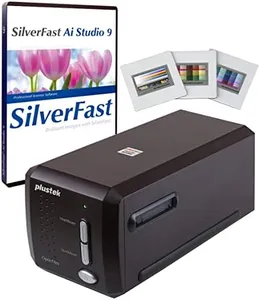
Connectivity is straightforward with USB, which should be compatible with most computers. The scanner integrates well with various imaging software through TWAIN drivers, and the bundled SilverFast Ai software adds professional calibration and control. The unit is quite large and heavy (over 31 pounds and about 26 inches wide), making it less portable and requiring a dedicated workspace.

This scanner is ideal for professional photographers, archivists, or serious hobbyists who prioritize top-notch image quality and flexibility with large-format media. It handles color restoration well and produces detailed scans but comes with a bulkier design and some extras sold separately.

#3

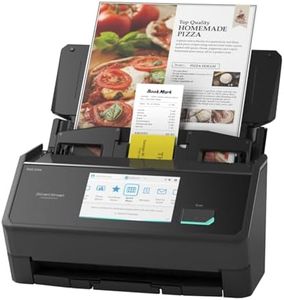
ScanSnap iX2500 Wireless or USB High-Speed Cloud Enabled Document, Photo & Receipt Scanner with Large 5" Touchscreen and 100 Page Auto Document Feeder for Mac or PC, Black

Rating
9.7
Color Depth
Scanning Speed
Connectivity

Most important from
207 reviews

Color Depth
While not specialized for professional photo scanning, it provides very good photo color quality that impresses beyond typical document scanners.
Scanning Speed
Scanning speed is remarkable, handling large batches quickly while producing high-quality color scans that surpass previous devices.
Connectivity
Setup is incredibly fast and intuitive, with seamless Bluetooth and Wi-Fi connectivity that just works without hassle.
Software Compatibility
The bundled software offers a unified, clean interface that manages documents and scans efficiently, with fast OCR making files instantly searchable.
Size and Portability
Compact design folds into a small footprint on the desk, saving valuable workspace without compromising functionality.
Media Handling
Multi-feed detection and skew correction features help maintain scan accuracy and protect originals from damage.

The ScanSnap iX2500 is a versatile scanner designed primarily for documents but also capable of handling photos reasonably well. It offers a solid resolution of 600 dpi, which is good for high-quality photo scanning though some dedicated photo scanners may offer even higher resolutions or color depths for professional photo work. Its scanning speed is impressive at 45 pages per minute double-sided, making it very efficient if you need to scan many photos quickly. The 100-sheet automatic feeder is a big time-saver but is mainly geared towards standard-sized documents rather than thick photo papers or delicate originals.

Connectivity options include fast and stable Wi-Fi 6 and USB-C, allowing easy wireless scanning to multiple devices or cloud services, which adds flexibility for users who want to organize and back up photos quickly. The included software simplifies organizing, optimizing, and editing scanned files, although it is more document-focused than photo-specialized software. The iX2500 is compact and lightweight enough to fit on most desks without taking up much space, but it’s not the most portable scanner if you plan to travel with it. It also has smart features like multi-feed detection and skew correction that help avoid paper jams and preserve photo integrity.

The scanner excels as a fast, reliable all-rounder for documents and casual photo scanning, but those needing extremely high color depth or professional photo quality might want to consider a dedicated photo scanner. For home or office users wanting an efficient way to digitize a mix of documents, receipts, and photos with easy cloud compatibility, the ScanSnap iX2500 is a strong option.

Rating
9.7
Color Depth
Scanning Speed
Connectivity

Most important from
207 reviews

Color Depth
While not specialized for professional photo scanning, it provides very good photo color quality that impresses beyond typical document scanners.
Scanning Speed
Scanning speed is remarkable, handling large batches quickly while producing high-quality color scans that surpass previous devices.
Connectivity
Setup is incredibly fast and intuitive, with seamless Bluetooth and Wi-Fi connectivity that just works without hassle.
Software Compatibility
The bundled software offers a unified, clean interface that manages documents and scans efficiently, with fast OCR making files instantly searchable.
Size and Portability
Compact design folds into a small footprint on the desk, saving valuable workspace without compromising functionality.
Media Handling
Multi-feed detection and skew correction features help maintain scan accuracy and protect originals from damage.

Buying Guide for the Best High Resolution Photo Scanners

When choosing a high-resolution photo scanner, it's important to consider several key specifications to ensure you get the best fit for your needs. High-resolution photo scanners are essential for digitizing photographs, artwork, and other documents with great detail and clarity. Understanding the key specs will help you make an informed decision and ensure that the scanner you choose meets your specific requirements.
ResolutionResolution is measured in dots per inch (DPI) and indicates the level of detail the scanner can capture. Higher DPI values mean more detail and clarity in the scanned image. For general photo scanning, a resolution of 300-600 DPI is usually sufficient. However, for professional use or archiving, you might want a scanner with 1200 DPI or higher. Consider what you will be scanning and choose a resolution that matches your needs.
Color DepthColor depth, measured in bits, determines the number of colors the scanner can capture. Higher color depth results in more accurate and vibrant colors. Most photo scanners offer 24-bit color depth, which is adequate for most users. For professional photographers or artists who need the highest color accuracy, a 48-bit color depth scanner would be more suitable. Think about the importance of color accuracy in your work to decide on the right color depth.
Scanning SpeedScanning speed is how quickly a scanner can process an image, usually measured in seconds per page. Faster scanning speeds are beneficial if you have a large number of photos to scan. If you are scanning occasionally or in small batches, speed may not be as critical. Consider how often and how much you will be scanning to determine the importance of scanning speed for you.
ConnectivityConnectivity options include USB, Wi-Fi, and sometimes Ethernet. USB is the most common and reliable, but Wi-Fi allows for wireless scanning and can be more convenient if you want to scan directly to a computer or cloud service. Think about your workspace setup and how you prefer to transfer scanned images to your devices when choosing the connectivity option.
Software CompatibilityThe software that comes with the scanner can greatly affect your scanning experience. Look for scanners that come with user-friendly software that meets your needs, such as image editing, organizing, and sharing features. Ensure the software is compatible with your operating system. Consider what kind of post-processing you will need and choose a scanner with software that supports those tasks.
Size and PortabilityThe physical size and portability of the scanner can be important, especially if you have limited space or need to move the scanner frequently. Flatbed scanners are larger but can handle a variety of media sizes, while portable scanners are smaller and easier to store but may have limitations in media size. Think about where you will be using the scanner and how often you will need to move it to decide on the right size and portability.
Media HandlingConsider what types of media you will be scanning. Some scanners are designed to handle a variety of media, including photos, slides, negatives, and documents. If you need to scan different types of media, look for a versatile scanner that can accommodate your needs. Think about the specific media you will be working with and choose a scanner that can handle those formats.

FAQ