We Use CookiesWe use cookies to enhance the security, performance, functionality and for analytical and promotional activities. By continuing to browse this site you are agreeing to our privacy policy

10 Best Epson Home Printers 2026 in the United States


How do we rank products for you?

Our technology thoroughly searches through the online shopping world, reviewing hundreds of sites. We then process and analyze this information, updating in real-time to bring you the latest top-rated products. This way, you always get the best and most current options available.

headphones-stars

Our Top Picks

#1

Winner

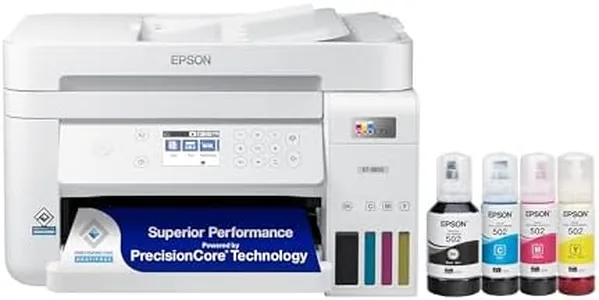
Epson EcoTank ET-2803 Wireless Color All-in-One Cartridge-Free Supertank Printer with Scan, Copy and AirPrint Support

Rating
10.0
Chosen by1,375
Print Quality (Resolution)
Connectivity Options
Ink Type and Cost

Most important from
20317 reviews

Print Quality (Resolution)
The printer delivers amazing print quality with sharp and colorful results, making it ideal for detailed sublimation projects.
Connectivity Options
Wireless connectivity is reliable and maintains a strong signal, enabling seamless printing from various devices.
Ink Type and Cost
The refillable ink tanks provide a cost-effective solution, with ink lasting a long time and eliminating the frustrations of cartridge replacements.
Paper Handling
It handles specialty media like sublimation paper and DTF film effortlessly, as long as proper backing paper is used.

The Epson EcoTank ET-2803 is a solid choice for home users looking for an affordable way to print, scan, and copy without the hassle of cartridges. It offers very good print quality with a high resolution of 5760 x 1440 dpi, which means images and text come out sharp and colorful. The print speed is moderate—about 10 pages per minute in black and white and 5 in color—making it suitable for everyday documents but less ideal for high-volume printing. Connectivity options include USB and Wi-Fi, allowing easy printing from computers and mobile devices, plus support for AirPrint enables wireless printing from Apple devices.

A standout feature is the refillable ink tank system, which can save a lot on ink costs compared to traditional cartridges. It comes with enough starter ink to print quite a few pages, making it budget-friendly for frequent use. On the downside, it lacks automatic double-sided printing, so you need to manually flip pages for two-sided prints. The paper tray holds about 100 sheets, which is decent for home use but might require frequent refilling if printing in bulk.

Additional features like a flatbed scanner and copying make it versatile for homework, documents, or occasional photo scanning. It has a simple LCD display without a touchscreen, offering a basic but functional interface. The printer is compact and lightweight, fitting well on a desk or small workspace. This model is best suited for home users who want reliable color prints and low ink costs, moderate speed, and handy scanning capabilities without the need for advanced features like duplex printing or heavy-duty paper handling.

Rating
10.0
Chosen by1,375
Print Quality (Resolution)
Connectivity Options
Ink Type and Cost

Most important from
20317 reviews

Print Quality (Resolution)
The printer delivers amazing print quality with sharp and colorful results, making it ideal for detailed sublimation projects.
Connectivity Options
Wireless connectivity is reliable and maintains a strong signal, enabling seamless printing from various devices.
Ink Type and Cost
The refillable ink tanks provide a cost-effective solution, with ink lasting a long time and eliminating the frustrations of cartridge replacements.
Paper Handling
It handles specialty media like sublimation paper and DTF film effortlessly, as long as proper backing paper is used.
#2

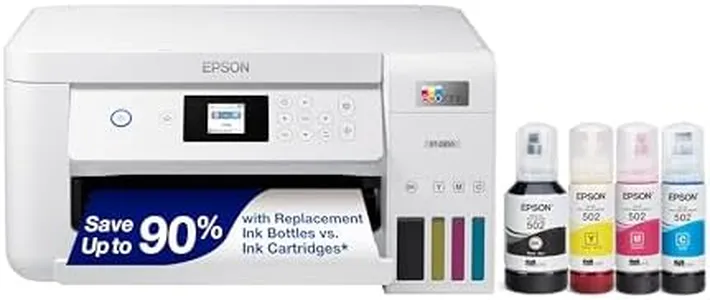
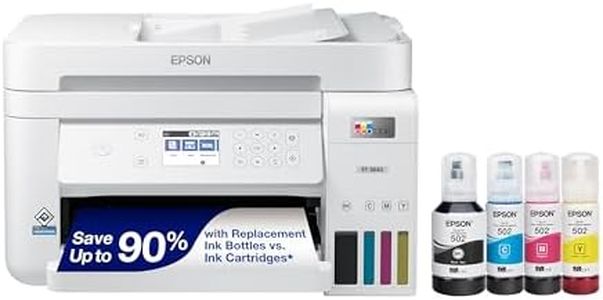
Epson EcoTank ET-2800 Wireless Color All-in-One Cartridge-Free Supertank with Scan and Copy, The Ideal Basic Home Printer - White

Rating
9.4
Print Quality (Resolution)
Print Speed
Connectivity Options

Most important from
20317 reviews

Print Quality (Resolution)
Print quality delivers razor-sharp text and vibrant colors that make documents and photos look impressive and professional.
Print Speed
Print speeds are adequate for casual home use but may feel slow for high-volume printing needs.
Connectivity Options
Setup is straightforward and quick, with clear instructions and seamless connection to laptops and mobile devices.
Ink Type and Cost
The refillable ink tanks are incredibly easy to use, eliminating messy cartridges and drastically reducing ink costs over time.
Paper Handling
Versatility shines through with the ability to handle various paper sizes and types, including photo paper, with accurate automatic prompts.
Additional Features
The printer is compact and lightweight, saving valuable desk space without sacrificing functionality.

The Epson EcoTank ET-2800 is a solid choice for basic home printing needs, especially if you want to save money on ink over time. Thanks to its refillable ink tanks and EcoFit ink bottles, it cuts down the hassle and expense of buying cartridges, offering enough ink to print thousands of pages. This system is eco-friendly too, reducing cartridge waste. The print quality is good for its class, delivering sharp text and decent color photos thanks to Epson's Micro Piezo technology, with a high resolution of up to 5760 x 1440 dpi.

It’s not the fastest printer, with speeds around 10 pages per minute for black-and-white and 5 pages per minute for color, which is fine for casual use but may feel slow if you print a lot. It offers both wired and wireless connectivity, making it easy to print from laptops or mobile devices at home. Paper handling is straightforward, supporting multiple sizes including standard letters, legal, and small photo sizes, with a 100-sheet input tray and 250-sheet output capacity. The built-in scanner and copier add useful versatility, though duplex (double-sided) printing is manual only, requiring you to flip pages yourself.

Designed to be user-friendly with a simple control panel and app support, it may not suit users needing fast, high-volume printing or automatic double-sided features. This printer is a cost-effective, reliable option for home users who prioritize ink savings and decent print quality over speed.

Rating
9.4
Print Quality (Resolution)
Print Speed
Connectivity Options

Most important from
20317 reviews

Print Quality (Resolution)
Print quality delivers razor-sharp text and vibrant colors that make documents and photos look impressive and professional.
Print Speed
Print speeds are adequate for casual home use but may feel slow for high-volume printing needs.
Connectivity Options
Setup is straightforward and quick, with clear instructions and seamless connection to laptops and mobile devices.
Ink Type and Cost
The refillable ink tanks are incredibly easy to use, eliminating messy cartridges and drastically reducing ink costs over time.
Paper Handling
Versatility shines through with the ability to handle various paper sizes and types, including photo paper, with accurate automatic prompts.
Additional Features
The printer is compact and lightweight, saving valuable desk space without sacrificing functionality.
#3

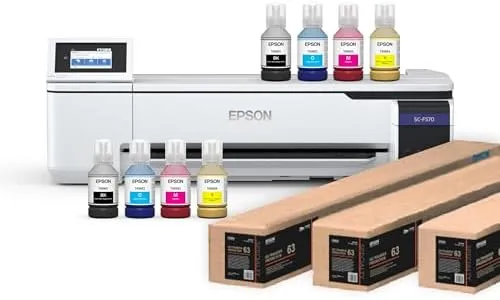
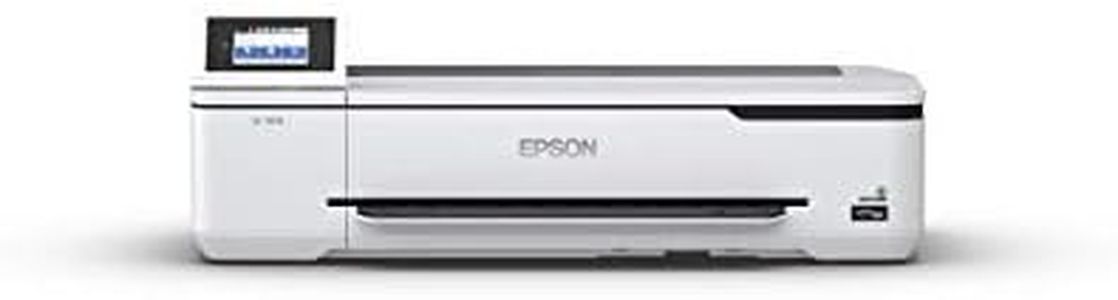
Epson Surecolor F570 Pro 24" Desktop Sublimation Printer, Includes Two Full Ink Sets, User Guide, Sublimation Paper, & Free Remote Install SCF570PE (Printer & Inks)

Rating
8.2
Print Quality (Resolution)
Print Speed
Connectivity Options

Most important from
32 reviews

Print Quality (Resolution)
Delivers outstanding print quality with vibrant colors, ideal for detailed and color-rich projects.
Print Speed
Print speed is slow, about one page per minute, making it unsuitable for high-volume or fast printing needs.
Connectivity Options
Connectivity options including USB, Ethernet, and wireless offer flexible ways to integrate into any workspace.
Ink Type and Cost
High-capacity ink bottles reduce refill frequency and minimize mess during operation.
Paper Handling
Supports wide media handling with convenient roll and sheet feeding plus a built-in cutter for efficient printing.
Additional Features
Professional software enhances control over print layouts and colors, benefiting users who prioritize precise results.

The Epson SureColor F570 Pro is designed for users who want high-quality dye-sublimation printing mainly for creative or professional projects at home or a small office. It delivers outstanding print clarity and vibrant colors thanks to Epson's PrecisionCore MicroTFP printhead and genuine dye-sublimation inks, making it great for detailed designs and color-rich images. The printer supports wide media up to 24 inches and can handle both rolls and sheets with a convenient auto-feed tray and built-in cutter, which helps with efficient printing of larger or multiple items. Connectivity options include USB, Ethernet, and wireless, giving flexible ways to connect to your PC or network.

A notable downside is its very slow print speed—about one page per minute in both color and monochrome—so it's not suited for high-volume or fast printing needs. It also only supports simplex printing (single-sided) and has a moderate input capacity of 50 sheets. The included high-capacity ink bottles reduce refill frequency and mess, but dye-sublimation ink typically costs more than standard inkjet ink, which is worth considering for ongoing expenses. The printer is relatively large and heavy, so it requires sufficient space.

Epson’s professional software enhances control over print layouts and colors, which benefits users wanting precise results. This model is well suited for hobbyists, small businesses, or anyone focused on quality sublimation printing rather than speed or duplex tasks.

Rating
8.2
Print Quality (Resolution)
Print Speed
Connectivity Options

Most important from
32 reviews

Print Quality (Resolution)
Delivers outstanding print quality with vibrant colors, ideal for detailed and color-rich projects.
Print Speed
Print speed is slow, about one page per minute, making it unsuitable for high-volume or fast printing needs.
Connectivity Options
Connectivity options including USB, Ethernet, and wireless offer flexible ways to integrate into any workspace.
Ink Type and Cost
High-capacity ink bottles reduce refill frequency and minimize mess during operation.
Paper Handling
Supports wide media handling with convenient roll and sheet feeding plus a built-in cutter for efficient printing.
Additional Features
Professional software enhances control over print layouts and colors, benefiting users who prioritize precise results.

Buying Guide for the Best Epson Home Printers

When choosing an Epson home printer, it's important to consider your specific needs and how you plan to use the printer. Whether you need it for occasional document printing, photo printing, or more frequent use, understanding the key specifications will help you make an informed decision. Here are some key specs to consider and how to navigate them to find the best fit for you.
Print Quality (Resolution)Print quality, measured in dots per inch (DPI), determines how sharp and detailed your printed documents and photos will be. Higher DPI values mean better print quality. For general document printing, a resolution of 600 x 600 DPI is usually sufficient. If you plan to print high-quality photos or detailed graphics, look for a printer with a resolution of 1200 x 1200 DPI or higher. Consider your primary use: for text documents, a lower DPI is fine, but for photos and graphics, opt for a higher DPI.
Print SpeedPrint speed, measured in pages per minute (PPM), indicates how quickly a printer can produce documents. This is important if you need to print large volumes of documents regularly. For occasional home use, a print speed of 10-15 PPM is usually adequate. If you frequently print large documents or need faster output, look for a printer with a speed of 20 PPM or higher. Assess your typical printing volume to determine the right speed for you.
Connectivity OptionsConnectivity options determine how you can connect your printer to your devices. Common options include USB, Wi-Fi, and Ethernet. Wi-Fi connectivity is particularly useful for home printers as it allows for wireless printing from multiple devices, including smartphones and tablets. If you have a home office setup, Ethernet might be beneficial for a stable connection. Consider your home network setup and how you prefer to connect your devices to choose the right connectivity options.
Ink Type and CostEpson printers use different types of ink, such as dye-based or pigment-based. Dye-based inks are generally better for photo printing due to their vibrant colors, while pigment-based inks are more durable and better for text documents. Additionally, consider the cost of replacement ink cartridges and the printer's ink efficiency. If you print frequently, look for printers with high-yield cartridges or EcoTank models that offer lower long-term ink costs. Match the ink type to your primary printing needs and budget for ongoing ink expenses.
Paper HandlingPaper handling refers to the types and sizes of paper a printer can accommodate, as well as its paper tray capacity. If you print a variety of documents, including envelopes, labels, or photo paper, ensure the printer supports these media types. A larger paper tray capacity is useful if you print in high volumes, as it reduces the need for frequent refilling. For general home use, a standard tray capacity of 100-150 sheets is usually sufficient. Consider the types of documents you print and how often you print to determine the right paper handling features.
Additional FeaturesAdditional features such as scanning, copying, and faxing can add versatility to your home printer. An all-in-one printer that includes these functions can save space and be more convenient if you need these capabilities. Other useful features might include duplex printing (automatic double-sided printing), an automatic document feeder (ADF), and touchscreen controls. Think about which additional features would be beneficial for your home use and choose a printer that offers those functionalities.

FAQ