We Use CookiesWe use cookies to enhance the security, performance, functionality and for analytical and promotional activities. By continuing to browse this site you are agreeing to our privacy policy

10 Best Direct Thermal Label Printers 2026 in the United States

How do we rank products for you?

Our technology thoroughly searches through the online shopping world, reviewing hundreds of sites. We then process and analyze this information, updating in real-time to bring you the latest top-rated products. This way, you always get the best and most current options available.

headphones-stars

Our Top Picks

#1

Winner

Rollo USB Shipping Label Printer - Commercial Grade 4x6 Thermal Label Printer for Shipping Packages - High Speed Custom Sticker Label Maker for Small Business - Supports Windows & Mac

Rating
10.0
Chosen by1,142
Print Resolution
Print Speed
Label Width

Most important from
16172 reviews

Print Resolution
Prints beautifully with clear barcodes and text, though small fonts might show some pixelation.
Print Speed
A significant time and money saver, converting minutes into seconds per shipment and reducing costs on labels and ink.
Label Width
Switching paper sizes is extremely quick and simple, enhancing versatility.
Connectivity Options
Integration with platforms like ShipStation is seamless, provided you follow directions.
Durability and Build Quality
Even after thousands of labels, the printer continues to perform reliably without issues.
Ease of Use
One of the best purchases for small business owners, making label printing super easy and hassle-free.

The Rollo USB Shipping Label Printer is a strong contender for anyone needing a reliable and efficient label printer. One of its standout features is the high print speed, capable of printing a 4x6 label in just one second. This makes it ideal for high-volume shipping needs. The print resolution of 203 DPI ensures that labels come out clear and easy to read, which is crucial for scanning and processing packages efficiently.

It supports a range of label widths from 1.57 to 4.1 inches, adding versatility for various labeling needs beyond shipping, like barcodes and product labels. Connectivity is straightforward with USB, making it compatible with both Windows and Mac systems, although it lacks wireless options which could be a limitation for some users. The Rollo printer is also robust in terms of build quality and durable enough for frequent use. Another big plus is the cost savings on ink, as it uses direct thermal technology and doesn’t require ink or toner.

Additionally, the included Rollo Ship app offers access to exclusive shipping rates and integrates with major e-commerce platforms and shipping services, simplifying the shipping process. However, it is a wired-only device, which may not be ideal for users who prefer a wireless setup. The setup process is user-friendly, yet some users might find the initial connection to e-commerce platforms a bit tricky. This printer is well-suited for small businesses and e-commerce sellers who need fast, reliable, and cost-effective label printing.

Rating
10.0
Chosen by1,142
Print Resolution
Print Speed
Label Width

Most important from
16172 reviews

Print Resolution
Prints beautifully with clear barcodes and text, though small fonts might show some pixelation.
Print Speed
A significant time and money saver, converting minutes into seconds per shipment and reducing costs on labels and ink.
Label Width
Switching paper sizes is extremely quick and simple, enhancing versatility.
Connectivity Options
Integration with platforms like ShipStation is seamless, provided you follow directions.
Durability and Build Quality
Even after thousands of labels, the printer continues to perform reliably without issues.
Ease of Use
One of the best purchases for small business owners, making label printing super easy and hassle-free.
#2

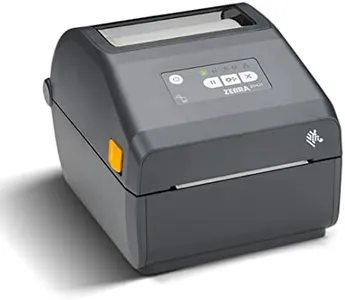
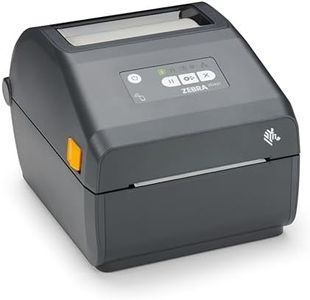
ZEBRA ZD421 Direct Thermal Desktop Printer 203 dpi Print Width 4-inch Wired USB and Ethernet Connectivity ZD4A042-D01E00EZ, No Thermal Ribbon Required

Rating
9.7
Connectivity Options
Print Resolution
Label Width

Most important from
50 reviews

Connectivity Options
The printer delivers reliable performance with seamless Ethernet connectivity, making it an excellent choice for labeling tasks.
Print Resolution
Print quality is clear and consistent for standard label sizes, meeting the needs of retail, healthcare, and shipping environments.
Label Width
The ability to print on very small labels and compatibility with any direct thermal labels adds great flexibility.
Durability and Build Quality
Durability and ease of use make this printer a dependable option for everyday medium-volume printing needs.
Ease of Use
Durability and ease of use make this printer a dependable option for everyday medium-volume printing needs.

The Zebra ZD421 is a compact and sturdy direct thermal label printer designed for users needing reliable, everyday label printing without the hassle of ribbons. It offers a standard print resolution of 203 dpi, which is clear enough for most shipping labels, barcodes, and basic text, though it also supports 300 dpi for finer detail if needed. The print speed is moderate, suitable for typical office or light industrial use, but not the fastest option if you have very high-volume needs. It handles labels up to 4 inches wide, fitting well with common label sizes in retail, healthcare, or shipping environments. Connectivity is versatile with both USB and Ethernet ports, allowing easy wired connections to your computer or network, but it lacks wireless options which might limit flexibility in some setups.

The build quality feels solid and durable, making it a dependable choice for daily tasks. Users will appreciate its ease of use, thanks to straightforward controls and compatibility with common PC setups, plus no need for thermal ribbons simplifies maintenance and reduces running costs. However, its sheet capacity is modest, so frequent refills may be necessary in busier settings. If you need a simple, reliable direct thermal printer for medium-volume labeling with good print quality and wired connectivity, the Zebra ZD421 is a suitable choice. For very high-speed or wireless needs, you might want to explore other models.

Rating
9.7
Connectivity Options
Print Resolution
Label Width

Most important from
50 reviews

Connectivity Options
The printer delivers reliable performance with seamless Ethernet connectivity, making it an excellent choice for labeling tasks.
Print Resolution
Print quality is clear and consistent for standard label sizes, meeting the needs of retail, healthcare, and shipping environments.
Label Width
The ability to print on very small labels and compatibility with any direct thermal labels adds great flexibility.
Durability and Build Quality
Durability and ease of use make this printer a dependable option for everyday medium-volume printing needs.
Ease of Use
Durability and ease of use make this printer a dependable option for everyday medium-volume printing needs.
#3

JADENS Bluetooth Thermal Shipping Label Printer – Wireless 4x6 Shipping Label Printer, Compatible with Android, iPhone, Windows & Mac, Widely Used for Ebay, Amazon, Shopify, Etsy, USPS

Rating
8.8
Print Resolution
Print Speed
Connectivity Options

Most important from
8798 reviews

Print Resolution
Print quality is sharp and clear, delivering crisp barcodes and text with no lag or delays.
Print Speed
A game changer for small business owners, the printer is reliable, fast, and incredibly easy to use.
Connectivity Options
Setup is a breeze with seamless Bluetooth connectivity to devices, eliminating the need for extra drivers.
Ease of Use
A game changer for small business owners, the printer is reliable, fast, and incredibly easy to use.

The JADENS Bluetooth Thermal Shipping Label Printer offers a convenient solution for small business owners who need to print shipping labels efficiently. Its direct thermal printing technology eliminates the need for ink or toner, making it cost-effective and mess-free. The printer boasts a print resolution of 203 DPI, which is decent for clear text and barcode labels. Its print speed is satisfactory, ensuring that labels can be produced quickly to keep up with business demands.

With a label width capability ranging from 1.57 to 4.1 inches, it is versatile enough to accommodate various label sizes. Connectivity options include Bluetooth for wireless printing and USB for wired connections. The Bluetooth feature allows it to print wirelessly on Windows, Android, and iOS devices, though Mac OS users will need to rely on USB connections as Bluetooth is not supported. This can be considered a limitation for those who prefer wireless operations on Mac devices.

The printer is easy to set up, with guidance provided through instructional videos and a U-Disk, making it accessible for users not familiar with tech setups. The build quality appears robust, and it comes with a one-year warranty and reliable customer support services. Users can benefit from its compatibility with multiple e-commerce platforms like eBay, Amazon, and Shopify, enhancing business productivity. However, while it offers solid functionality, the print resolution might not be sufficient for tasks that require high-definition graphics. Additionally, the printer's reliance on an app for wireless printing on iOS and Android might be cumbersome for some users. Despite these minor drawbacks, the JADENS printer serves as an effective tool for businesses focused on shipping label needs.

Rating
8.8
Print Resolution
Print Speed
Connectivity Options

Most important from
8798 reviews

Print Resolution
Print quality is sharp and clear, delivering crisp barcodes and text with no lag or delays.
Print Speed
A game changer for small business owners, the printer is reliable, fast, and incredibly easy to use.
Connectivity Options
Setup is a breeze with seamless Bluetooth connectivity to devices, eliminating the need for extra drivers.
Ease of Use
A game changer for small business owners, the printer is reliable, fast, and incredibly easy to use.

Buying Guide for the Best Direct Thermal Label Printers

When choosing a direct thermal label printer, it's important to consider several key specifications to ensure you select the best model for your needs. Direct thermal label printers use heat-sensitive paper to produce labels, making them ideal for short-term labeling applications. Understanding the key specs will help you make an informed decision and find a printer that meets your specific requirements.
Print ResolutionPrint resolution is measured in dots per inch (DPI) and determines the clarity and detail of the printed labels. Higher DPI values produce sharper and more detailed prints. For general labeling needs, a resolution of 203 DPI is usually sufficient. However, if you need to print small text or detailed graphics, consider a printer with a higher resolution, such as 300 DPI or more. Your choice should be guided by the level of detail required in your labels.
Print SpeedPrint speed is measured in inches per second (IPS) and indicates how quickly the printer can produce labels. Faster print speeds are beneficial for high-volume printing tasks, reducing wait times and increasing efficiency. For occasional or low-volume printing, a speed of 4-6 IPS may be adequate. For high-volume environments, such as shipping or warehousing, look for printers with speeds of 8 IPS or higher. Consider your typical printing volume and choose a speed that matches your workflow.
Label WidthLabel width refers to the maximum width of labels that the printer can handle. It's important to choose a printer that supports the label sizes you need. Standard label widths range from 2 to 4 inches, but some printers can accommodate wider labels. If you need to print larger labels for shipping or product identification, ensure the printer can handle the required width. Assess the typical size of your labels and select a printer that can accommodate them.
Connectivity OptionsConnectivity options determine how the printer connects to your computer or network. Common options include USB, Ethernet, Wi-Fi, and Bluetooth. USB is suitable for direct connections to a single computer, while Ethernet and Wi-Fi are ideal for networked environments where multiple users need access. Bluetooth is useful for mobile printing from smartphones or tablets. Consider your setup and choose a printer with the connectivity options that best fit your needs.
Durability and Build QualityDurability and build quality are important for ensuring the printer can withstand the demands of your environment. Look for printers with robust construction, especially if they will be used in industrial or high-traffic settings. Features like metal frames and protective covers can enhance durability. If the printer will be used in a less demanding environment, such as an office, a lighter build may be sufficient. Consider where and how the printer will be used to determine the necessary level of durability.
Ease of UseEase of use encompasses factors like the user interface, setup process, and maintenance requirements. A printer with an intuitive interface and straightforward setup can save time and reduce frustration. Features like easy label loading and minimal maintenance can also enhance usability. If multiple people will be using the printer, or if you prefer a hassle-free experience, prioritize models known for their user-friendly design. Think about who will be using the printer and how important ease of use is for your situation.

FAQ