We Use CookiesWe use cookies to enhance the security, performance, functionality and for analytical and promotional activities. By continuing to browse this site you are agreeing to our privacy policy

10 Best Color Scanners 2026 in the United States


How do we rank products for you?

Our technology thoroughly searches through the online shopping world, reviewing hundreds of sites. We then process and analyze this information, updating in real-time to bring you the latest top-rated products. This way, you always get the best and most current options available.

headphones-stars

Our Top Picks

#1

Winner

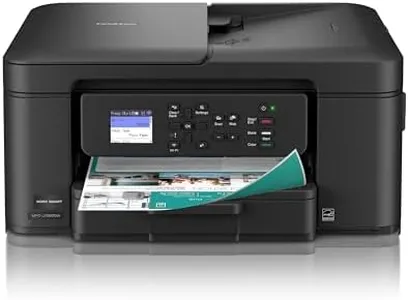
Brother MFC-L3780CDW Wireless Digital Color All-in-One Printer with Laser Quality Output, Single Pass Duplex Copy & Scan | Includes 2 Month Refresh Subscription Trial, Works with Alexa

Rating
10.0
Chosen by1,426
Scan Speed
Color Depth
Connectivity

Most important from
769 reviews

Scan Speed
The scanner’s duplex capability and fast scanning speeds significantly streamline handling multi-page documents.
Color Depth
Color output is vibrant and perfectly suited for documents, though not intended for high-end photo printing.
Connectivity
Setup is incredibly straightforward, with Wi-Fi connectivity working seamlessly and no complicated steps required.
Document Handling
The scanner’s duplex capability and fast scanning speeds significantly streamline handling multi-page documents.
Software Compatibility
Firmware updates and setup processes are smooth, with good support for macOS and iOS printing.

The Brother MFC-L3780CDW is a versatile all-in-one color laser printer that offers solid scanning capabilities ideal for small business use. Its color depth of 24 bits ensures vibrant and accurate color reproduction, which is good for detailed document scans. The scanner features single-pass duplex scanning, meaning it can scan both sides of a document quickly in one go, with speeds up to 29 images per minute in black and 22 images per minute in color—this helps save time when handling multiple-page documents. The maximum scan resolution supports sharp images, suitable for everyday office needs though it might not meet the demands of high-end photo scanning. Connectivity options are flexible, with dual-band Wi-Fi, Ethernet, USB, and Wi-Fi Direct, making it easy to connect from laptops, smartphones, or tablets without hassle.

Its document handling is efficient, supporting up to 250 sheets with automatic duplexing, and includes a flatbed and sheet-fed scanner, giving you versatility for different document types. Software compatibility is broad, supporting common devices and voice controls through Alexa, which adds convenience for quick scanning tasks. The scanner's color scan speed is a bit slower than the black and white, which may be noticeable in large color scanning jobs. Also, the unit is relatively heavy and takes up significant desk space, which might be a concern if your workspace is tight.

This scanner is a reliable, high-quality option for everyday office scanning, especially where fast duplex scanning and flexible connectivity are priorities. It may be less suitable if you require ultra-high resolution or ultra-fast color scanning.

Rating
10.0
Chosen by1,426
Scan Speed
Color Depth
Connectivity

Most important from
769 reviews

Scan Speed
The scanner’s duplex capability and fast scanning speeds significantly streamline handling multi-page documents.
Color Depth
Color output is vibrant and perfectly suited for documents, though not intended for high-end photo printing.
Connectivity
Setup is incredibly straightforward, with Wi-Fi connectivity working seamlessly and no complicated steps required.
Document Handling
The scanner’s duplex capability and fast scanning speeds significantly streamline handling multi-page documents.
Software Compatibility
Firmware updates and setup processes are smooth, with good support for macOS and iOS printing.
#2

Brother MFC-L8930CDW Business Color Laser All-in-One Printer with Duplex Print, Scan, Copy, Low-Cost Printing, and Advanced Security Features

Rating
9.4
Resolution
Scan Speed
Color Depth

Most important from
54 reviews

Resolution
High-quality color and black-and-white scans produce sharp, professional documents suitable for demanding office use.
Scan Speed
The scanner delivers incredibly fast two-sided scanning, handling large batches effortlessly with speeds up to 104 images per minute.
Color Depth
Print quality is crisp with accurate color reproduction, making it ideal for business documents though not designed for photo-grade prints.
Connectivity
Connectivity options like Ethernet, USB, dual-band Wi-Fi, and mobile apps integrate smoothly with PCs, Macs, smartphones, and tablets.
Document Handling
Versatile document handling with an 80-page automatic feeder and multipurpose tray supports a wide range of media, including legal-size pages and envelopes.
Software Compatibility
The 7-inch color touchscreen enhances ease of use by providing customizable shortcuts and scan previews, simplifying frequent tasks.

The Brother MFC-L8930CDW is a solid choice for businesses or offices needing a reliable color scanner combined with printing and copying features. It offers high scan speeds, up to 104 images per minute for two-sided scanning, which is excellent for handling large document batches quickly. The scanner supports both flatbed and sheet-fed scanning, allowing flexibility with different document types, including legal-size pages. Its scan resolution and print resolution (up to 2400 x 600 dpi) produce sharp color and black-and-white images, good enough for professional-quality documents but not quite photo-grade. Laser technology typically provides vibrant, accurate colors suitable for business use. Connectivity is strong with Ethernet, USB, and dual-band Wi-Fi, making it easy to integrate into most office networks and compatible with laptops, smartphones, and tablets.

Document handling is well thought out, with an 80-page automatic document feeder and a multipurpose tray that supports various media sizes and types, including envelopes and labels. The 7-inch color touchscreen enhances usability by providing scan previews and customizable shortcuts, which simplify frequent tasks. Software compatibility includes features like scan-to-cloud, email, and editable Microsoft Office documents, which are valuable for workflow efficiency.

The device is quite heavy (over 70 pounds) and somewhat bulky, which may be a consideration in smaller spaces. While it offers fast speeds and good image quality, the initial page print time is close to 10 seconds, which might feel slow for quick single-page jobs. Toner replacement, although cost-effective over time, can be pricey upfront. Security features like NFC authentication and network protections add peace of mind for sensitive documents. This scanner is best suited for medium to large offices needing fast, versatile scanning with decent color quality and strong connectivity, rather than casual or photo-centric users.

Rating
9.4
Resolution
Scan Speed
Color Depth

Most important from
54 reviews

Resolution
High-quality color and black-and-white scans produce sharp, professional documents suitable for demanding office use.
Scan Speed
The scanner delivers incredibly fast two-sided scanning, handling large batches effortlessly with speeds up to 104 images per minute.
Color Depth
Print quality is crisp with accurate color reproduction, making it ideal for business documents though not designed for photo-grade prints.
Connectivity
Connectivity options like Ethernet, USB, dual-band Wi-Fi, and mobile apps integrate smoothly with PCs, Macs, smartphones, and tablets.
Document Handling
Versatile document handling with an 80-page automatic feeder and multipurpose tray supports a wide range of media, including legal-size pages and envelopes.
Software Compatibility
The 7-inch color touchscreen enhances ease of use by providing customizable shortcuts and scan previews, simplifying frequent tasks.
#3

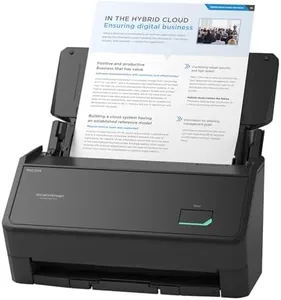
RICOH fi-8170 Professional High Speed Color Duplex Document Scanner - Network Enabled

Rating
8.8
Scan Speed
Document Handling
Software Compatibility

Most important from
135 reviews

Scan Speed
Provides employees the ability to scan documents at a faster speed.
Document Handling
Feed Rollers use new technology that prevents them from becoming 'gummy' over time.
Software Compatibility
TWAIN support is robust, with compatibility for a wide range of programs.

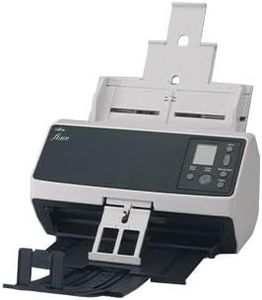
The RICOH fi-8170 Professional High Speed Color Duplex Document Scanner is designed for those who require fast, reliable, and versatile scanning. With a resolution of 600 dpi, it offers clear and detailed scans, suitable for both text and images. The impressive scan speed of up to 70 double-sided pages per minute makes it ideal for busy offices or environments where high-volume scanning is necessary.

This scanner handles a wide variety of document types, from lightweight paper to thick items like passports and plastic cards, enhancing its versatility in document handling. The inclusion of PaperStream Capture software and TWAIN drivers ensures easy operation, even for those with minimal technical training. Its connectivity options, including USB and Ethernet, allow for flexible integration into different setups and networks.

Additionally, the powerful OCR capabilities enable users to turn scanned documents into editable, actionable data, which is beneficial for business use. On the downside, the scanner is relatively heavy at 8.8 pounds, which may not be convenient for frequent relocation. Also, while its advanced features are a significant advantage, they might be more than what a casual user needs, making it more suitable for professional or business environments. The clear image processing and color-matching capabilities ensure high-quality scans, but the initial setup and integration with existing systems may require some time and effort. If you need a robust, high-speed scanner with excellent image quality and versatile document handling, the RICOH fi-8170 is a solid choice.

Rating
8.8
Scan Speed
Document Handling
Software Compatibility

Most important from
135 reviews

Scan Speed
Provides employees the ability to scan documents at a faster speed.
Document Handling
Feed Rollers use new technology that prevents them from becoming 'gummy' over time.
Software Compatibility
TWAIN support is robust, with compatibility for a wide range of programs.

Buying Guide for the Best Color Scanners

Choosing the right color scanner can significantly impact your productivity and the quality of your scanned documents. Whether you need a scanner for personal use, professional work, or creative projects, understanding the key specifications will help you make an informed decision. Here are the essential specs to consider when selecting a color scanner.
ResolutionResolution refers to the number of dots per inch (DPI) that a scanner can capture. Higher resolution means more detail and clarity in the scanned image. For general document scanning, a resolution of 300-600 DPI is usually sufficient. If you need to scan photos or detailed graphics, look for a scanner with a resolution of 1200 DPI or higher. Your choice should depend on the level of detail you need in your scanned images.
Scan SpeedScan speed indicates how quickly a scanner can process documents, usually measured in pages per minute (PPM). Faster scan speeds are beneficial for high-volume scanning tasks, such as in an office setting. For occasional or personal use, a lower scan speed may be acceptable. Consider how often you will be scanning and the volume of documents to determine the appropriate scan speed for your needs.
Color DepthColor depth, measured in bits, determines the number of colors a scanner can capture. Higher color depth results in more accurate and vibrant colors. For general document scanning, 24-bit color depth is typically sufficient. If you are scanning photos or artwork, you may want a scanner with 48-bit color depth to ensure the best color reproduction. Choose based on the importance of color accuracy in your scanned images.
ConnectivityConnectivity options include USB, Wi-Fi, and Ethernet. USB is common and reliable for direct connections to a computer. Wi-Fi allows for wireless scanning and can be convenient for multiple users or mobile devices. Ethernet is useful for networked environments where multiple users need access to the scanner. Consider your setup and how you plan to use the scanner to determine the best connectivity option for you.
Document HandlingDocument handling features include automatic document feeders (ADF) and flatbed scanning. ADFs are useful for scanning multiple pages quickly and efficiently, making them ideal for office use. Flatbed scanners are better for scanning books, photos, and fragile documents. Some scanners offer both options. Think about the types of documents you will be scanning and choose a scanner with the appropriate document handling capabilities.
Software CompatibilitySoftware compatibility refers to the scanner's ability to work with various operating systems and scanning software. Ensure the scanner is compatible with your computer's operating system and any specific software you plan to use for editing or managing scanned documents. Compatibility can affect ease of use and integration into your workflow, so it's important to check this before purchasing.

FAQ